

Hi there,
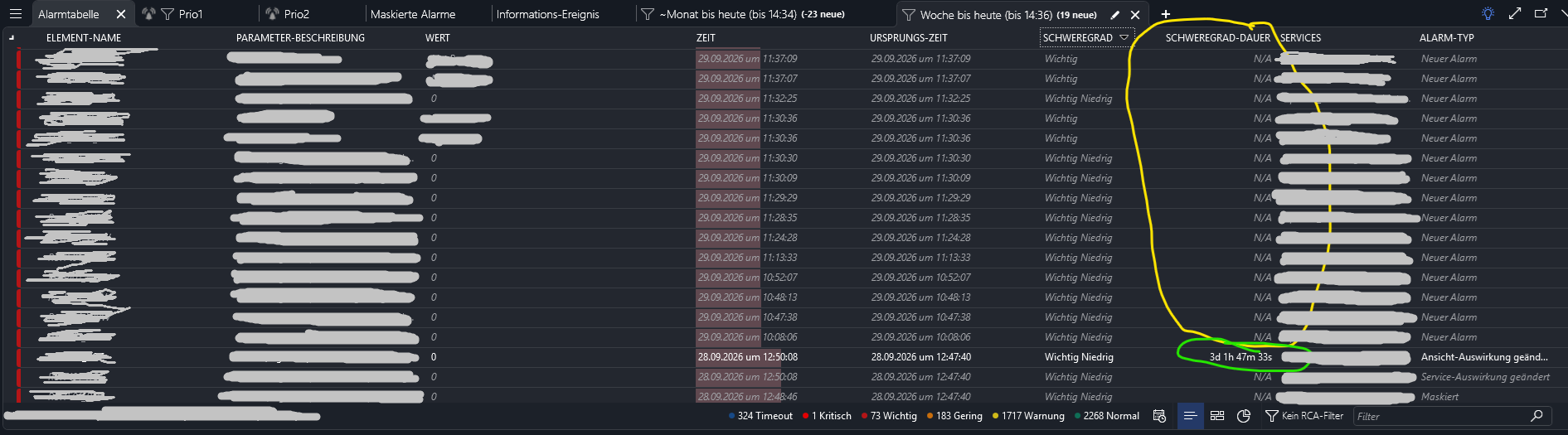
I want to see, how long an alarm stayed active after this alarm gets cleared, but the duration isn't displayed in the table. Only active alarms have increasing durations displayed. How can i measure or better: see the duration of an alarm?
Thanks!

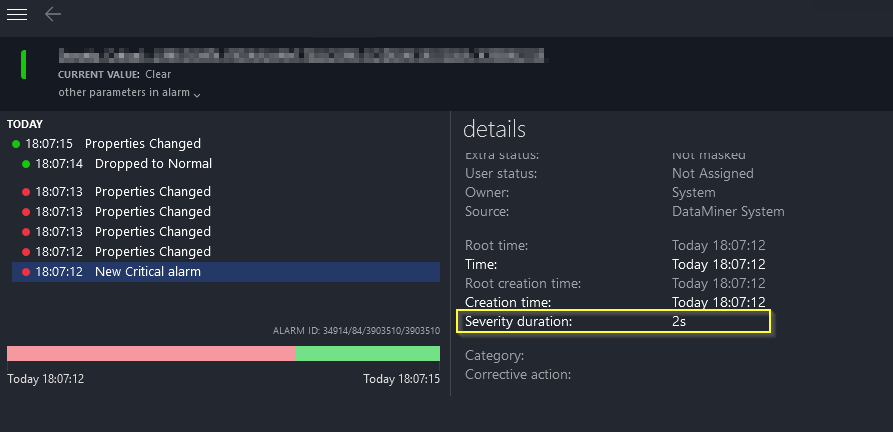
If you right-click the alarm in the alarm console and open the alarm card you should be able to traverse the alarm tree and also view its duration.
Hello
Yes, the right-click to the alarm card solution was already known, but if i need to copy for example the offline time of up to 11 devices from one location, i dont't want to klick 11 times.... I want the duration displayed in this list 😀
Hi Pieter,
thanks for the detailed and helpful answer. I’ll give the dashboard solution a try; that should certainly help. I think i can use filters there to maintain performance.
Thanks, and best regards from Hamburg.

Hi Simon,
Severity Duration represents the amount of time an alarm has been in its current severity state. For a cleared alarm, the current severity becomes Normal. Since the alarm is no longer evolving after it has been cleared, the Severity Duration is currently shown as N/A.
That explains the current behavior. However, I agree that for cleared alarms it would be more useful to display the duration of the last active severity period before the alarm was cleared. I'll create an investigation to determine whether we can support that scenario.
In the meantime, it may be possible to achieve similar behavior in Dashboards using a custom operator. One approach could be to first retrieve a filtered list of alarms and then apply a custom operator that calculates the duration for each alarm, likely using the alarm ID as input and retrieving the relevant alarm history.
Keep in mind that this approach would require accessing alarm history for every alarm, which can have a significant performance impact. Therefore, it is recommended to apply sufficient filtering first and only use it on relatively small result sets.

Hi Simon,
I am currently investigating the Severity Duration displayed on the History tab page.
The Severity Duration becomes available when history tracking is enabled. Once enabled, the duration is calculated based on the condition that a subsequent alarm is also present in the History tab page.
For cleared alarms, the Severity Duration currently remains N/A. As Pieter mentioned, we could enhance this behavior by assigning the Severity Duration of the last alarm state to the cleared alarm.
Would this be the behavior you are looking for?