

Hello everyone,
We are currently trying to query a “Bridge Technologies VB Series” probe (VB330) located at a different site for our customer, using a proxy, without success (WINHTTP_TIMEOUT).
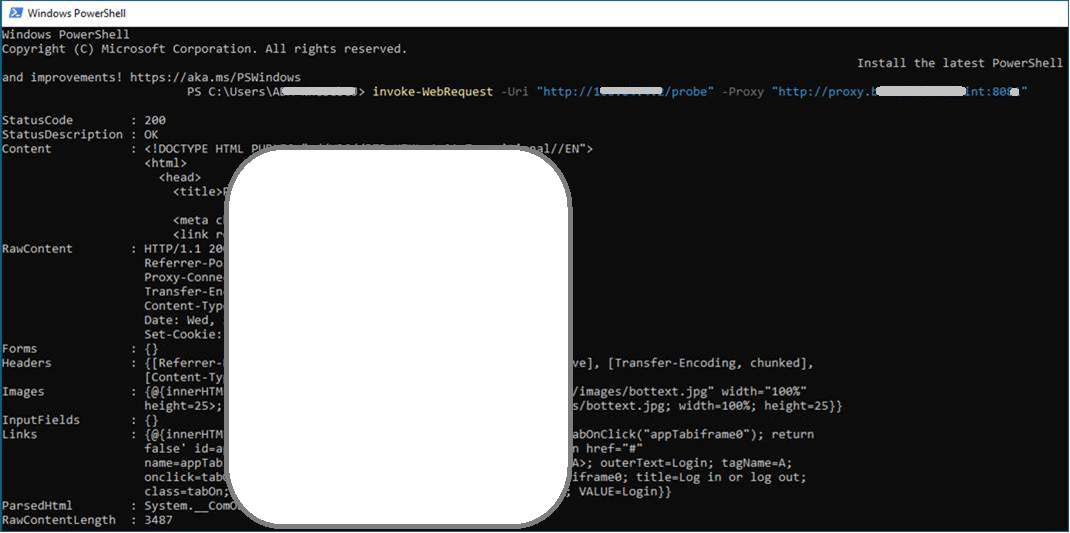
The proxy is reachable via the URL "proxy.edv.int" on port 8088 (not real values, just to explain here), and HTTP requests are basically successfully answered, for example via Postman or using PowerShell’s Invoke-WebRequest:
The proxy is configured to allow the remote probe’s IP address.
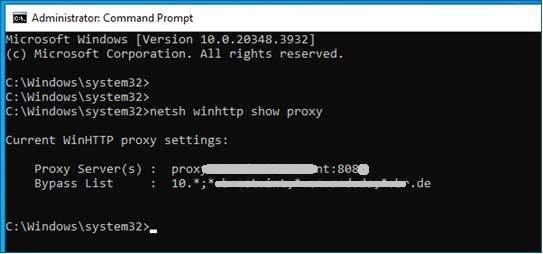
To provide the proxy to DataMiner, it has also been configured for the Windows SYSTEM user:
The settings of the probe element (based on latest connector version 1.4.2.5) are as follows:
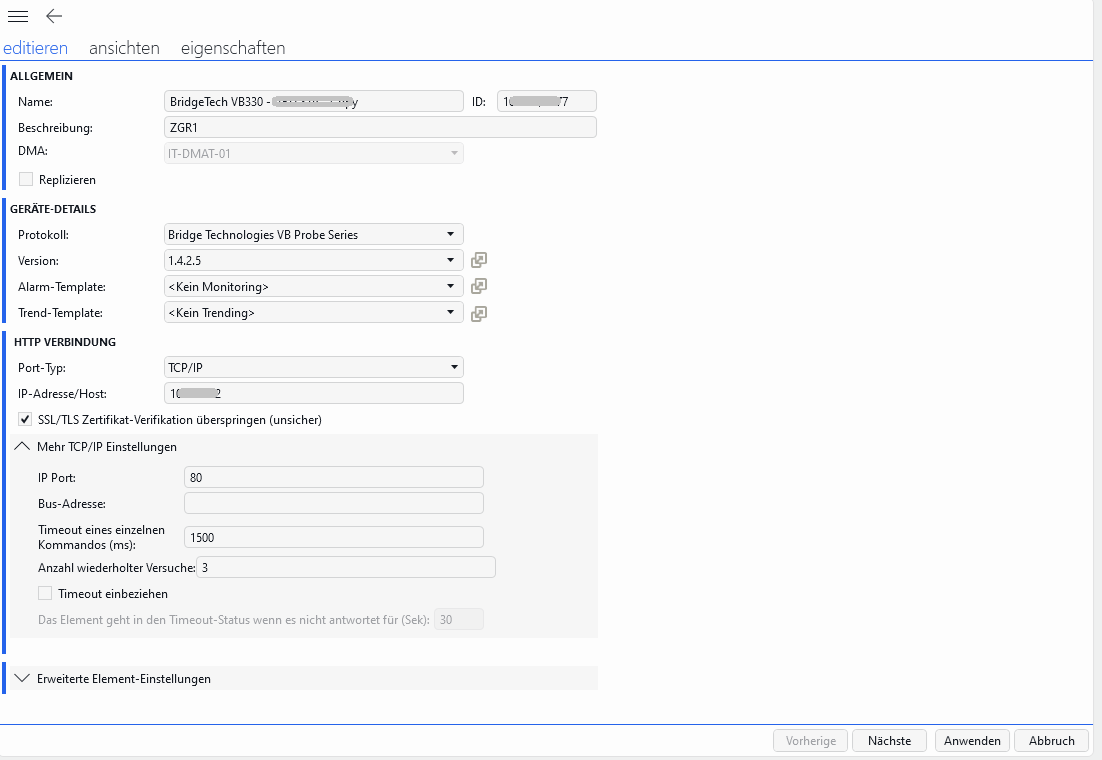
As said above, without success(WINHTTP_TIMEOUT). It also doesn’t work with any other combination of strings/Ips/Ports in the edit mask (other issues then).
So our questions are:
• Is this the correct way to configure and use a proxy for the element?
• If not, what would be the correct configuration or solution to enable this http polling via proxy?
• What other issue could potentially be causing this issue?
Streamviewer output comes like this:
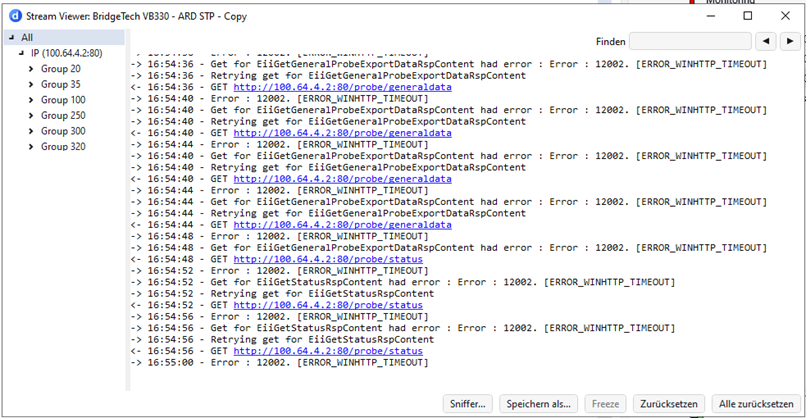
Ping on the probe is not answered, but the Web interface is accessible and operable in the element.
DataMiner is version 10.6.0 CU2.
Maybe one more thing to consider:
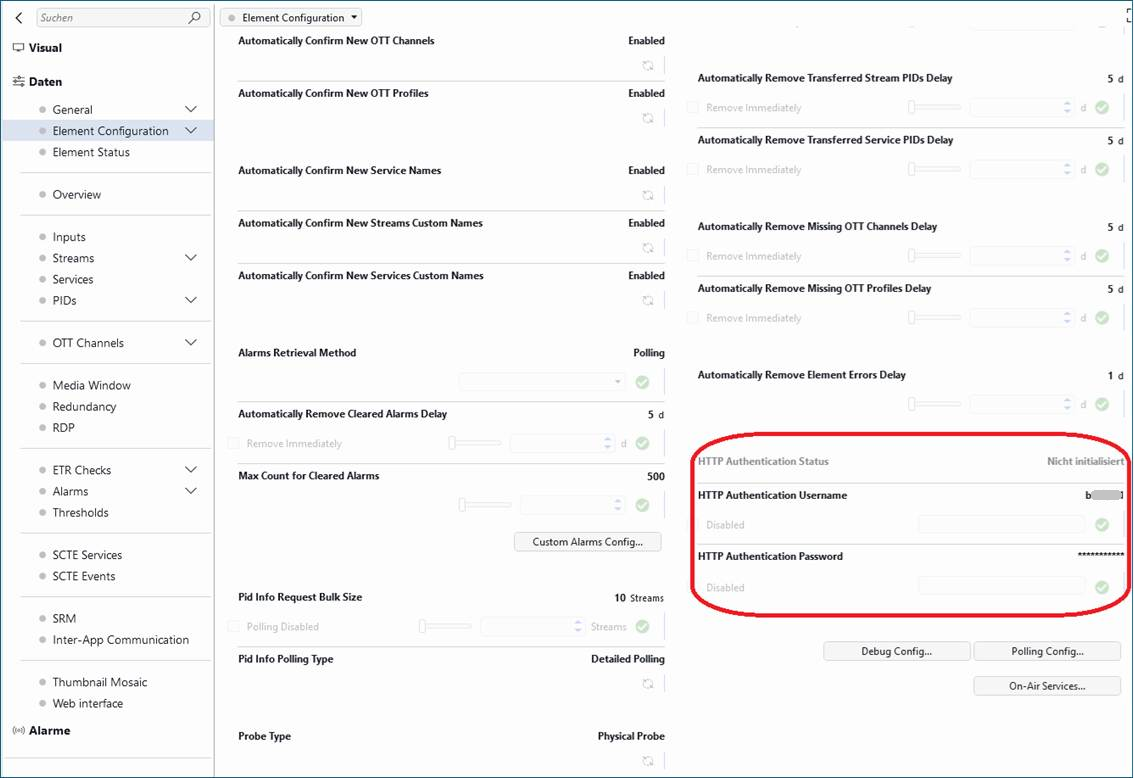
We are accessing the probe with http authentication, as shown in screenshot below.
Don’t know if the combination of proxy and authentication is maybe part of the problem.
Excerpt of the log output:
2026/06/01 16:59:32.577|SLProtocol - 10808 - BridgeTech VB330 - xxx - Copy|7992|CProtocol::AddToExecute|DBG|2|Group 250 not added, it is already on the stack.
2026/06/01 16:59:32.577|SLProtocol - 10808 - BridgeTech VB330 - xxx - Copy|7992|CProtocol::AddToExecute|DBG|2|Group 105 not added, it is already on the stack.
2026/06/01 16:59:32.577|SLProtocol - 10808 - BridgeTech VB330 - xxx - Copy|7992|CProtocol::AddToExecute|DBG|2|Group 140 not added, it is already on the stack.
2026/06/01 16:59:32.577|SLProtocol - 10808 - BridgeTech VB330 - xxx - Copy|28424|CParameter::RunQActions|DBG|5|QAction 21000 finished
2026/06/01 16:59:32.690|SLProtocol - 10808 - BridgeTech VB330 - xxx - Copy|12320|CProtocol::ProcessHttpResult|INF|3|Error : 12002. [ERROR_WINHTTP_TIMEOUT]
2026/06/01 16:59:32.690|SLProtocol - 10808 - BridgeTech VB330 - xxx - Copy|12320|CProtocol::LogHttpRequest|INF|3|<- 16:59:32 - GET http://1xx.xx.x.x1:80/probe/generaldata
2026/06/01 16:59:34.576|SLProtocol - 10808 - BridgeTech VB330 - xxx - Copy|28424|CParameter::RunQActions|DBG|5|Find QAction 21000
2026/06/01 16:59:34.576|SLProtocol - 10808 - BridgeTech VB330 - xxx - Copy|28424|CParameter::RunQActions|DBG|5|Run QAction 21000
2026/06/01 16:59:34.576|SLProtocol - 10808 - BridgeTech VB330 - xxx - Copy|28424|CQAction::Run|INF|2|QAction [21000] triggered by [pid=20985/idx=-1/pk=/user=]
Input: new = <NULL>
Input: old = <NULL>
Input: extra = <NULL>
We are running out of ideas, so any suggestion is very welcome.
Thanks, Regards
Jörg

Your element configuration looks right and proxy authentication has been ruled out.
Some additional things you can try in Powershell/Postman.
- A request that is typically not behind authentication. Do you get response data ? If yes, do you see data on the General page of the connector ?
curl.exe -k -v -x http://proxyIP:8080 http://<probeIP>/probe/status
- A request that requires HTTP authentication. Do you get response data ?
curl.exe -k -v -x http://proxyIP:8080 http://<probeIP>/probe/generaldata -u user:password
This will also help rule out if the proxy is doing any path filtering e.g. only allowing /probe

From a configuration point of view, everything looks correct at first glance.
Do you know whether the proxy requires authentication? If so, I can see that the Invoke-WebRequest is being executed in the context of your user account, whereas DataMiner is running as the SYSTEM account. That difference could be significant if the proxy requires user-specific credentials.
Another thing worth testing is increasing the timeout from 1500 ms to 10000 ms. Depending on the proxy and the remote endpoint, 1500 ms may be too short, and increasing the timeout would help determine whether the issue is simply related to the request taking longer than expected.

Instead of a proxy, have you considered using DataMiner Edge Manager (see About Edge Manager | DataMiner Docs)? It requires DataMiner 10.5.10/10.6.0 (or higher) and the installation of a zrok agent on the remote location.
This seems a good fit for your setup.
@Wale
Many thanks for your additional suggestions, I tried both of them.
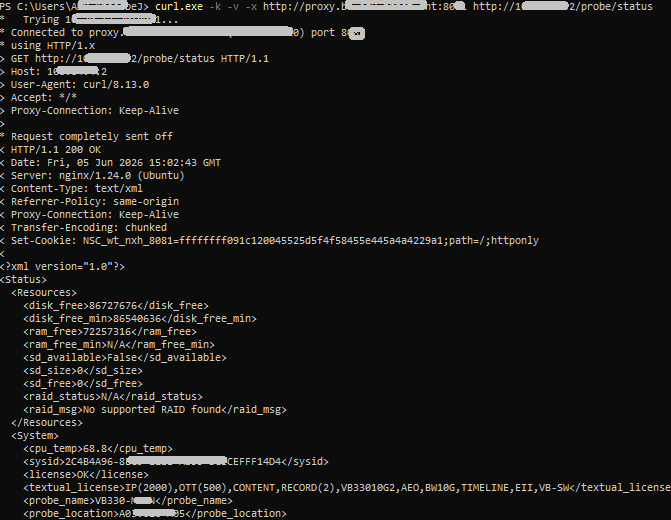
The first one without authentication on /probe/status retrieved response data like this:
The second one with authentication on probe/generaldata retrieved response data:
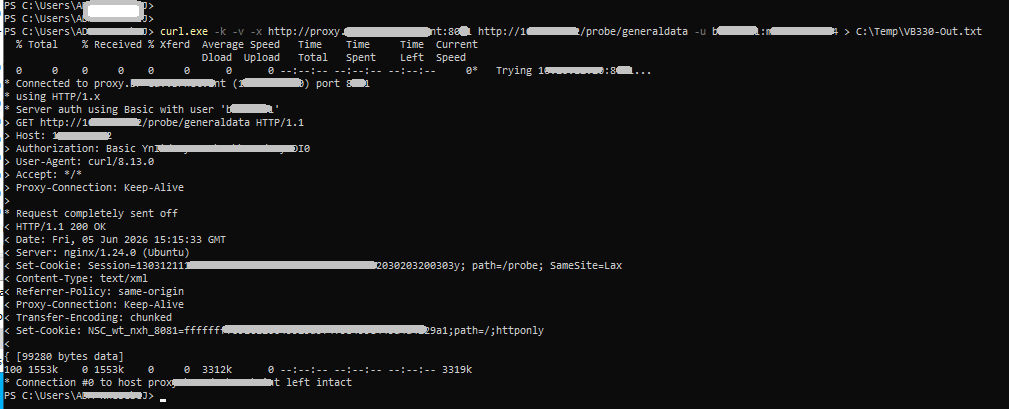
(here I redirected the response data into a file with a 3 MB content of probe tables and data)
So, I believe that the proxy works fine, because it provides anything requested from Powershell before and behind http authentication. However, in Cube, I don't see any data, neither on the element's general page nor on the other pages.
Thanks for confirming these checks. I'm now leaning towards network routing. Can you check if traffic is actually being routed to the proxy. If you can setup a Wireshark trace to the proxy server and restart the element to confirm this and to also possibly highlight any other issue.
Based on Wale's suggestions, we carried out several additional Wireshark and Fiddler analyses.
It turned out that resetting the proxy on the DMA server (setting it to something like 127.0.0.1:8888 and then back to the actual proxy), together with restarting the element, resolved the issue. Also, according to Jeroen, we set the element's HTTP query timeout to 10 seconds. The HTTP requests are now being routed and answered via the proxy by the probe.
Thanks again for all the input, suggestions, and effort!
@Jeroen
Thank you for your considerations and proposals.
I have increased the timeout to 10 seconds, and we can see the effect in the streamviewer. However, unfortunately no improvement, still [ERROR_WINHTTP_TIMEOUT].
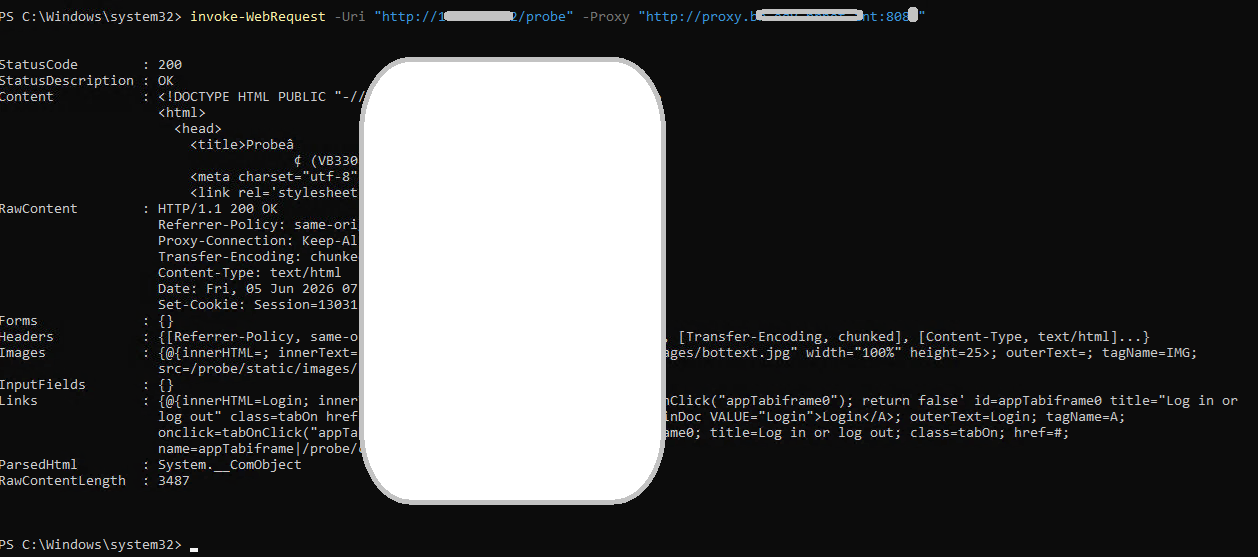
Regarding the proxy authentication, I don't think that it's required. I've tested the Invoke-WebRequest with the SYSTEM account, with the same (successful) result:
Many thanks for your proposal, good idea actually. We'll have to double-check with the customer's teams, but I'm afraid there will be no resources and time to spend this effort before the start of the football worldcup. However, we'll keep this in mind.