
With every DataMiner Feature Release, we introduce improvements and new capabilities that help you get more value out of your system. In this post, we highlight the most noteworthy additions to DataMiner 10.6.9.
Below, you’ll find a list of the new or improved features that are worth highlighting in this release. Each item links to relevant documentation where you can find more details.
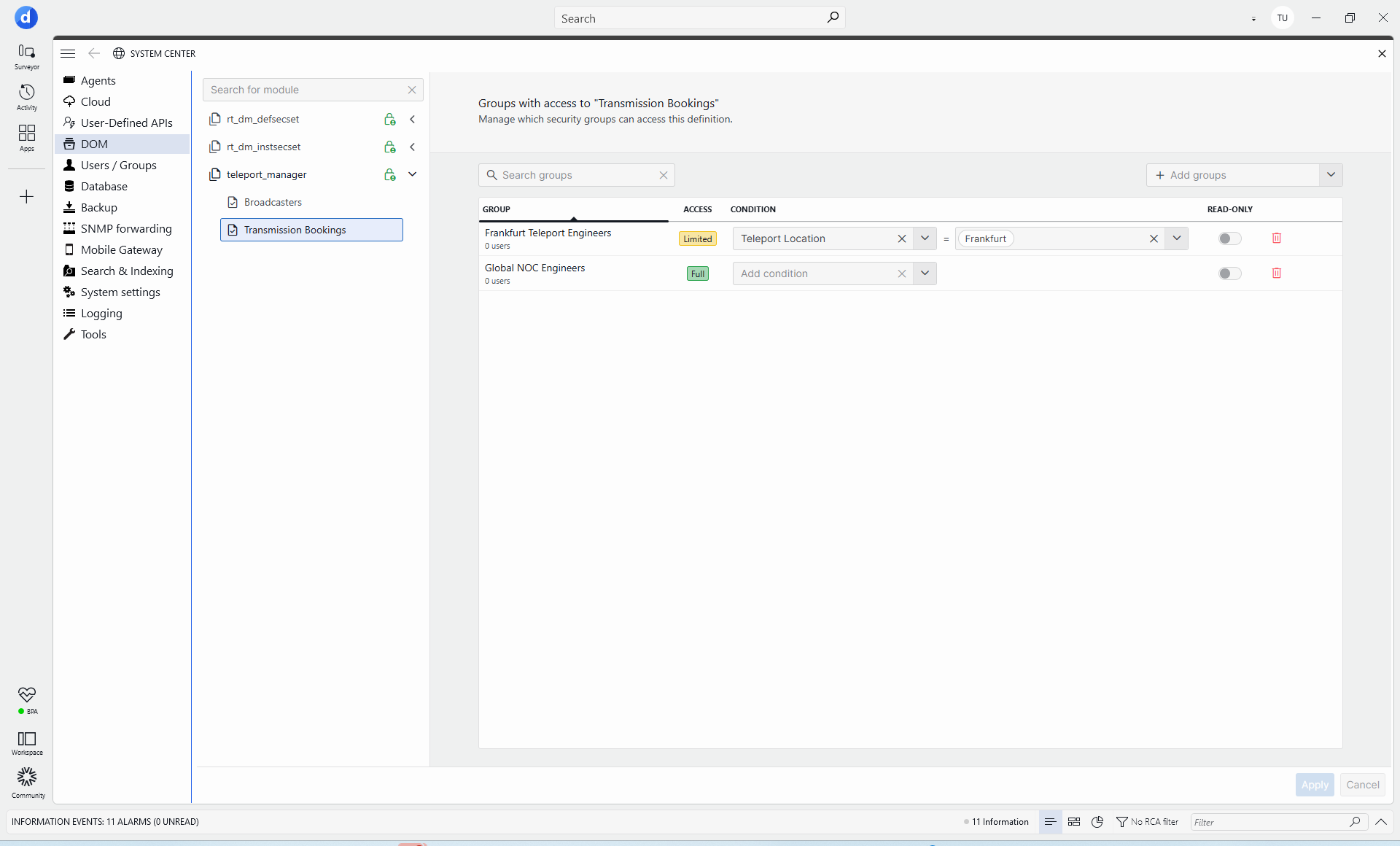
- The DOM security editor has been redesigned to make permissions easier to review and manage. Groups are now displayed in a clear table view, read-only access can be configured directly with toggle buttons, and groups without access are hidden to reduce clutter.
- Automation scripts can now be grouped by solution and executed in a dedicated script runner, isolating their execution and DLL dependencies so that dependencies used by one solution cannot conflict with those used by another.
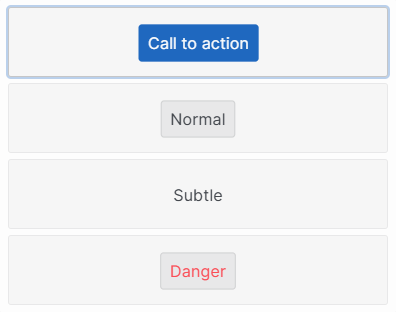
- Changes have been made to various components in Dashboards and Low-Code Apps:
- Buttons can now be assigned different visual styles to better reflect their purpose and importance. Choose between Call to action, Normal, Subtle, or Danger to help users identify key actions at a glance.
- The dropdown component now includes a Placeholder option, which allows you to display custom text when no item is selected. This makes it clearer what the dropdown is used for and helps create a more intuitive user experience.
- The numeric input component now supports scientific notation, making it easier to work with very large numbers. Values can automatically be displayed in a more compact format, such as showing 1000000000000000000000 as 1e+21.
- The Credentials Library in Cube now supports token credentials, i.e., credentials that consist of a single token.
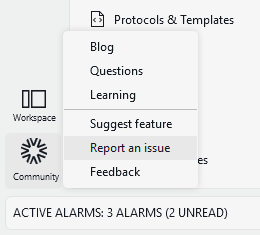
- A new Report an issue option has been added across DataMiner interfaces, making it easier to flag problems and provide feedback. You can now access issue reporting directly from the Community menu in DataMiner Cube and from the Help menu on the DataMiner landing page.
- SLLogCollector now includes a new Output pending calls option, allowing you to collect pending calls for selected elements when gathering diagnostic information.
- The Spectrum Analysis component now offers more control over its initial layout in visual overviews. New options let you choose whether the ribbon, settings panel, and information panel are shown when the component opens.
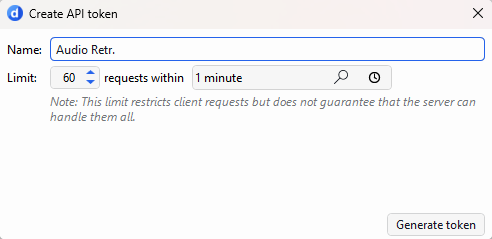
- You can now view and configure rate limits for user-defined API tokens directly in System Center. By defining how many requests a client can make within a specific time window, you can help protect your services from excessive traffic.
- Several improvements have been made to GQI:
- GQI extensions can now use persistent scoped services to keep shared resources and cached data available across query executions, improving performance and reducing repeated setup work. Constructor-based dependency injection also makes extensions easier to build and maintain by automatically providing common dependencies.
- The Get parameters for elements where GQI data source now gives you more control when working with table parameters. Instead of selecting only entire tables, you can now choose a specific subset of columns, ensuring that only the relevant columns are available and automatically included in the query result.
For a complete list of changes added in DataMiner 10.6.9, including technical details and fixes, refer to the official release notes.
New: important changes
From now on, any changes in a Feature Release that could impact your system will be highlighted separately at the top of the corresponding General Feature Release page in DataMiner Docs. Before upgrading, you can quickly review this list to see whether any additional actions or preparations are needed.
While Feature Release 10.6.9 does not contain any items in this category, the General Feature Release 10.6.8 page provides an example of how these changes will be highlighted going forward.
Previous DataMiner releases

BLOG
What’s new in DataMiner 10.6.8?
Find out which new and improved features have been added in DataMiner version 10.6.8.

BLOG
What’s new in DataMiner 10.6.7?
Find out which new and improved features have been added in DataMiner version 10.6.7.