

Hi, I want to get the community’s take on this scenario:
When we deploy a solution package from the Catalog, that package sometimes includes connectors that are set to automatically be promoted to Production on install. The idea makes sense from the package author’s perspective: you want the solution to just work after installation, without the admin having to go into Protocols & Templates and manually promote every connector version.
But here’s where it gets tricky. If you already have elements running that connector on a different version, those elements get upgraded and restarted immediately when the package is installed. No warning, no maintenance window, no chance to check if the new version needs updated connection settings or anything like that. Some customers have already raised this as a real concern, and honestly, it’s hard to argue with them.
So you end up with this conundrum: the package author has a good reason to do it this way, but from an operator’s standpoint, a package install silently triggering element restarts in a live environment is not ideal.
My gut feeling is there should at least be a warning before the install completes, something that tells you “hey, this package is going to set these connectors to production, which may restart elements.” And ideally, an option to install the package without promoting the connector versions, so you can handle that part on your own terms.
Has anyone else experienced this? And does Skyline have a recommended approach or anything in the pipeline for this? Would love to hear how others feel about this and their suggestions.
Thanks for reading.

This is surely of interest for the whole DevOps community, Miguel – thanks for posting.
In short, I totally agree that some more options can help where a new package is pushed to a “CloudConnected” DMA directy from the catalog.
Historically, an option to skip the “Set as production” has always been available for connectors updated via the “Update Center” in CUBE:
I reckon that not all packages may necessarily deploy connectors and that there are also other items that can be part of a solution package (e.g. severity palettes for alarms in dashboards, scripts – for those a “Production” version is not necessarily defined in the application) – so for some items, CHANGE-control processes in the destination environment have to be in place also outside of the DataMiner platform.
As a rule of thumb, I got used to push to staging first:
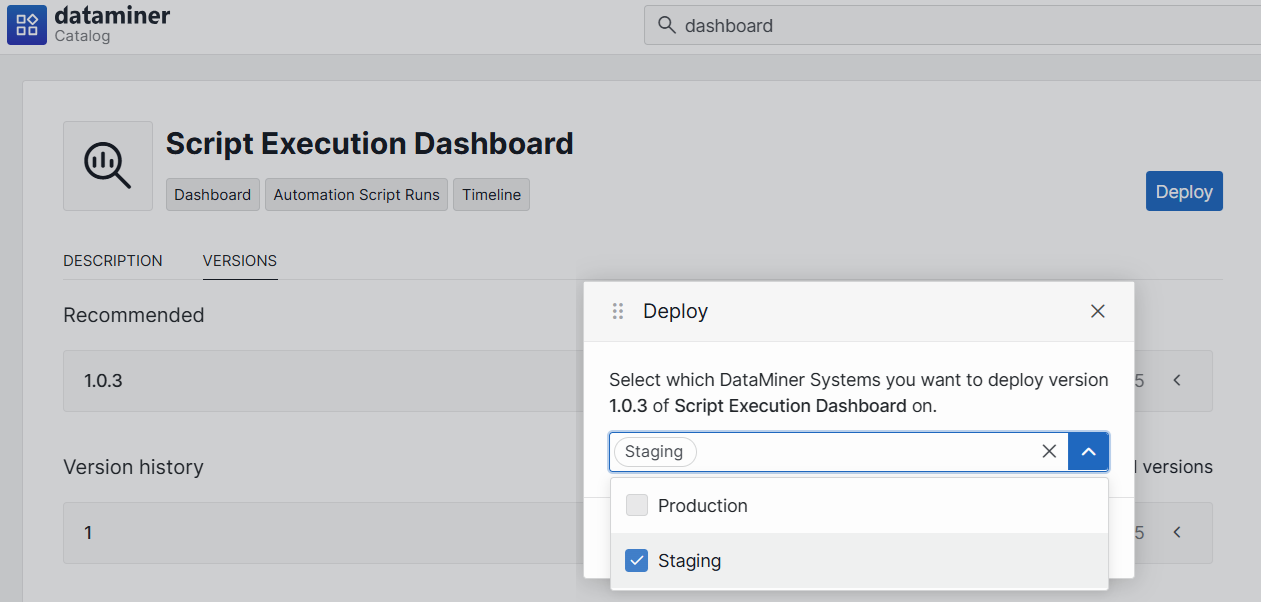
In this way, we can check what changes are coming as part of the new package – but I totally see the benefits of extending the same form of “Update Center” options (or more) to the Catalog-based deployment.
In our environment, we manage any push to PRODUCTION via a change ticket (whether it can contain a connector or not, it is still done under change-control, so that users can be informed).
HTH
Interesting topic – getting back to this in a bit – some form of advanced options could be really helpful when deploying via Catalog.