Skip to content
DataMiner Dojo

More results...

Generic selectors
Exact matches only
Search in title
Search in content
Post Type Selectors
Search in posts
Search in pages
Search in posts
Search in pages
Log in
Menu
  • Updates & Insights
  • Questions
  • Learning
    • E-learning Courses
    • Tutorials
    • Open Classroom Training
    • Certification
      • DataMiner Fundamentals
      • DataMiner Configurator
      • DataMiner Automation
      • Scripts & Connectors Developer: HTTP Basics
      • Scripts & Connectors Developer: SNMP Basics
      • Visual Overview – Level 1
      • Verify a certificate
    • YouTube Videos
    • Solutions & Use Cases
      • Solutions
      • Use Case Library
    • Agility
      • Learn more about Agile
        • Agile Webspace
        • Everything Agile
          • The Agile Manifesto
          • Best Practices
          • Retro Recipes
        • Methodologies
          • The Scrum Framework
          • Kanban
          • Extreme Programming
        • Roles
          • The Product Owner
          • The Agile Coach
          • The Quality & UX Coach (QX)
      • Book your Agile Fundamentals training
      • Book you Kanban workshop
    • >> Go to DataMiner Docs
  • DevOps
    • About the DevOps Program
    • Sign up for the DevOps Program
    • DataMiner DevOps Support
    • Feature Suggestions
  • Downloads
  • Swag Shop
  • PARTNERS
    • Business Partners
    • Technology Partners
  • Contact
    • Sales, Training & Certification
    • DataMiner Support
    • Global Feedback Survey
  • >> Go to dataminer.services

How to Trend Aggregated Traffic in Visio Using Aggregation Rule

189 views12 hours agoaggregation Aggregation rule trending Visio
0
Syarah Husna [DevOps Advocate]112 26th November 2025 1 Comment

Dear All,

I have created aggregated traffic trending using Aggregation Rule and my intention is to trend this aggregated traffic (CelcomDigi Aggregated Traffic) in my Visio Dashboard.
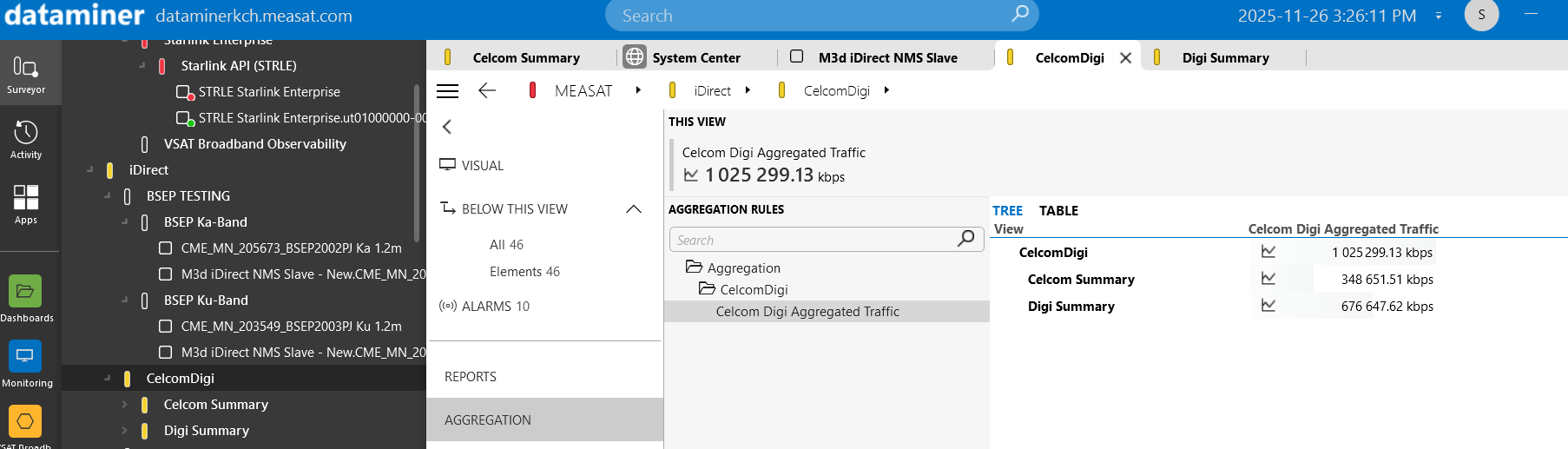
I have followed the aggregation rule command in the Dataminer documentation but I still couldn't get the desired result.

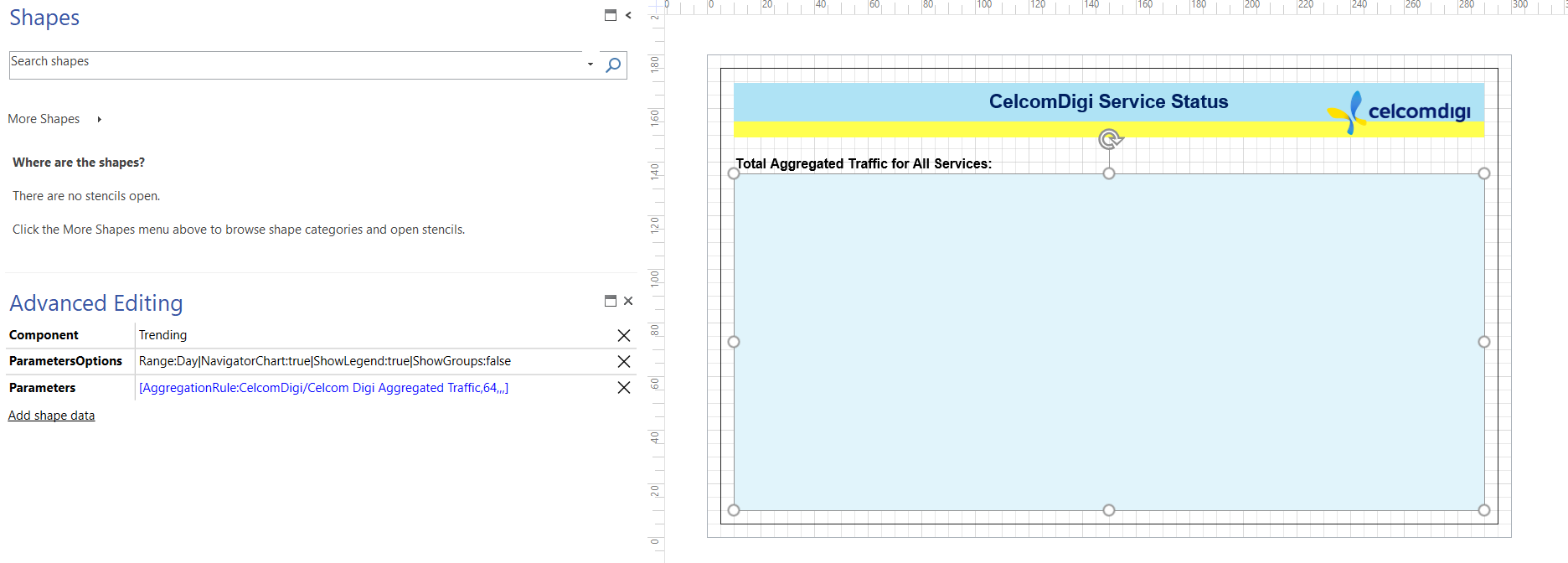
As you can see, I have created a shape and make it as a Trending component. The parameters command also is following the guideline:

[AggregationRule: folder/rule, viewID, protocol, element property, view property, remote primary key]

In my case, I set it as,

[AggregationRule:CelcomDigi/Celcom Digi Aggregated Traffic,64,,,] - My View ID for CelcomDigi is 64
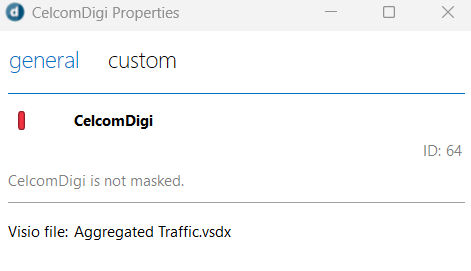
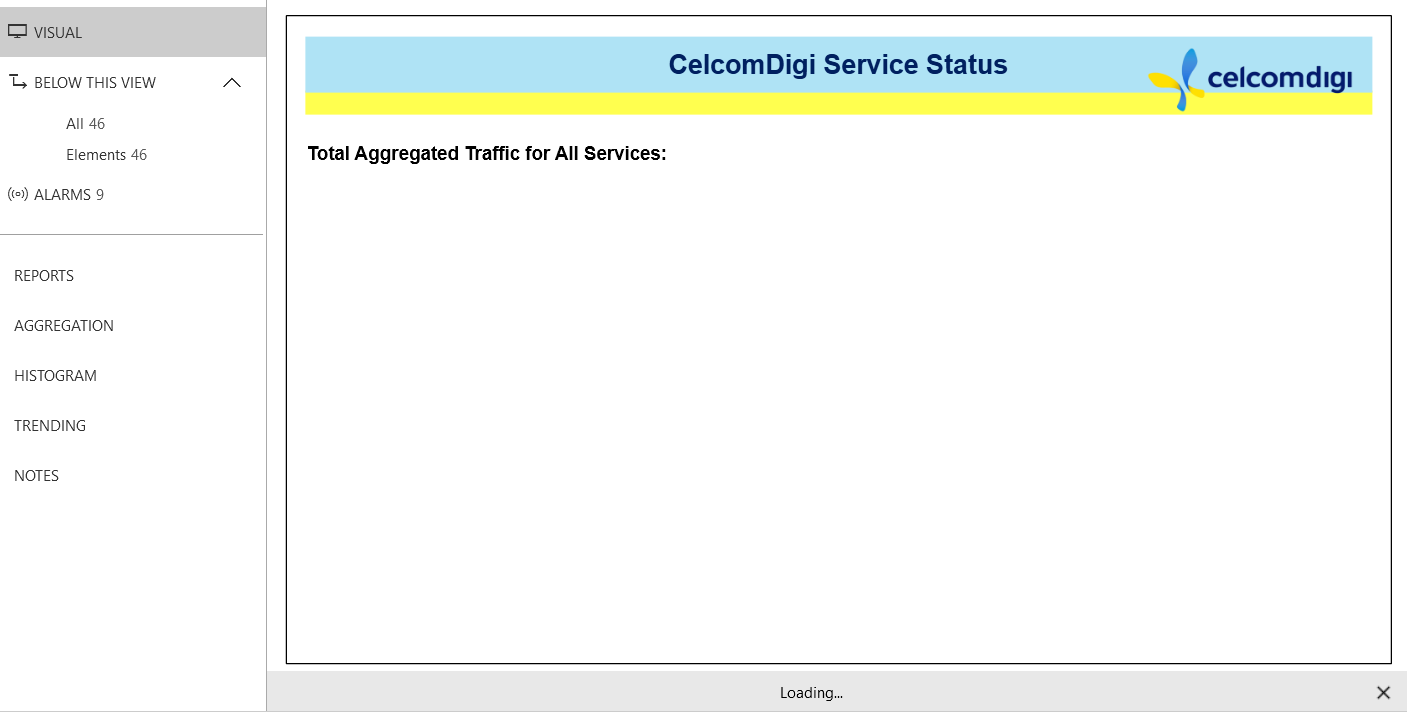
However, my current Visio dashboard is still showing blank pages. Therefore, I would appreciate your guideline if there is any missing parameters that I need to include?

Thijs Vanovenacker [SLC] [DevOps Advocate] Answered question 12 hours ago
Toon Casteele [SLC] [DevOps Enabler] commented 5th December 2025

Hi Syarah, your configuration looks correct. Could you share with me what version you are on and also what the result is of the "aggregationrule" placeholder? You can see this by placing the placeholder directly into the shape text of an unlinked shape.

1 Answer

  • Active
  • Voted
  • Newest
  • Oldest
1
Thijs Vanovenacker [SLC] [DevOps Advocate]2.40K Posted 12 hours ago 0 Comments

Dear Syarah,
Yesterday we did some further testing with the visual representation on the case you shared.

The syntax you defined is indeed correct. By using the placeholder "aggregationrule" it only makes it easier to configure the visual links for these fields.
(Since you then no longer have to enquire the hardcoded references and IDs etc)

Still the behavior remained the same. But we did manage to find a temporary workaround: by adding more then one parameter to the trending component. 💡

It seems something goes wrong with the first defined parameter. (to be further investigated & solved by our core software team).

Duplicating your parameter with a | (pipe-character) resulted in the visualization of your expected trend results.

Parameters:
[AggregationRule:CelcomDigi/Celcom Digi Aggregated Traffic,64,,,]|[AggregationRule:CelcomDigi/Celcom Digi Aggregated Traffic,64,,,]
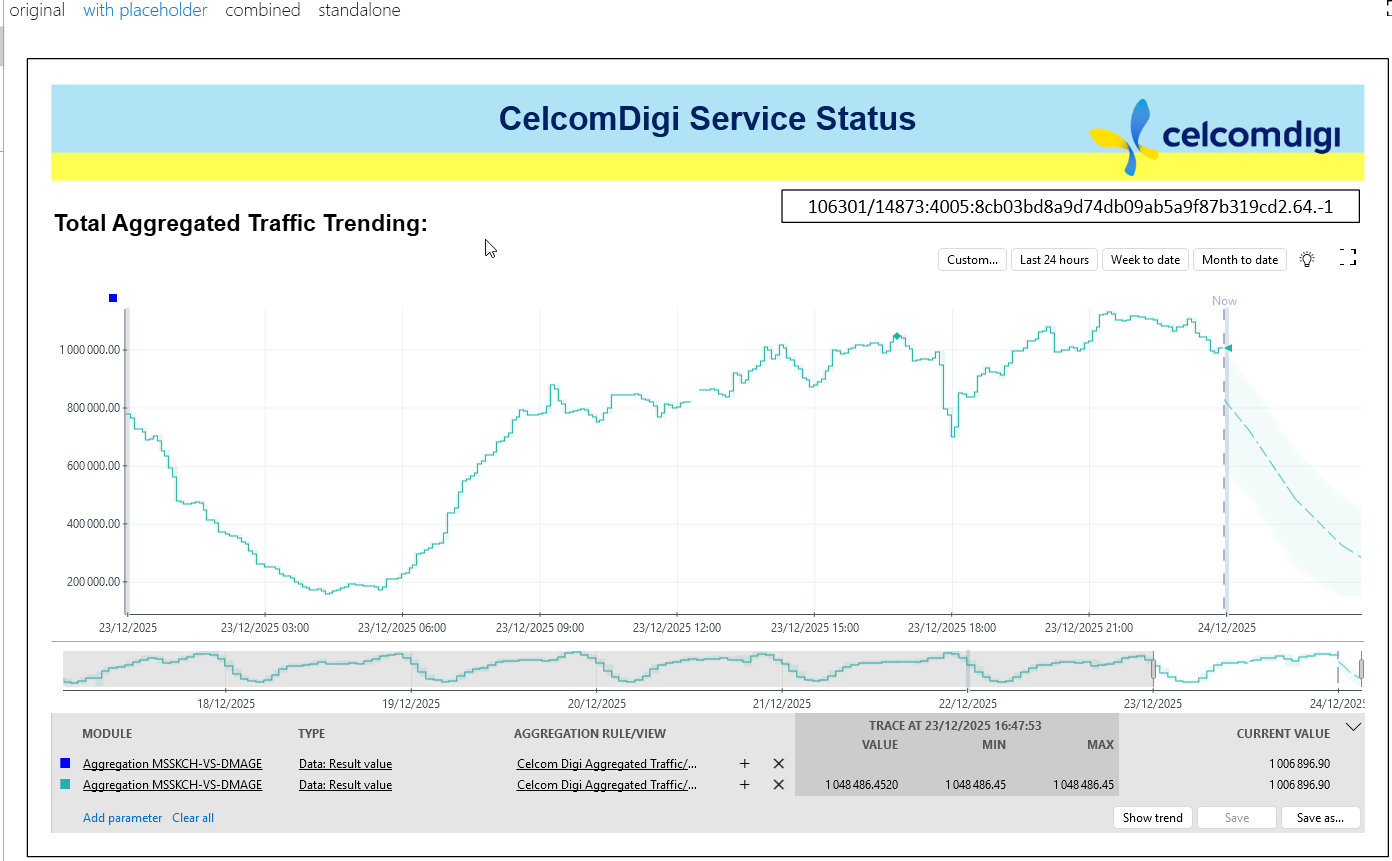
I also added another page with combined results, where again, the first parameter I added twice, to overcome the current active bug, where the first trend parameter is not getting visualized.
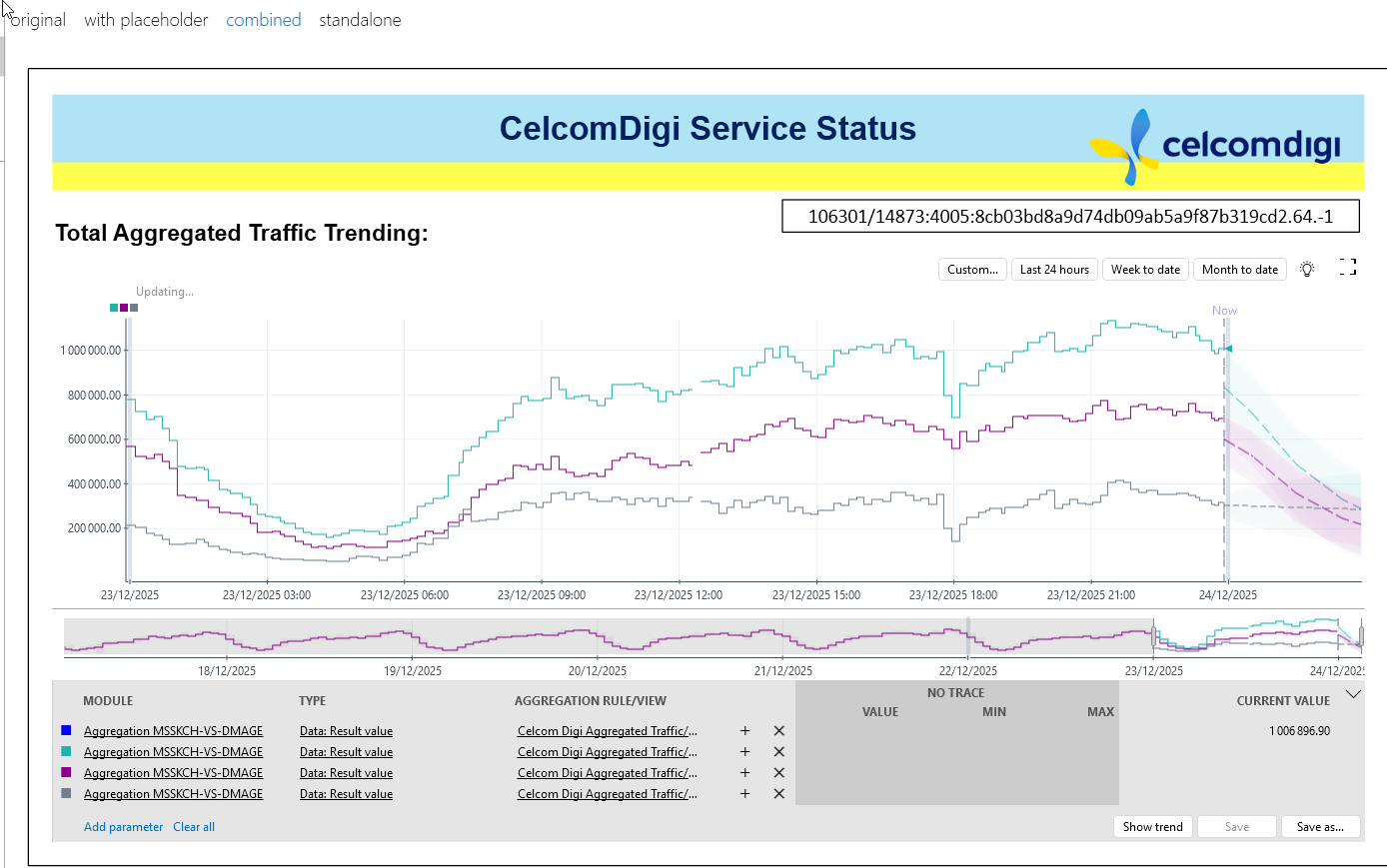
Again, you see 1 parameter is not getting filled-in. But as that one is defined twice, the results you need are visible.

Next to that I made some other duplicate pages to help you out on the differences between your Original page, and the added pages: With Placeholder, Combined & Standalone examples.

Collaboration task (285462) will be used to further update you on the resolution of this issue.

I hope that for now we were able to help you out with your case. Let us know if you have any further questions or feedback.

Thanks

Thijs Vanovenacker [SLC] [DevOps Advocate] Answered question 12 hours ago
You are viewing 1 out of 1 answers, click here to view all answers.
Please login to be able to comment or post an answer.

My DevOps rank

DevOps Members get more insights on their profile page.

My user earnings

0 Dojo credits

Spend your credits in our swag shop.

0 Reputation points

Boost your reputation, climb the leaderboard.

Promo banner DataMiner DevOps Professiona Program
DataMiner Integration Studio (DIS)
Empower Katas
Privacy Policy • Terms & Conditions • Contact

© 2025 Skyline Communications. All rights reserved.

DOJO Q&A widget

Can't find what you need?

? Explore the Q&A DataMiner Docs

[ Placeholder content for popup link ] WordPress Download Manager - Best Download Management Plugin