

Hi,
Could someone please advise where I can see the publish errors? The DIS - DMAComm output shows below logs but does not really specify what the exact error is apart from "Error adding protocol file".
2026/07/28 16:07:23.952|> Executing UploadProtocolPackage (name: [Connector Name], version: 2.0.0.1)
2026/07/28 16:07:24.091|> Start processing dmprotocol...
2026/07/28 16:07:24.572|> Finished executing UploadProtocolPackage with errors:
2026/07/28 16:07:24.572|> Completed processing dmprotocol with error: Error adding protocol file.
I can definitely build the solution from Visual Studio and there are no Critical/Major errors from DIS Validator too.
Thanks.


Hi Paul,
One reason I can think of why this error could occur is if the connector has a MiniumRequiredVersion mentioned which is higher than the version of the DataMiner Agent you publish the connector to.
If that is the case, the SLDataMiner log file should state this.
If this is not the issue, you might have a look at the SLNet and SLDataMiner log files to see if these provide some more information.
Kind regards,
Thanks Pedro, it was indeed the minimum required version. I tweaked the parameter and it worked. Thanks for your help

fyi: From DIS 3.1.25 onwards, DIS will now check if the protocol mentions a minimum required version in its compliancies tags and verify if the Agent to which the protocol is being publish is at least that version. If not, a clear message will be shown.

Hi Paul,
Since it publishes fine on one system, this is almost certainly a permissions difference between the two systems!
In DataMiner Cube on the failing system, go to System Center > Users/Groups and check the user group assigned to your account. Make sure you have the following rights granted:
-
Modules > Protocols & Templates > Protocols > Add(if uploading a new protocol) -
Modules > Protocols & Templates > Protocols > Edit(if updating/adding a new version)
If your account lacks these on that specific DMA, SLNet will reject the publish attempt.
Hope this helps!
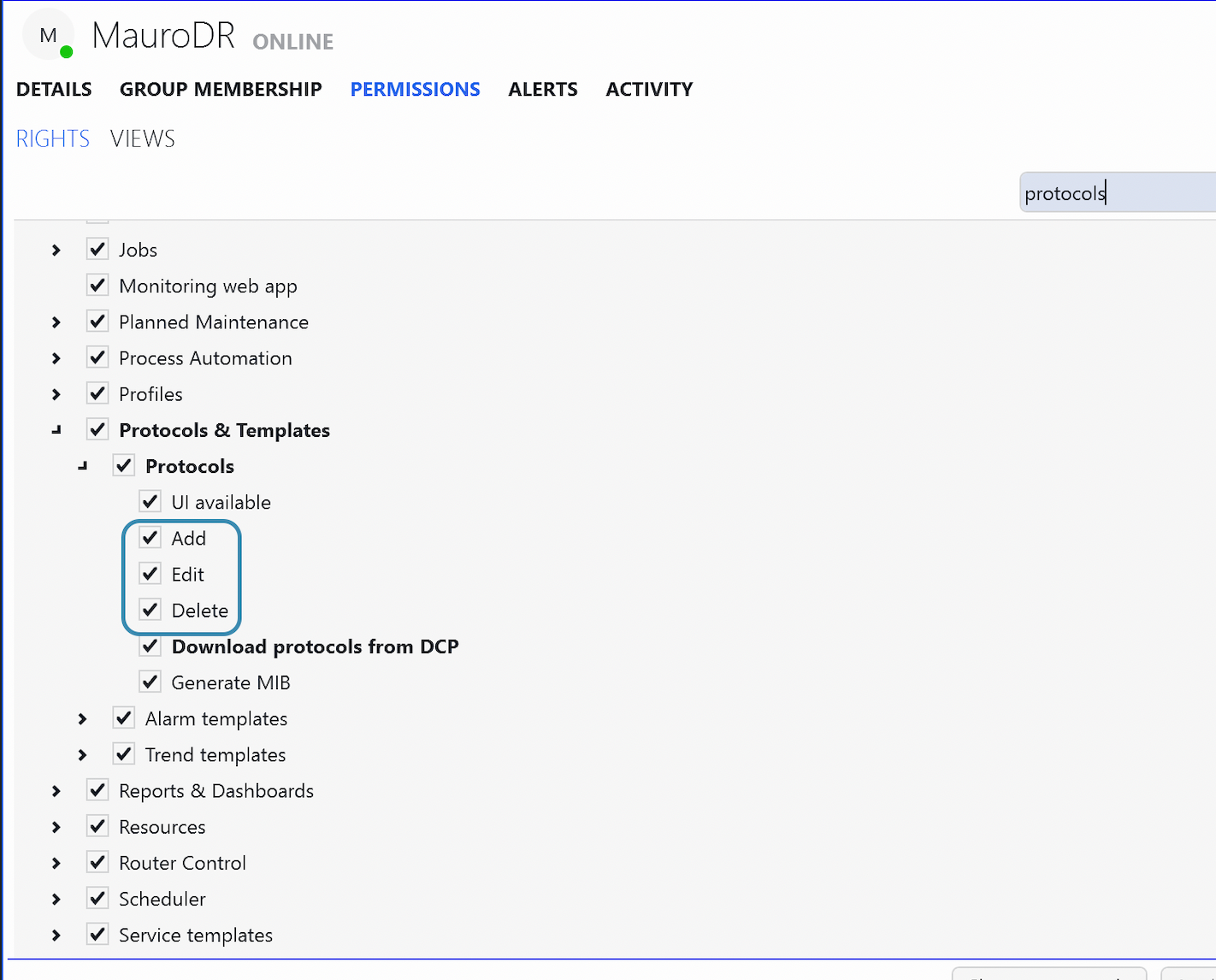
Thanks for your reply. I'm afraid I already have those rights and it still can't let me publish the new version.
I've found that there is only one DMS that I can publish the protocol to. I have tried 5 DataMiner Systems in total but only one of them worked. I have all the rights across all systems.
Actually, this seems to be happening with one particular DataMiner system. I tried publishing to another DataMiner system with the same version and it worked fine.