

A customer is asking the following: “I am Validating if the connector for the Appear XC can be used for RF overlay use case and I’m having trouble understanding where the output configuration is. Can you please support me on this? I’m basically looking for the information that is on the screenshot.”
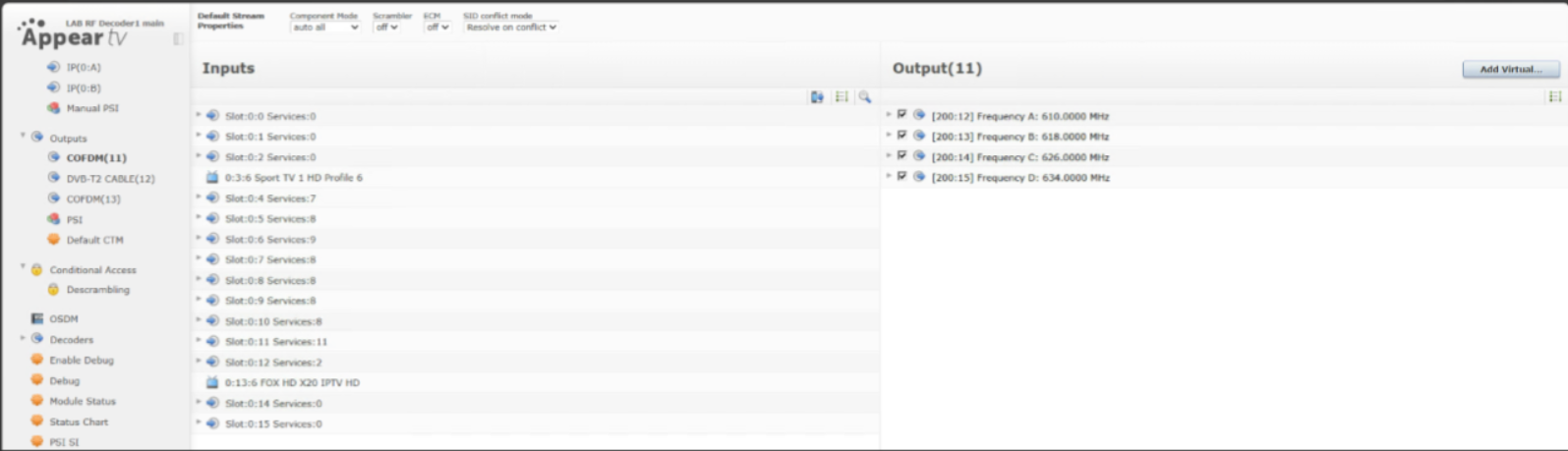


I've updated the question so the screenshot is shown now.
Looking at it now – I suppose this is already sorted – but based on the screenshot, if the device software and DM connector are aligned, the "output" section should be under a "slot 11" (could be a DVE if enabled in the DM element).
Other vendors have a dedicated COFDM (and therefore a dedicated driver in the catalog, e.g. PixelMetix DVStation or Astro Edge) – for the Appear driver it is a matter of checking if the tested connector embeds the COFDM output card type.
I believe the 4 outputs in the GUI can be expanded to check that services (if any) are actually defined inside (each one would represent a COFDM carrier).
If services are defined and not listed in the element, I would check if this specific AppearTV integration needs a newer version to support the COFDM card type.
HTH
Long time since I was on an Appear – but if I recall correctly the DM connector might just follow the logic of the device that doesn’t have a standalone “output configuration” page.
Unsure without seeing the screenshot, but I believe that outputs were defined at the service/flow level, then bound to a physical connector (RF, ASI, or IP) through the platform’s routing and modulation settings – if that’s still the case, the metric might be found under the specific service binding defined on the device.
HTH
Can't see the screenshot – can you post as an image cutting off the info that cannot be shared?