

Hi Dojo,
We have an element generating numerous “Properties Changed” alarms, but apparently there are no properties actually being modified.
Is there any other source that could cause this type of alarm to appear?
Is there anywhere I can check which value triggered the change?
Thanks in advance!

The below should be valid in general, which is why I'm still posting it, to help others. However in your case, something seems off, which is why a support ticket was opened to investigate.
A “Properties Changed” alarm event can be due to a change in alarm properties, but also element/service/view properties. To find which property got changed, you can check the Alarm Details (right pane “properties”) to figure out which property/properties got affected:
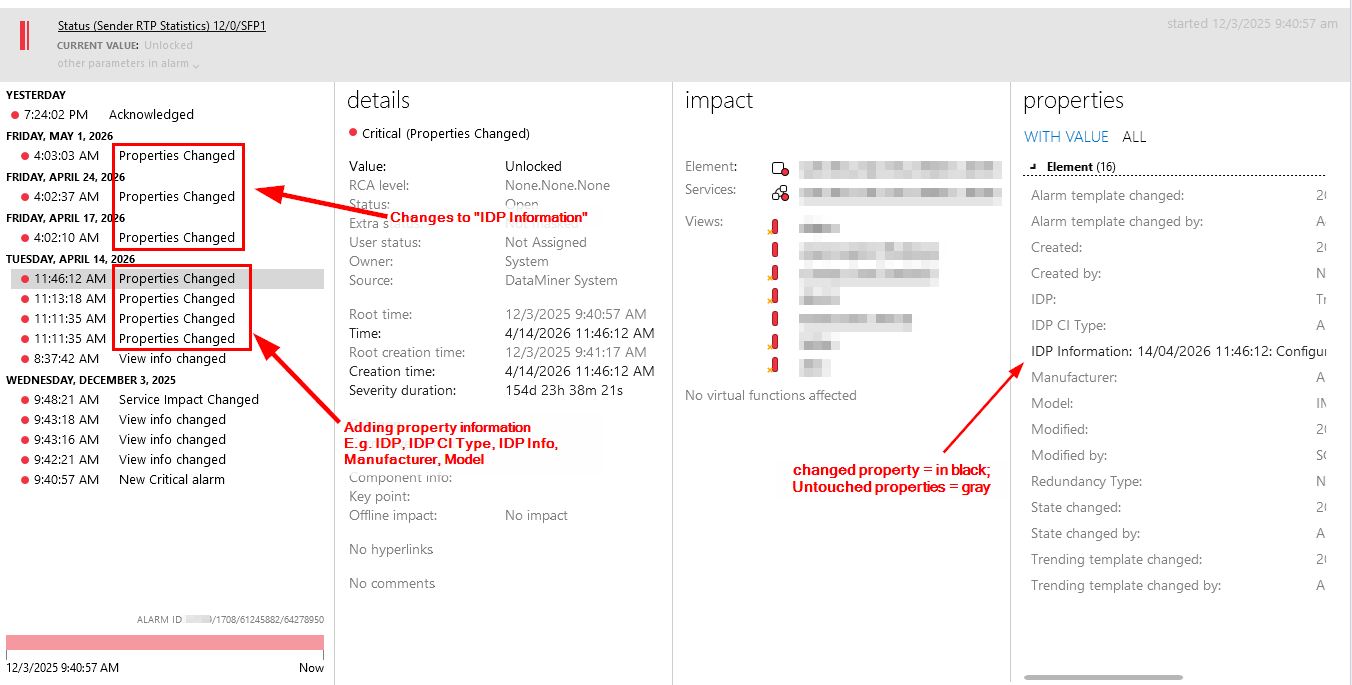
=> By checking the different alarms within the alarm tree, you should get an understanding what property changed and with which value.
Below, I’ll describe how to disable these alarm events, however a disclaimer:
There might be a reason these property changes trigger new alarm events, they might trigger a correlation rule for further actions, so please be aware of what you disable.
As mentioned there are different properties, each able to trigger such an alarm event. A quick summary how to check:
Alarm Properties
In the Alarm Console, right-click any alarm and go to properties:
- General Alarm properties
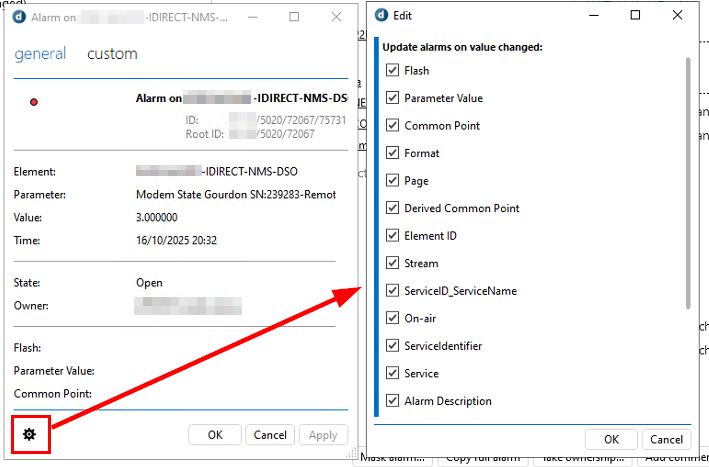
Disable the checkbox for any of the properties (right side) that shouldn’t generate an alarm update, when the property changes. - Custom alarm properties
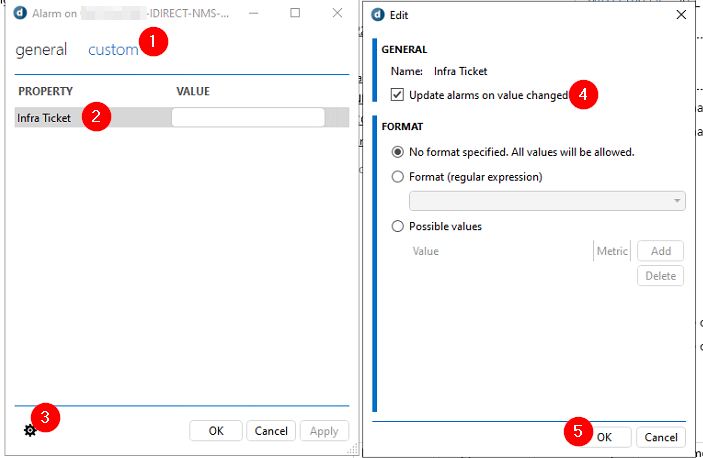
For every custom property (here only 1), you’ll want to edit the property (in step 3) and disable the checkbox in step 4.
Ref: Changing custom alarm properties | DataMiner Docs
Element/Service/View Properties
All other properties triggering such alarm events can be found via C:/Skyline Dataminer/propertyConfiguration.xml.
=> search for “doUpdateAlarmOnValueChange=”true””, via notepad++ is easiest, for example:

How to view these within Cube?
Right-click the element/service/view > Properties > Custom > select a property > Edit
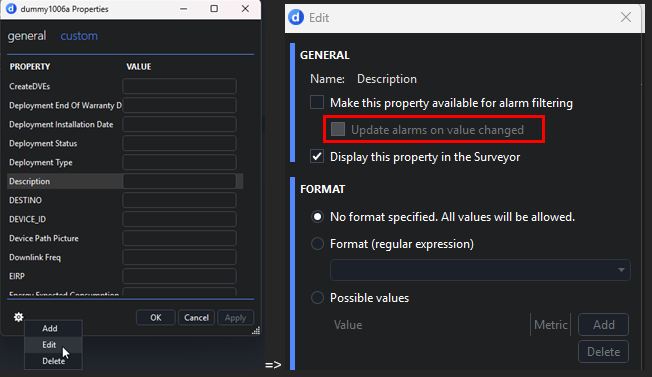
Ref: Managing custom properties | DataMiner Docs > Update alarms on value changed.

Hi Manuel,
When selecting one of these alarms, right-click it to open the Alarm Card, and then review each Properties Changed entry. Looking at the Properties panel on the right, does it give any clue about what is being changed?
I recommend reviewing the element properties and verifying how they are defined. Is any of them configured as in this example?
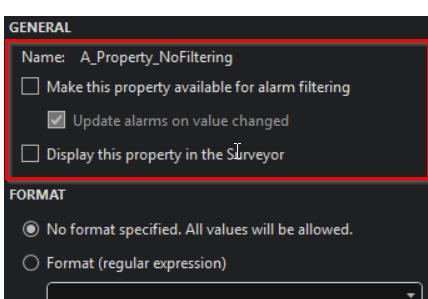
If so, try the following workaround and see if it helps:
- Enable “Make this property available for alarm filtering”
- Uncheck “Update alarms on value changed”
- Uncheck “Make this property available for alarm filtering” again
- Click Apply

Hi Manuel,
In that case, I would first consult with the Technical Account Manager and the Skyline team supporting your project to perform an initial assessment of the issue. Afterwards, if required, a new support ticket can be opened.
Hi Paulo. Thanks for the help, but no changes are visible in the Alarm Card, and no property is configured like in the example.