

Hi,
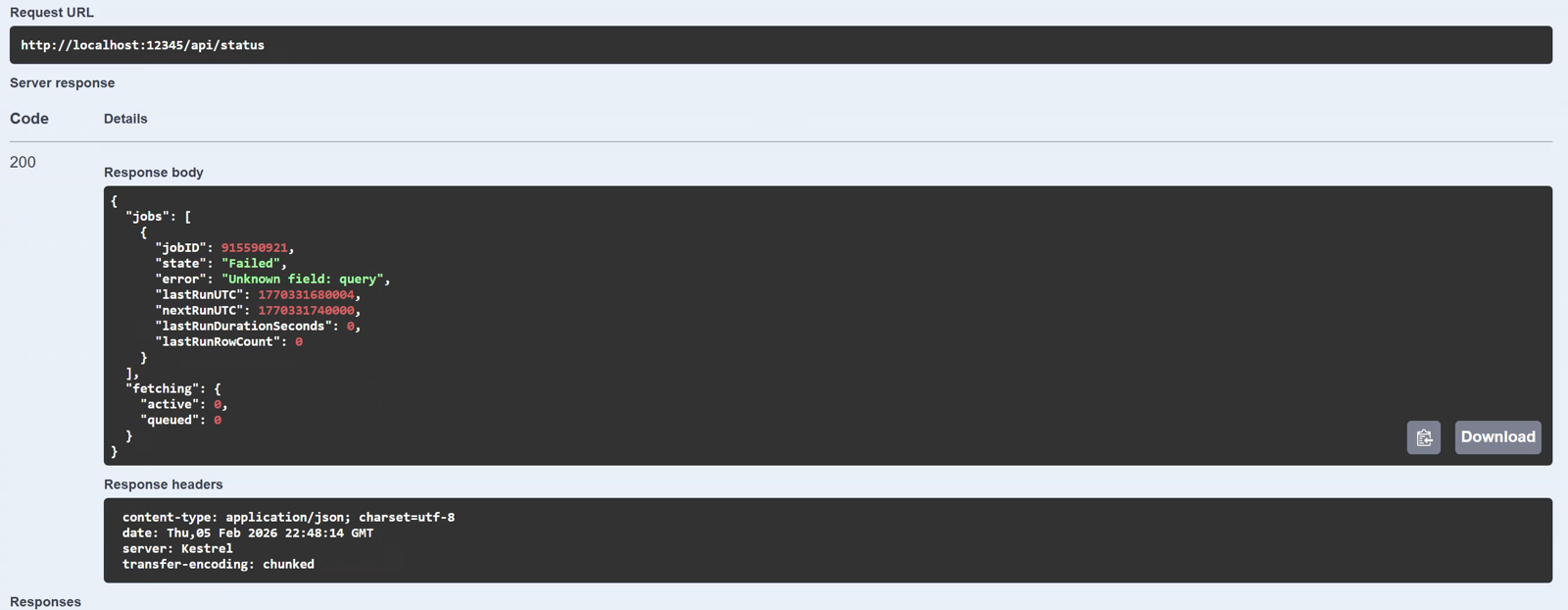
I’m configuring Data Aggregator on DaaS running version 10.6.1.0 with aggregator DxM version 3.2.0.7527, and every time the scheduler triggers the Job, it fails with the following error message in the SLDataAggregator.txt file:
[2026-02-05 22:29:00.016 ERR][localhost][job#915590921#Every minute] DataFetchQueueService failure: Unknown field: query[DataAggregator.Application.Services.DataFetchQueue.DataFetchQueueService]
[2026-02-05 22:29:00.016 ERR]DataSourceJob#915590921 failed: Unknown field: query[DataAggregator.Application.Services.Scheduler.Jobs.DataSourceJob]
I can confirm the same error on the Swagger page when checking the job status:
I configured my GQI query using the export method, following the documentation. The query utilizes a “Get Parameter Table by Id” data source and includes a Select statement to extract only specific columns. Here’s how I set up my Helper.json:
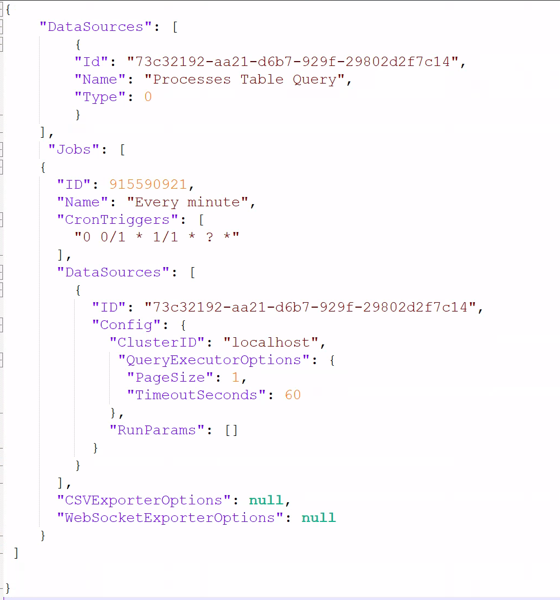
I’m aware that every minute execution may be excessive, but as this is my first test, I wanted to have some output as soon as possible. What could be the reason of this error?
The problem was caused by a mismatch between the default configuration of the Data Aggregator module and the GQI module.
From DataMiner version 10.6 onwards, GQI DxM is used by default, but the Data Aggregator still uses CoreGateway and SLHelper to execute the configured queries. To solve the mismatch, it would be advisable to configure the Data Aggregator to also use GQI DxM by setting the following:
- In the appsettings.custom.json, enable the query execution via GQI DxM by adding the following section:
“QueryExecutorOptions”: {
“UseGQIDxM”: true
}
- Configure the Data Sources in the Helper.json to use contract 1:
“DataSources”: [
{
“Id”: “608e37cf-398c-d2e5-4a38-0d4c7bc91fd0”,
“Name”: “Processes Table Query”,
“Type”: 0,
“Contract”: 1
}
]
The above settings are explained in the configuration section of our documentation.

Hi Gelber,
How did you configure the GQI for data aggregator? Did you convert it manually, or did you use the new export option? See Configuring GQI queries for Data Aggregator. It seems that there is an issue with the converted GQI query.
Regarding your cronTrigger expression, this can be simplify to”0 * * * * ?”
Hope it helps.

Hi Miguel, I used the Export button in the GQI UI, as per the documentation. Once exported, I coped the file to the data source folder and adjusted the Helper.json.
I also tried the manual configuration but I gave me same content as the exported one.