

Hello Dojo!
I have a shape in my Visio diagram that’s meant to act as a “frame” around another shape, which is a button. The frame shape has No Fill (so it should be hollow) and no clickable functionality or hyperlinks. Its only purpose is to show or hide based on a regex-based condition, and it’s positioned as far back as possible, so it shouldn’t interfere with the button.
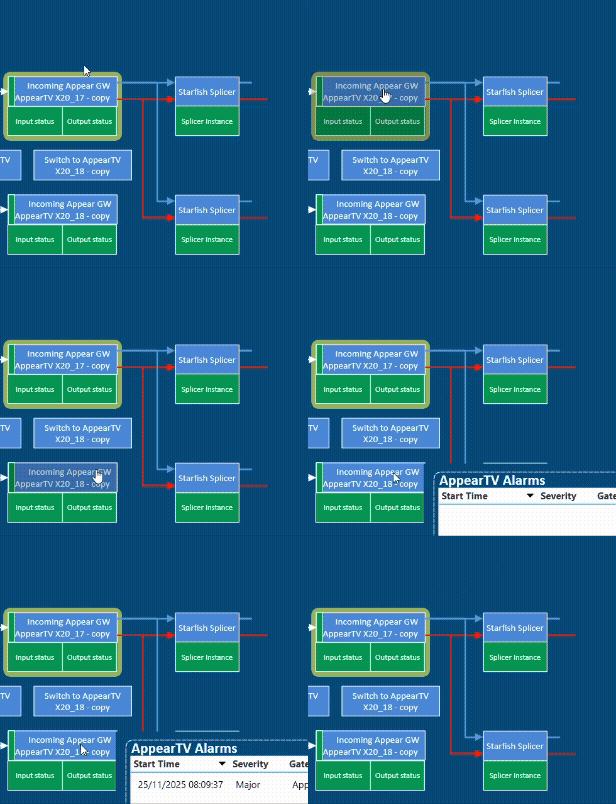
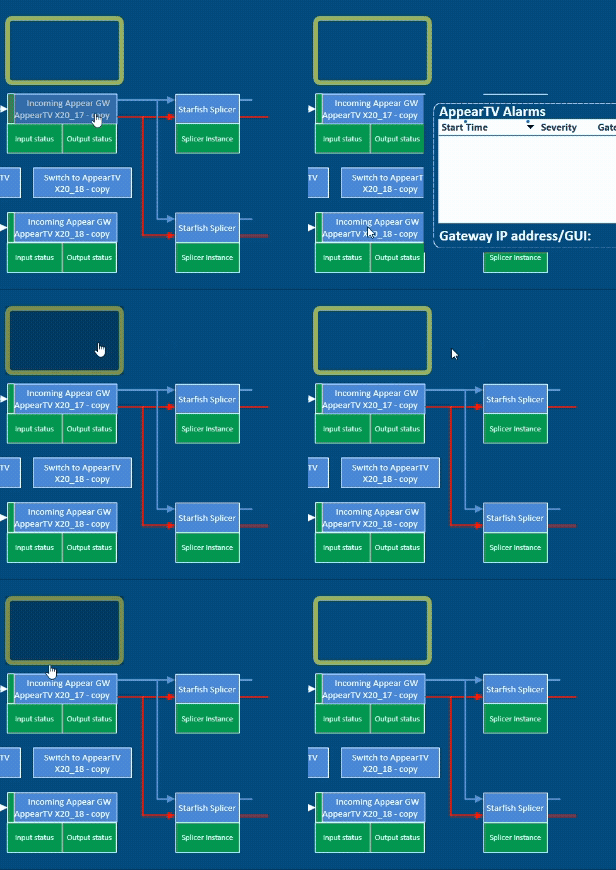
However, this frame shape is preventing users from clicking the button it surrounds. As shown in the recordings below, removing the frame resolves the issue. When hovering over the frame, it behaves like a button—even though it isn’t. Is there anything I can do to prevent this behaviour?
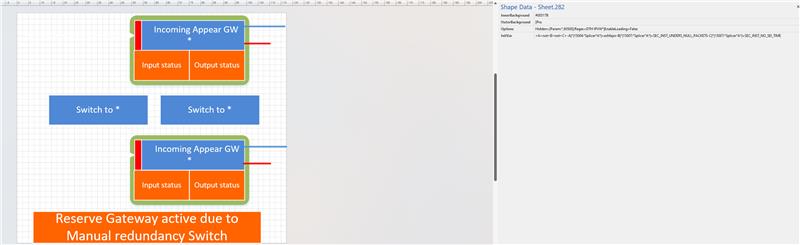
Here's what the shape group looks like
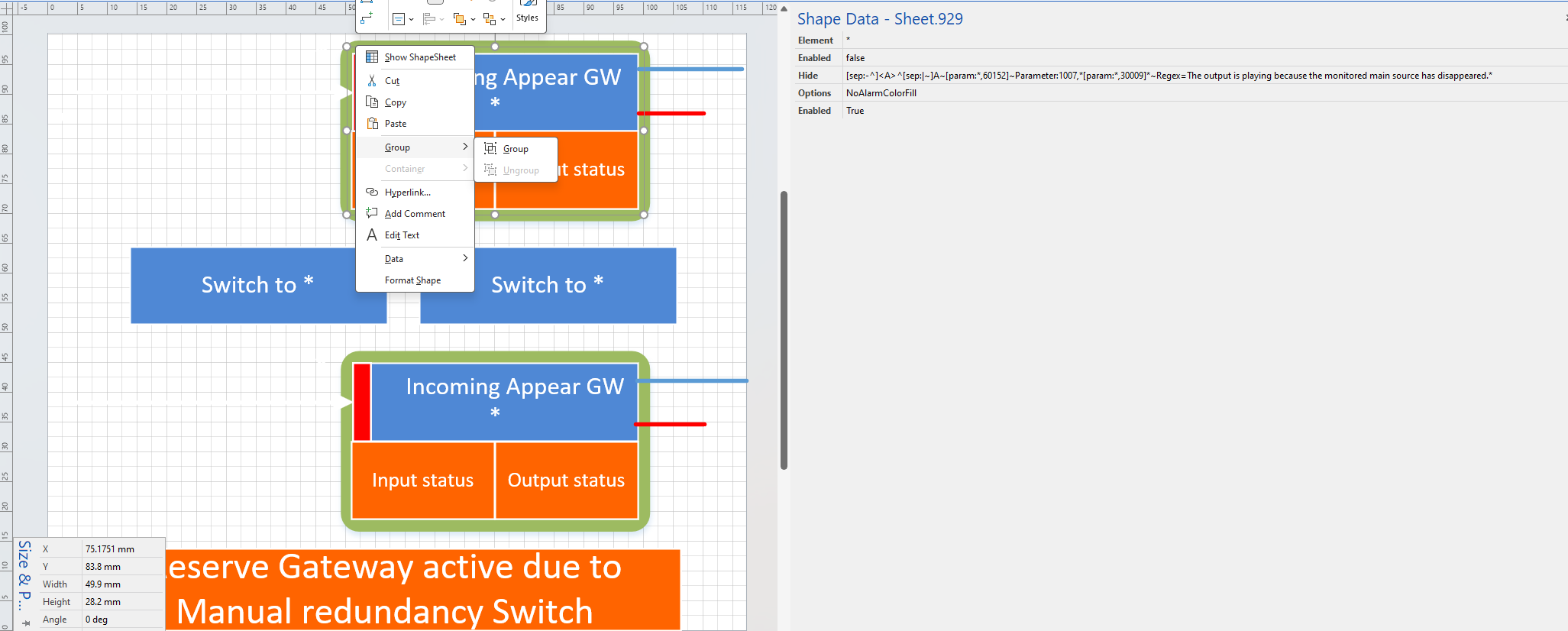
Right clicking in the frame shape doesn't show me the "Open Group" option, so I'm not sure how to get to it's parents and children


Hello Toon! Thanks for your reply. I updated the question, but let me know if I missed anything
There's an Enabled "False" and an Enabled "True" shape data on your shape. What happens if you remove the "True" one?
It solves the problem!! Thank you very much

I get the impression that this question has already been answered in the comments. If this is indeed the case, could you select this answer to indicate that the question can be closed and no further follow-up is needed?
Hi Mariana, would it be possible to edit your question with a view of how your shapes are grouped, if at all? And what the shape data is of all parent and/or child shapes of the frame?