

Hello,
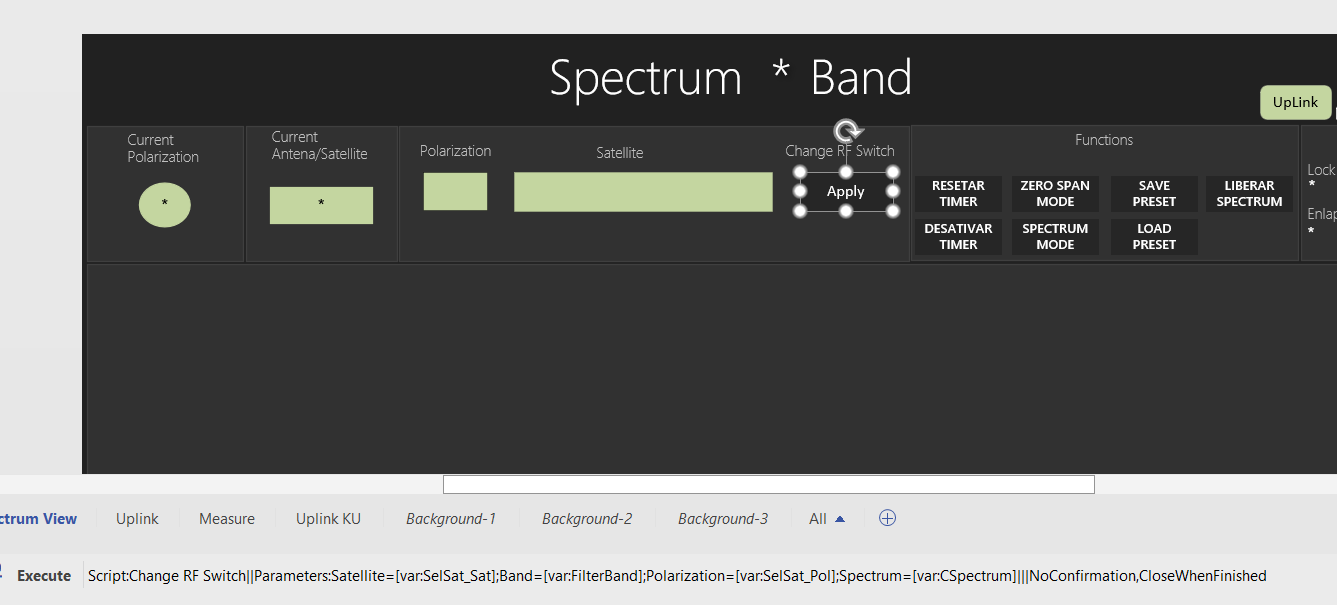
I am trying to pass certain parameters to execute a script via a button and this is how I have it set up:
Label: Execute
Value: Script:Change RF Switch||Parameters:Satellite=[var:SelSat_Sat];Band=[var:FilterBand];Polarization=[var:SelSat_Pol];Spectrum=[var:CSpectrum]|||NoConfirmation,CloseWhenFinished
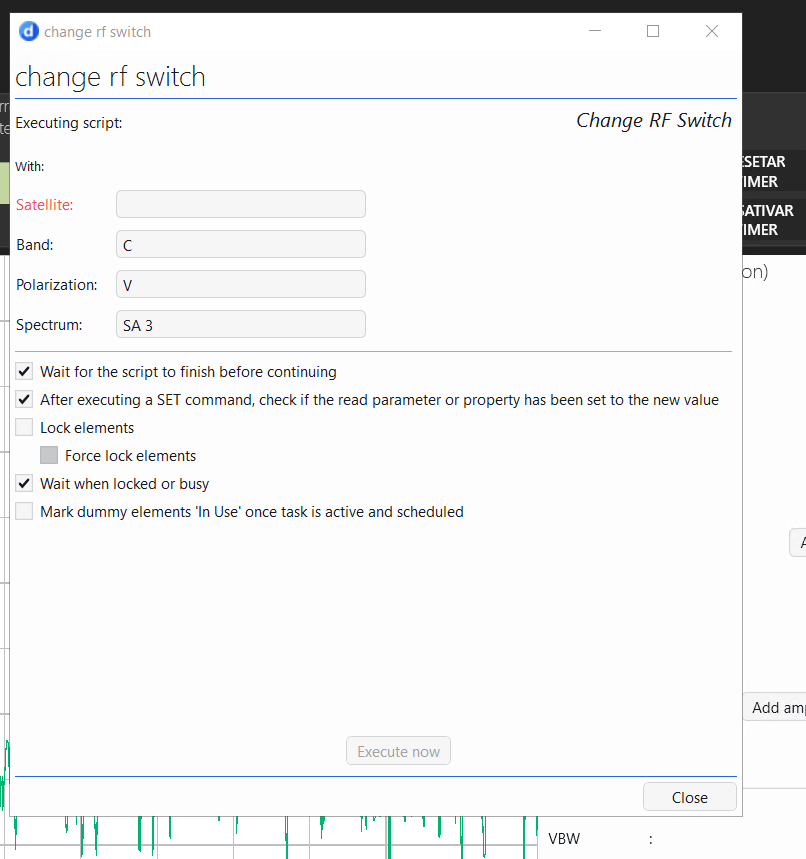
All the parameters are populating as expected, except the Satellite=[var:SelSat_Sat]
SelSat_Sat is a drop down menu that is currently behaving as expected with this set up:
SetVar: SelSat_Sat:[Param:Spectrum Manager,5000]
SetVarOptions: Control=FilterComboBox|DisplayColumn=5002|SetColumn=5002|SortColumn=5002
SubscriptionFilter: value=5003 == [var:FilterBand];value=5004 == [var:SelSat_Pol]
I suspect it might be an issue with the value of the drop down not being rendered at runtime or something similar.
Is there a tag that I need to add to SelSat_Sat that I might be missing?
Attached are some screenshots of the Shape Data and the behavior when I click apply to trigger the script.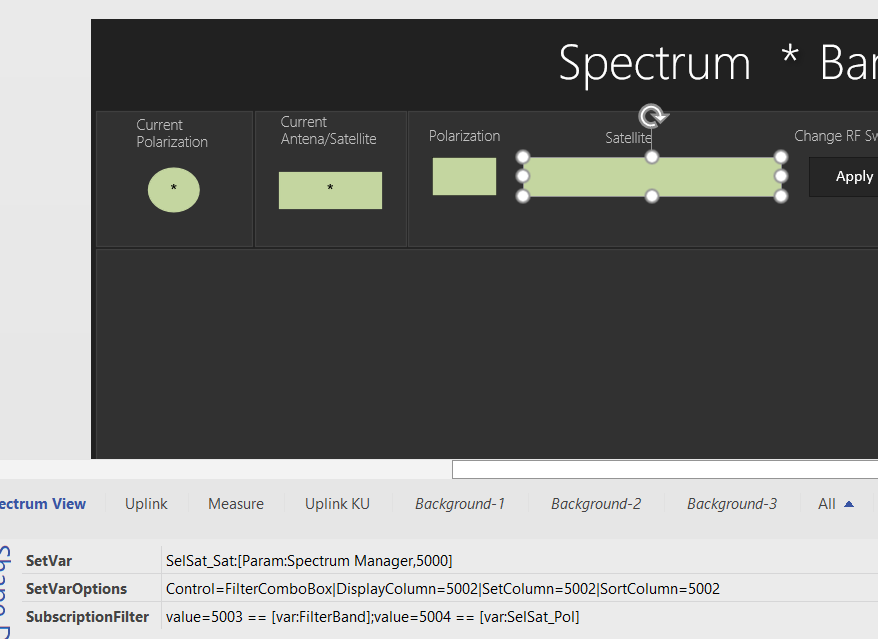

Hi Maria, If you add a shape to display the variable SelSat_Sat, this will let you know the pick list variable is getting set correctly. Then if you see a colon ':' in the Satellite name, you may need to use a different separation character in the execute call.

You can also try without the 'Parameter:' reference. The ones I have working did not use this.
Hi Steve!
Adding a shape with [var:SelSat_Sat] displays the correct selected option from the SelSat_Sat drop down shape