

Hi,
Can I mask/remove the port number that is showed when I using Info | POLLING IP in Shape Data in MS Visio?
I will show only the MGMT-address in the view and I have only found that I can use POLLING IP for this, but I will not show the port. Or is there any other better way to show the MGMT-address?
I have AppearTV-chassis and Ateme Titan Live that I will show the address on.
When I use POLLING IP it looks like this (Its just a dummy address now):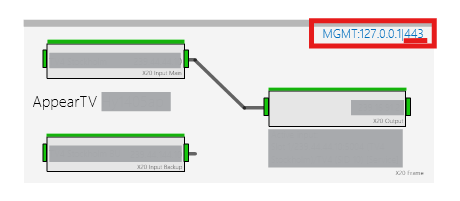

Hi Thomas,
A possible option is to use the placeholder RegexMatch.
The only data shape required will be a reference to the element. For example:
Element: [this element]
Then, in the text where the polling IP address will be displayed, you can define the following expression:
`[RegeXMatch:[Sep:,#]\d{1,3}(?:\.\d{1,3}){3}#[POLLING IP]#index=]`
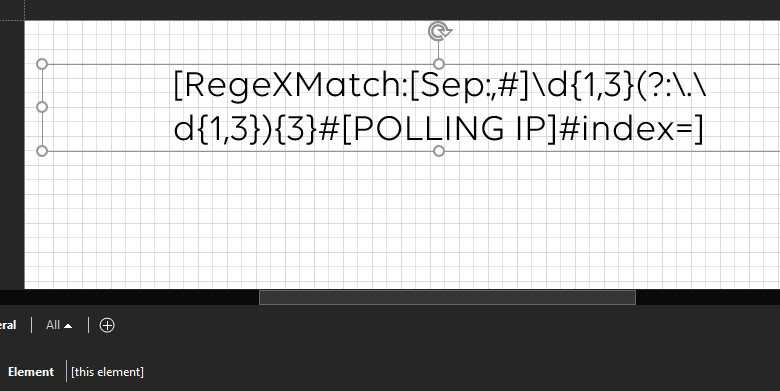
This placeholder should display only the IP address.
Hope it helps.
Hi Miguel,
Big thx, that was working exactly the way I wanted.