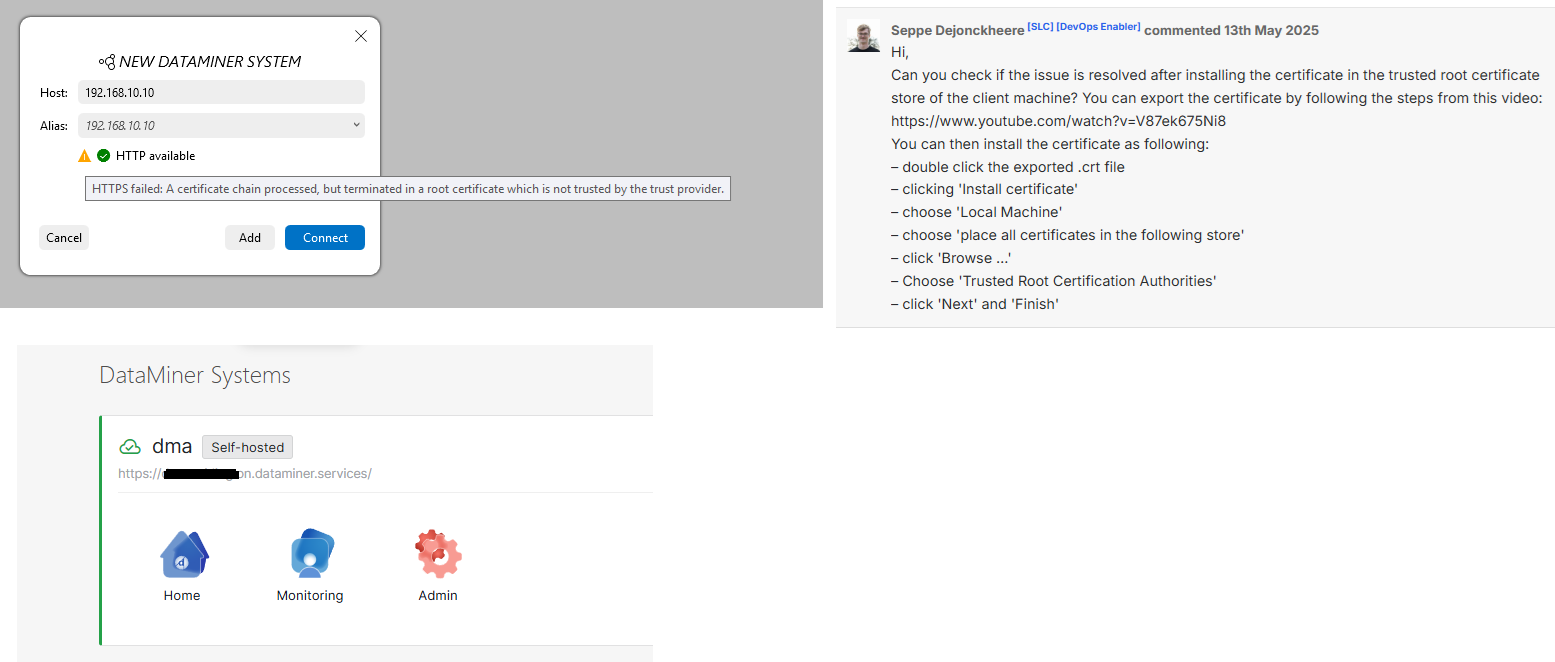
I installed a new on-prem DMS with a standalone dma and StaaS.
It was working perfectly, but I needed to change the IP address of my Windows 11 machine running the dma.
I followed this guide: https://docs.dataminer.services/dataminer/Administrator_guide/DataMiner_Agents/Configuring_a_DMA/Changing_the_IP_of_a_DMA.html
After changing IP address my DMA has the orange colour in dataminer.services representing a partial cloud connection.
I am confident this is relating to SSL, as Cube Client will only connect with HTTP after the IP address change, and I had to delete the saved dma from Cube Client and re-add as a new dma.
From the IP change instructions I did try Step 10 again, to no help.
- Uninstall and then re-install the APIGateway Extension Module, found in C:\Skyline DataMiner\Tools\ModuleInstallers\ to regenerate the SSL certificate.
Whilst reviewing the Setting up HTTPS instructions:
https://docs.dataminer.services/dataminer/Administrator_guide/DataMiner_Agents/Configuring_a_DMA/Setting_up_HTTPS_on_a_DMA.html
I discovered maintenanceSettings.xml had the old IP address that either did not change on it’s own and was not changed manually as not documented on the Change IP doc. I corrected this and reinstalling APIGateway DxM
I tried running SLRegCerts.exe
Register Skyline Certificates (DataMiner Cube) but that didn’t change anything.
Running CloudGateway ConnectionTester gave a few warnings about
C:\Program Files\Skyline Communications\DataMiner CloudGateway\ConnectionTester.exe gave a few warnings about connecting to https://api.dataminer.services but not helpful to me.
I feel that “Uninstall and then re-install the APIGateway Extension Module, found in C:\Skyline DataMiner\Tools\ModuleInstallers\ to regenerate the SSL certificate.” Should be the fix, but I feel that there is some minor other pre-requistite, like fixing the IP in maintenanceSettings.xml that I am missing for this step to work.
Any thoughts?
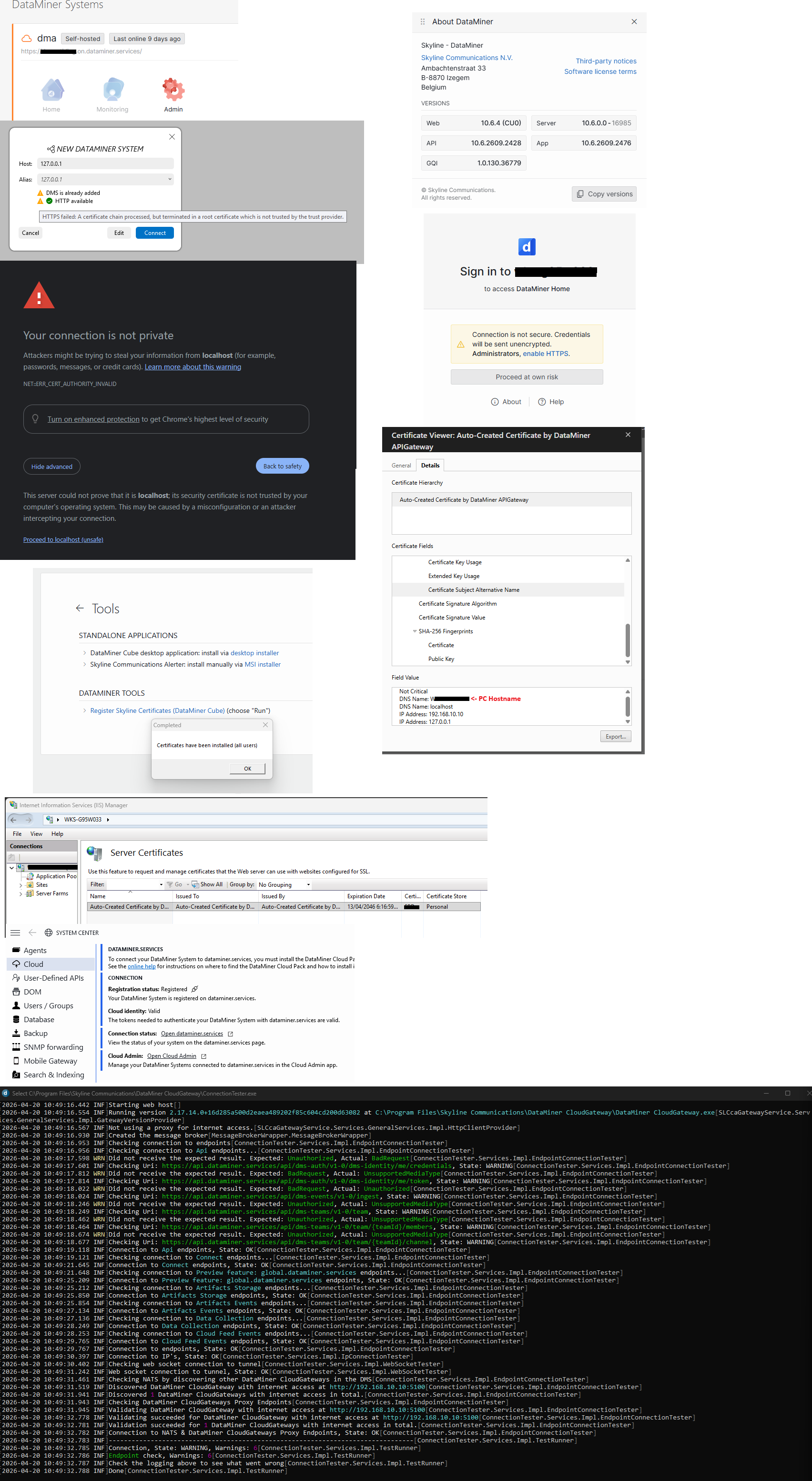

So after my previous question above, I found this question
https://community.dataminer.services/question/web-applications-exception-in-cube-due-to-invalid-certificate/?hilite=root+certificate+store#/comments/141396/all and @Seppe Dejonckheere had the solution, screenshotted below. Installing the auto-generated API Gateway SSL into the dma machine root certificate store.
Whilst the setting up SSL docs page ( https://docs.dataminer.services/dataminer/Administrator_guide/DataMiner_Agents/Configuring_a_DMA/Setting_up_HTTPS_on_a_DMA.html?q=https ) had linked to this MSFT technote, it is outdated and no longer valid (refers to IE and Vista..)
https://techcommunity.microsoft.com/blog/sbs/installing-a-self-signed-certificate-as-a-trusted-root-ca-in-windows-vista/396105
I’ll look to update the HTTPS on a DMA docs page to help other people like myself out in this scenario. My dms in dataminer.services is now green meaning I can now connect to it remotely again and successfully deploy from the catalog again
Local Cube clients on the LAN still do not like HTTPS (unless i do the same root cert import) but I think they were http only before i did the IP address change anyway.