
Skip to content
DataMiner Dojo

More results...

Generic selectors
Exact matches only
Search in title
Search in content
Post Type Selectors
Search in posts
Search in pages
Search in posts
Search in pages
Log in
Menu
  • Updates & Insights
  • Questions
  • Learning
    • E-learning Courses
    • Tutorials
    • Open Classroom Training
    • Certification
      • DataMiner Fundamentals
      • DataMiner Configurator
      • DataMiner Automation
      • Scripts & Connectors Developer: HTTP Basics
      • Scripts & Connectors Developer: SNMP Basics
      • Visual Overview – Level 1
      • Verify a certificate
    • YouTube Videos
    • Solutions & Use Cases
      • Solutions
      • Use Case Library
    • Agility
      • Learn more about Agile
        • Agile Webspace
        • Everything Agile
          • The Agile Manifesto
          • Best Practices
          • Retro Recipes
        • Methodologies
          • The Scrum Framework
          • Kanban
          • Extreme Programming
        • Roles
          • The Product Owner
          • The Agile Coach
          • The Quality & UX Coach (QX)
      • Book your Agile Fundamentals training
      • Book your Kanban workshop
    • >> Go to DataMiner Docs
  • DevOps
    • About the DevOps Program
    • Sign up for the DevOps Program
    • DataMiner DevOps Support
    • Feature Suggestions
  • Downloads
  • Swag Shop
  • PARTNERS
    • Business Partners
    • Technology Partners
  • Contact
    • Sales, Training & Certification
    • DataMiner Support
    • Global Feedback Survey
  • >> Go to dataminer.services

Merge “Appear X Platform” tables

216 views2 hours agoAppear X Platform
6
Christoph Manz106 16th September 2026 0 Comments

Hi all,
in the "Appear X Platform" connector, the "Output Redundancy Settings" and "Output Redundant Sources" tables contain similar parameters. I need to be able to retrieve this data as a single table within a dashboard. I have already tested a query using a JOIN, but it did not work. What options do I have to retrieve the data as a single table in a dashboard?
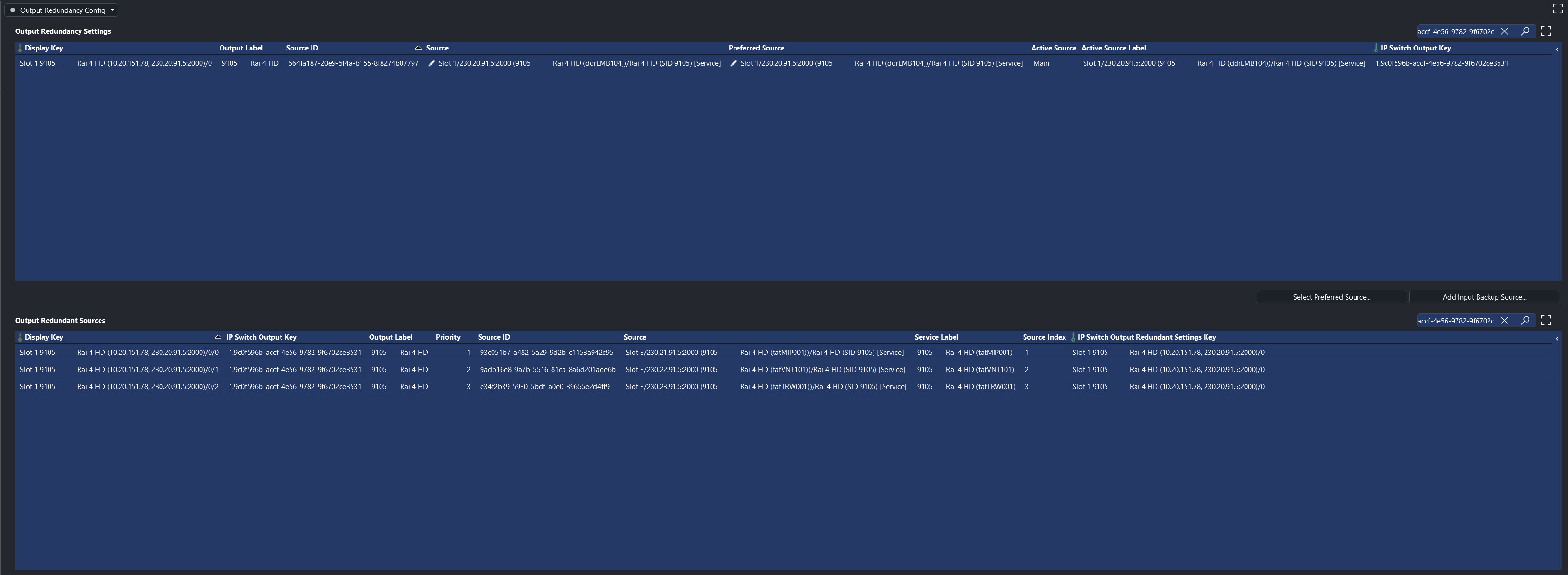
Desired result for the dashboard.

Thanks and best regards

Christoph

Christoph Manz Answered question 2 hours ago

3 Answers

  • Active
  • Voted
  • Newest
  • Oldest
0
Christoph Manz106 Posted 2 hours ago 0 Comments

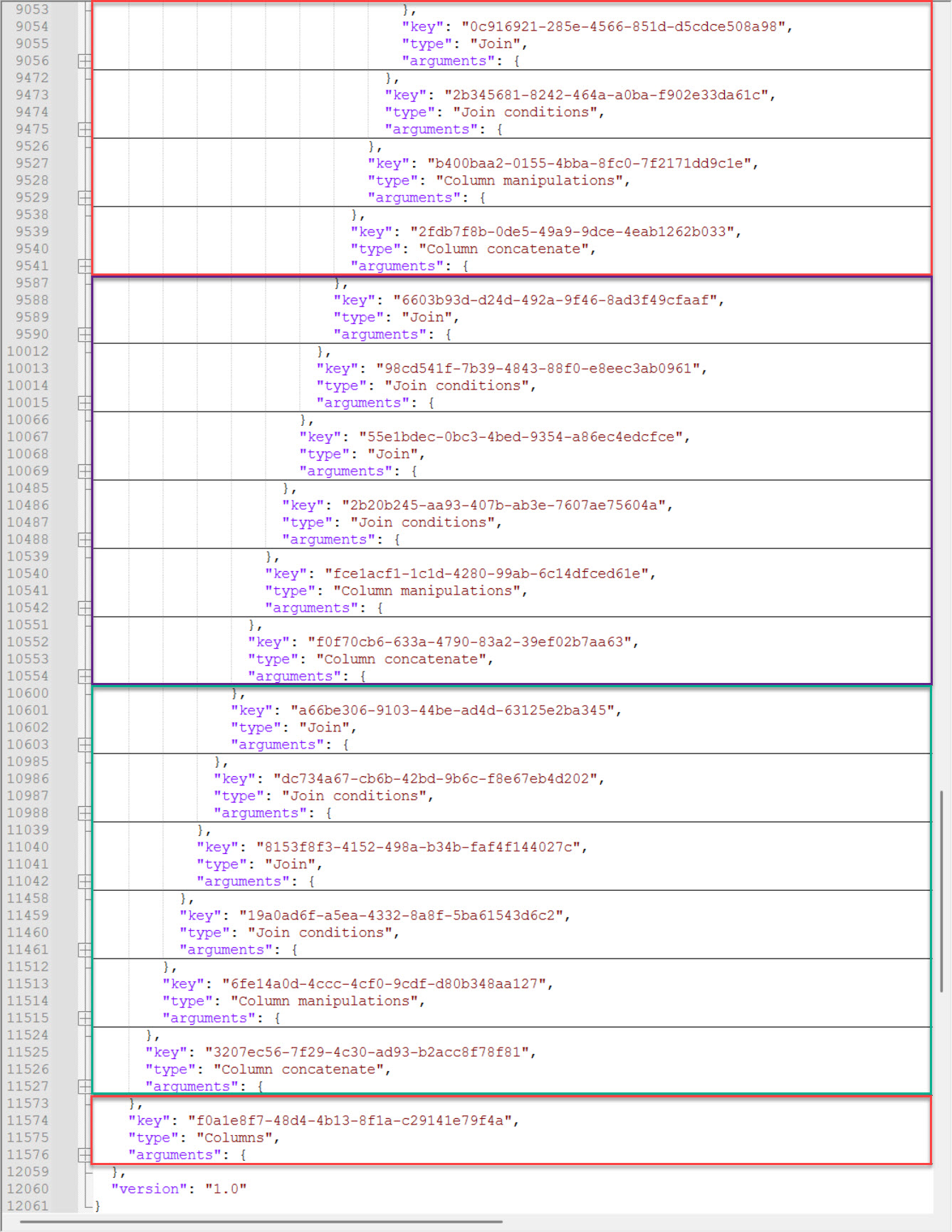
This approach requires a large number of joins because I need data from very different tables, and I have to read the inputs on the Appear X multiple times to query them all. It works in principle, but when I finally put everything together, it stops retrieving data, even after 30 minutes, there is no data.

It stays like that

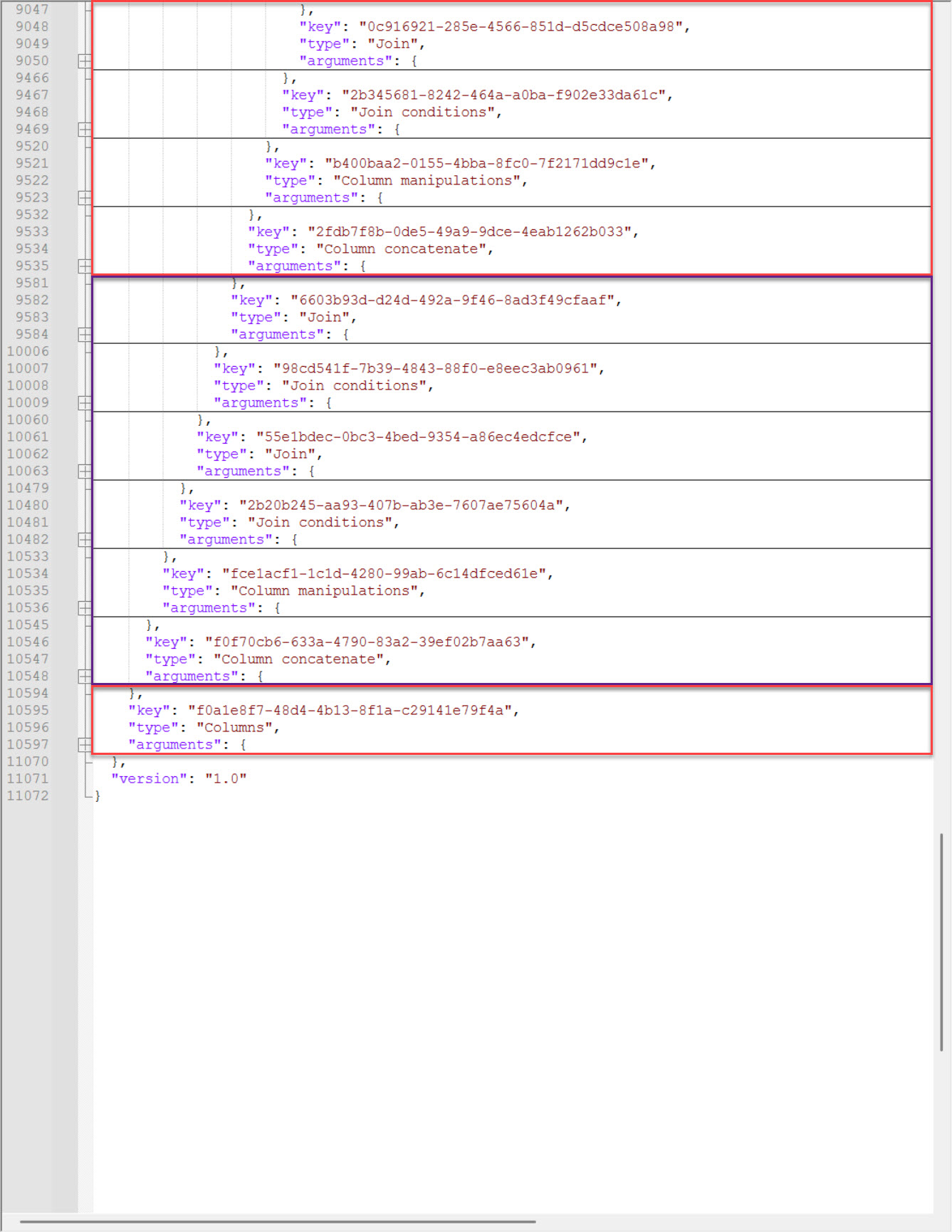
I removed the part up to the point where it worked.

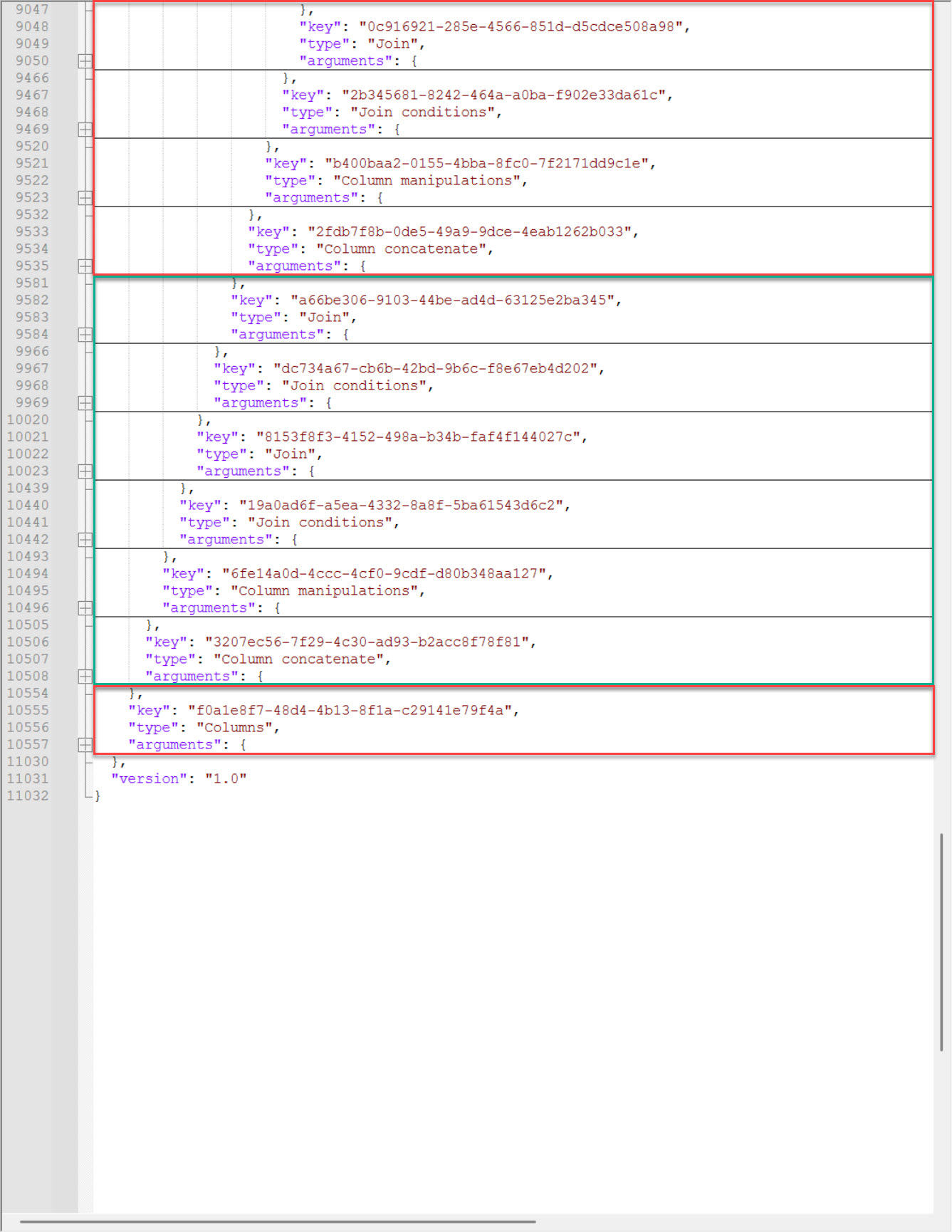
Then I tried another part, and it was working as well.

Both parts worked independently, but not together.

Here is the JSON code for the various queries. Red is used for all queries, violet only for the first query, and green only for the second query.

Non funktional querie
Functional first querie.
Functional second querie.
Thanks and best regards

Christoph

Christoph Manz Edited answer 2 hours ago
You are viewing 1 out of 3 answers, click here to view all answers.
Please login to be able to comment or post an answer.

My DevOps rank

DevOps Members get more insights on their profile page.

My user earnings

0 Dojo credits

Spend your credits in our swag shop.

0 Reputation points

Boost your reputation, climb the leaderboard.

Promo banner DataMiner DevOps Professiona Program
DataMiner Integration Studio (DIS)
Privacy Policy • Terms & Conditions • Contact

© 2026 Skyline Communications. All rights reserved.

DOJO Q&A widget

Can't find what you need?

? Explore the Q&A DataMiner Docs

[ Placeholder content for popup link ] WordPress Download Manager - Best Download Management Plugin