

Hi
I'm making a LCA, we have several different types of talkback panel with different appearances, I want to select the talkback panel from the dropdown and view a grid of the keys with a representative layout, sometimes this requires more than one grid. Is there a way to open a page/panel based upon panel type from a dropdown list of panel names fed by a query which returns panel names and panels types.
Also can I show / hide a grid based upon a variable.
Thanks

Hi Matthew,
Navigating to a page based on a dropdown value is possible by combining actions with data interpolation:
- Create a button (or an other way to execute actions).
- Add a 'navigate to url' action.
- Configure the URL by using the DMAIP variable & the data output of your dropdown.
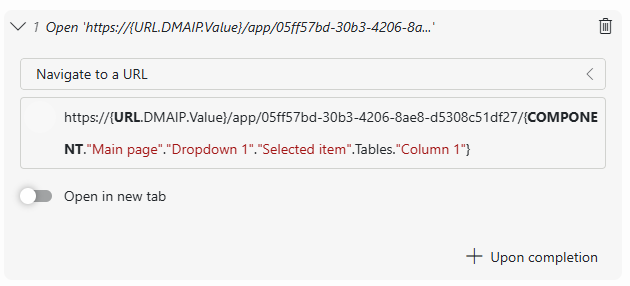
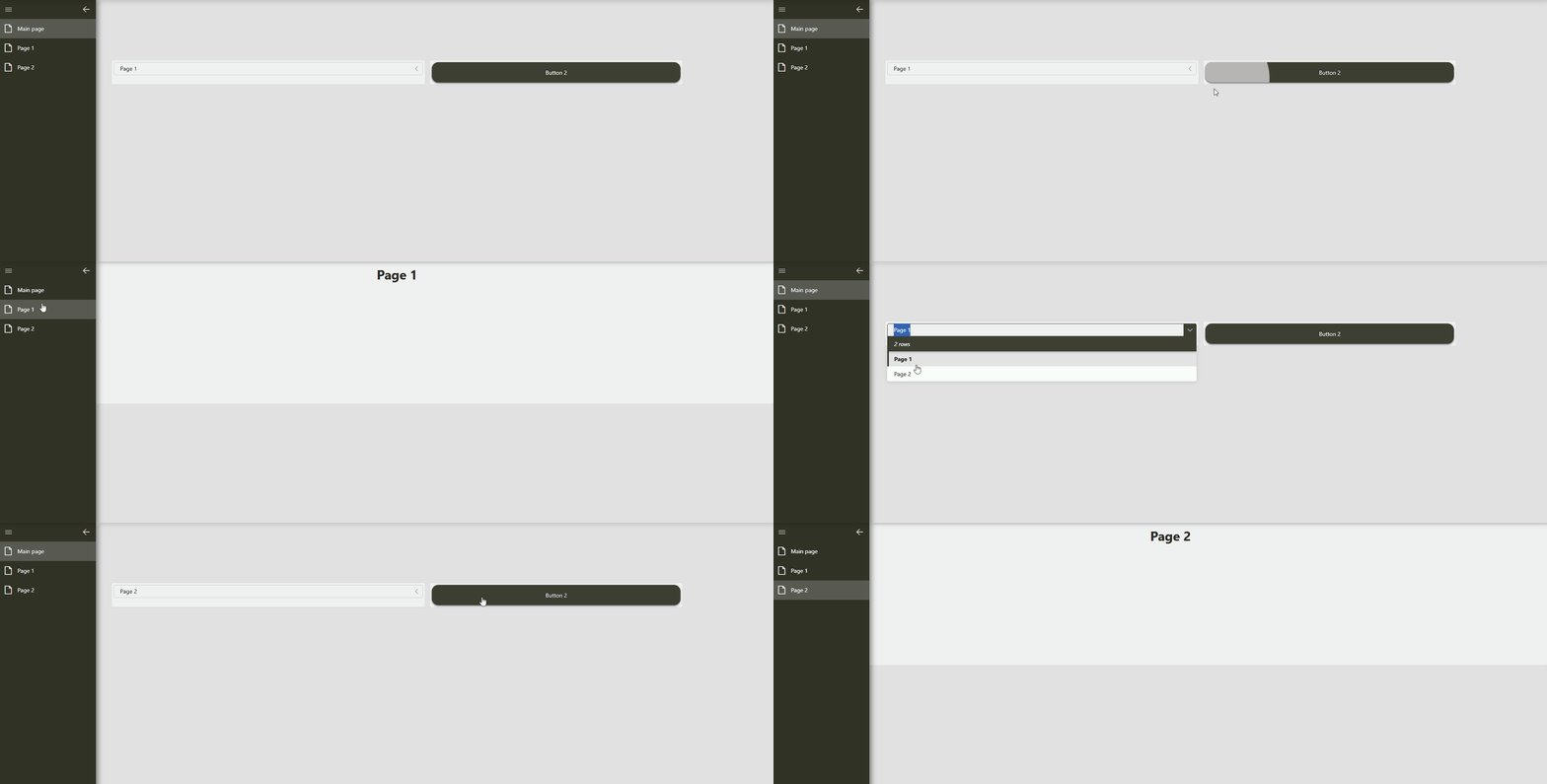
Note that this approach has the downside that the full app reloads before navigating instead of only navigating. This means that selections will be lost.
It isn't possible to show/hide components based on a variable.

Hi Wout, although this did work, I also need the selection of the panel name to populate the grid of keys, is it possible to encode this in the URL? I have tried but to no avail
https://{URL.DMAIP.Value}/app/95c256ed-af43-451d-85a6-920441200000/{COMPONENT."Panels Navigation"."Panel List"."Selected item".Tables."Port Type"}?Panel={COMPONENT."Panels Navigation"."Panel List"."Selected item".Tables."Long Name [IDX]"}
That is possible by adding the selection to the URL as feed data. You can then use the feed data in a query, component, … by adding it from the 'URL' data section in the editor. The extra URL part might look something like this: ?data={"feed":{"strings":["{COMPONENT."Main page"."Text input 3".Value.Texts.Value}"]}}. This one adds the selection of 'Text input 3' on my page as the 'Strings' feed in the URL. More info can be found in the docs: https://docs.dataminer.services/dataminer/Functions/Dashboards_and_Low_Code_Apps/Specifying_data_input_in_a_dashboard_URL.html?data#json-syntax
Thanks Wout,I'll give this a go