
Skip to content
DataMiner Dojo

More results...

Generic selectors
Exact matches only
Search in title
Search in content
Post Type Selectors
Search in posts
Search in pages
Search in posts
Search in pages
Log in
Menu
  • Updates & Insights
  • Questions
  • Learning
    • E-learning Courses
    • Tutorials
    • Open Classroom Training
    • Certification
      • DataMiner Fundamentals
      • DataMiner Configurator
      • DataMiner Automation
      • Scripts & Connectors Developer: HTTP Basics
      • Scripts & Connectors Developer: SNMP Basics
      • Visual Overview – Level 1
      • Verify a certificate
    • YouTube Videos
    • Solutions & Use Cases
      • Solutions
      • Use Case Library
    • Agility
      • Learn more about Agile
        • Agile Webspace
        • Everything Agile
          • The Agile Manifesto
          • Best Practices
          • Retro Recipes
        • Methodologies
          • The Scrum Framework
          • Kanban
          • Extreme Programming
        • Roles
          • The Product Owner
          • The Agile Coach
          • The Quality & UX Coach (QX)
      • Book your Agile Fundamentals training
      • Book you Kanban workshop
    • >> Go to DataMiner Docs
  • DevOps
    • About the DevOps Program
    • Sign up for the DevOps Program
    • DataMiner DevOps Support
    • Feature Suggestions
  • Downloads
  • Swag Shop
  • PARTNERS
    • Business Partners
    • Technology Partners
  • Contact
    • Sales, Training & Certification
    • DataMiner Support
    • Global Feedback Survey
  • >> Go to dataminer.services

Failing to update Visio shape

Solved75 views5 days ago
0
Mariana Navarro [DevOps Advocate]125 5 days ago 0 Comments

Hello Dojo! I’m trying to make some updates to a Visio diagram, but after uploading the modified version to DataMiner, the changes aren’t reflecting as I expected.

Previously on my Visio I had one single button to call an Automation Script called Fail-over Red/Blue Input where the "Execute" parameter looks like this:

[sep:|$]Script:X20 Monitor I-O switch$$Chassis 1=[param:*,60150];Chassis 2=[param:*,60152];Mcast=[param:*,32008]$$Execute Failover$NoConfirmation,NoSetCheck,CloseWhenFinished
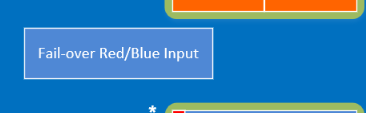
My modifications are replacing this button with two new buttons, each new button should execute a different but similar Automation Script (taking the same parameters). So, in order achieve that, I duplicated the existing button and changed the script name on the "Execute" parameter:

[sep:|$]Script:X20SwitchToBackup$$Chassis 1=[param:*,60152];Chassis 2=[param:*,60150];Mcast=[param:*,32010]$$Execute Failover$NoConfirmation,NoSetCheck,CloseWhenFinished
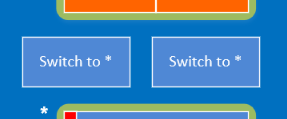
(This is how the Visio diagram looks on Visio ("Edit Visio"))

However, although I do now have two buttons, the buttons are still calling the old script even after the "Execute" parameter is changed. The button name also failed to update correctly, and it still show the old text.
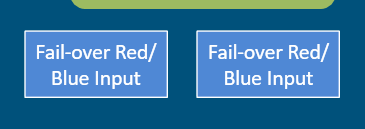
(This is what I see on DataMiner after uploading)

Could you please assist? Maybe I'm making changes in the wrong place?

Marieke Goethals [SLC] [DevOps Catalyst] Selected answer as best 5 days ago

2 Answers

  • Active
  • Voted
  • Newest
  • Oldest
0
Mariana Navarro [DevOps Advocate]125 Posted 5 days ago 0 Comments

Thanks for the reply, Jarno. The resolution was actually very silly, I found out that the shape I was editing was part of a group, and there was actually a copy of the shape hidden underneath it — which was the one that was being displayed and that I should have been editing.

Marieke Goethals [SLC] [DevOps Catalyst] Selected answer as best 5 days ago
-1
Jarno Lernou [SLC] [DevOps Enabler]5.29K Posted 5 days ago 0 Comments

Hi Mariana, it could happen that for some reason the connection between DataMiner Cube and Microsoft Visio is broken. Therefore, it might be good to close Visio and re-open again by going to Cube, the specific View and click Edit in Visio from there. Make a dummy change (e.g. new shape) to make sure it now works and validate if you can now make your changes.

Kind Regards,

Jarno

Jarno Lernou [SLC] [DevOps Enabler] Answered question 5 days ago
Please login to be able to comment or post an answer.

My DevOps rank

DevOps Members get more insights on their profile page.

My user earnings

0 Dojo credits

Spend your credits in our swag shop.

0 Reputation points

Boost your reputation, climb the leaderboard.

Promo banner DataMiner DevOps Professiona Program
DataMiner Integration Studio (DIS)
Empower Katas
Privacy Policy • Terms & Conditions • Contact

© 2025 Skyline Communications. All rights reserved.

DOJO Q&A widget

Can't find what you need?

? Explore the Q&A DataMiner Docs

[ Placeholder content for popup link ] WordPress Download Manager - Best Download Management Plugin