

Hello. I am unable to execute the DOM Editor script. A popup indicates that the "Automation script failed" and "The automation script 'Dom Editor' failed to complete. I am using version 10.5.0.0.
When validating the (DataMiner) script, there are 24 errors and 28 warnings. I have not made any changes to the script. Up until a two weeks ago, this script would execute without issue.

Hi Cheryl,
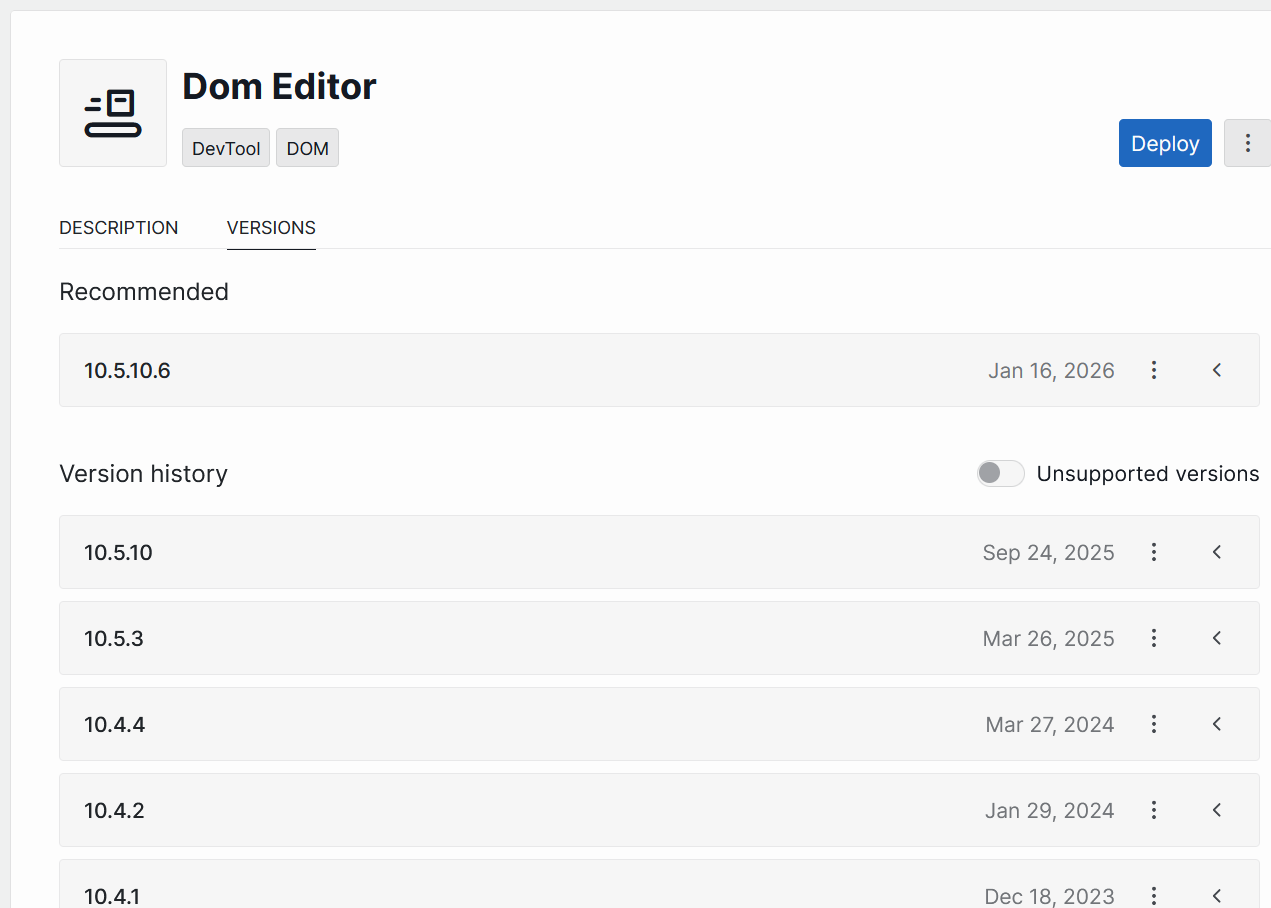
The DOM Editor is typically following what DataMiner has to offer related to DOM. Therefore, we are introducing versions that are more thightly linked to DataMiner versions. Can you confirm you are using a version of the catalog item that is below the version of your DataMiner version?
You can go to the versions tab and click the desired version to deploy it.
Kind Regards,
Jarno

As I'm not part of your organization, I cannot see where the deployment failed. You can, however, check this also yourself by going to admin.dataminer.services and for the given system, look at the deployments page. Normally it should be possible to see the deployment error over there. This will help me better understand your issue.
The current DOM Editor version is 10.5.10.6. When I try to execute the script, the script fails.
This is the feedback when attempting to deploy a different version:
at ArtifactDeployer.Services.CoreGateWayResponseHandler.Implementations.CoreGateWayResponseHandler.HandleAsync[TReq,TResp](ICoreGatewayRequestExecutor coreGatewayRequestExecutor, TReq request, MessageParser`1 responseParser, String topicId, CancellationToken cancellationToken)
at ArtifactDeployer.Deployer.Implementations.DataMinerFileUploader.SendFirstUploadRequestAsync(Int64 totalFileSize, Byte[] firstChunk, String uploadingUser, String topicId, Boolean uploadAsSystem, CancellationToken cancellationToken)
at ArtifactDeployer.Deployer.Implementations.DataMinerFileUploader.HandleChunkUploadAsync(Int32 chunkId, Byte[] chunk, Int64 fileSize, String uploadingUser, String topicId, Boolean uploadAsSystem, Int32 uploadCookie, CancellationToken cancellationToken)
at ArtifactDeployer.Deployer.Implementations.DataMinerFileUploader.<>c__DisplayClass7_0.<<ProcessFileInChunksAsync>b__0>d.MoveNext()
— End of stack trace from previous location —
at ArtifactDeployer.Files.Implementations.PhysicalFileProvider.StreamFromFileAsync(String filePath, Int32 chunkSize, Func`3 onNextChunkAsync, CancellationToken cancellationToken)
at ArtifactDeployer.Files.Implementations.PhysicalFileProvider.StreamFromFileAsync(String filePath, Int32 chunkSize, Func`3 onNextChunkAsync, CancellationToken cancellationToken)
at ArtifactDeployer.Deployer.Implementations.DataMinerFileUploader.ProcessFileInChunksAsync(String localFilePath, Int64 fileSize, String uploadingUser, String topicId, Boolean uploadAsSystem, CancellationToken cancellationToken)
at ArtifactDeployer.Deployer.Implementations.DataMinerFileUploader.UploadFromFileAsync(String localFilePath, String uploadingUser, String topicId, Boolean uploadAsSystem, CancellationToken cancellationToken)
at ArtifactDeployer.Deployer.Implementations.AppPackageDeployer.DeployAsync(String deploymentId, EventingInfo eventingInfo, ArtifactInfo info, String artifactLocation, DeployContext context, CancellationToken cancellationToken)
at ArtifactDeployer.Handler.Implementations.DeploymentHandlerEventingDecorator.<>c__DisplayClass7_0.<<DeployArtifactAsync>b__0>d.MoveNext()
— End of stack trace from previous location —
at ArtifactDeployer.Handler.Implementations.DeploymentHandlerEventingDecorator.CaptureExceptionAsync(ContextType contextType, Func`1 action)
Jarno, I tried deploying 10.4.4, but the deployment failed.