

The dataminer element shows me the date of the equipment in hexadecimal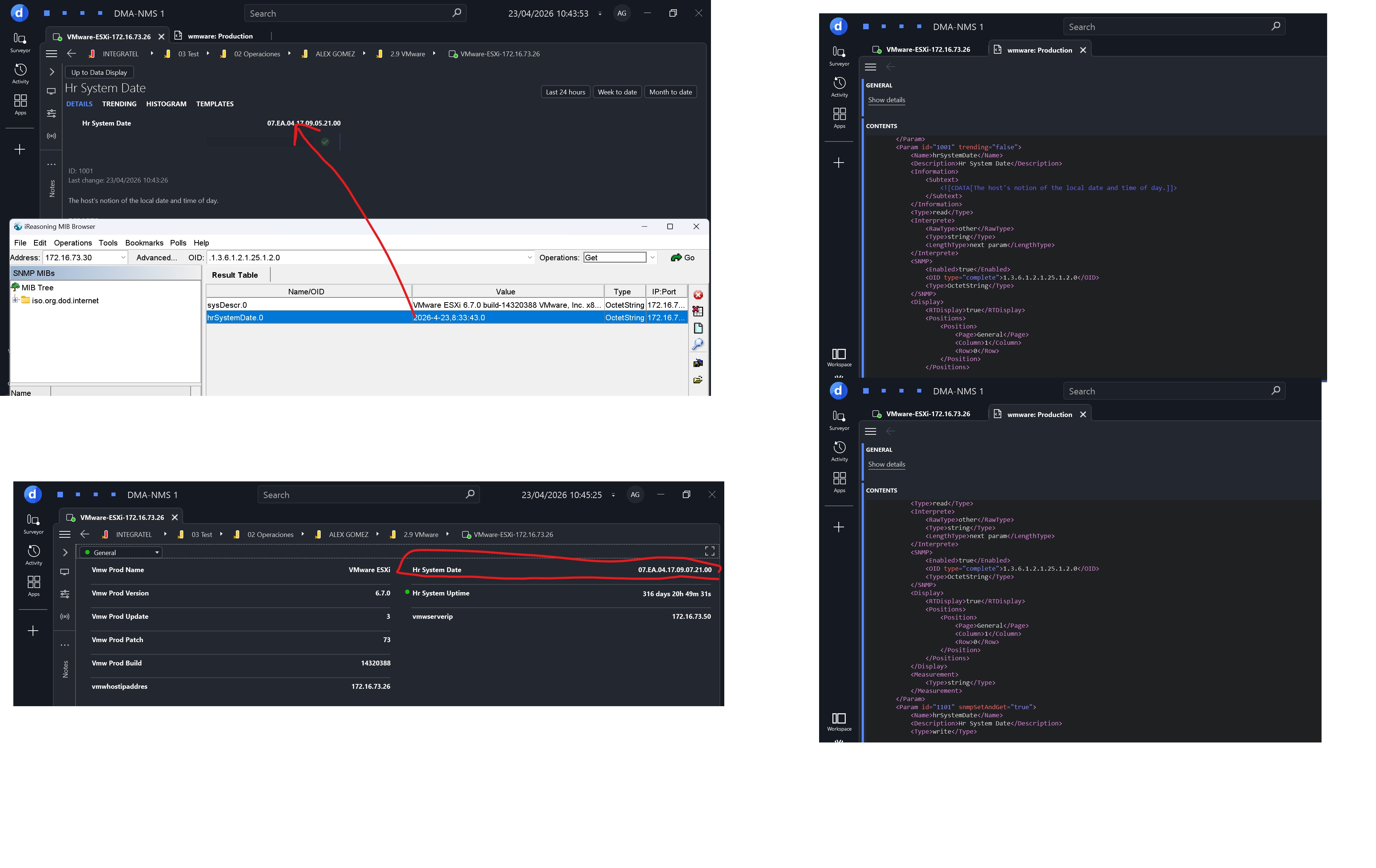

Hi Alex,
When dealing with such cases, I use the following method to convert the string to a DateTime. You can then use this method in a QAction to fill a new column with the DateTime values:
/// <summary>
/// Converts SNMP DateTime to System.DateTime.
/// </summary>
/// <param name="hexTimeString">SNMP DateTime with DateAndTime hex format.</param>
/// <param name="separator">Expected character that splits the hex parts.</param>
/// <returns>System.DateTime. If String is Empty or null returns Minimum DateTime Value.</returns>
public static DateTime HexToDateTime(string hexTimeString, char separator)
{
if (hexTimeString == null || hexTimeString == String.Empty)
{
return DateTime.MinValue;
}
string[] splitHex = hexTimeString.Trim(separator).Split(separator);
int[] splitHexNumbers = splitHex.Select((v) => Convert.ToInt32(Convert.ToUInt32(v, 16))).ToArray();
int year = (splitHexNumbers[0] << 8) + splitHexNumbers[1];
if (year == 0)
{
year = 1;
}
DateTime temp = new DateTime(
year,
splitHexNumbers[2],
splitHexNumbers[3],
splitHexNumbers[4],
splitHexNumbers[5],
splitHexNumbers[6],
splitHexNumbers[7] < 10 ? splitHexNumbers[7] * 100 : 0, // deci-seconds To Milliseconds
DateTimeKind.Utc);
if (splitHex.Length <= 8)
{
return temp;
}
if (Convert.ToChar(splitHexNumbers[8]) == '+')
{
return temp + new TimeSpan(splitHexNumbers[9], splitHexNumbers[10], 0);
}
else
{
return temp - new TimeSpan(splitHexNumbers[9], splitHexNumbers[10], 0);
}
}