

The dataminer element shows me the date of the equipment in hexadecimal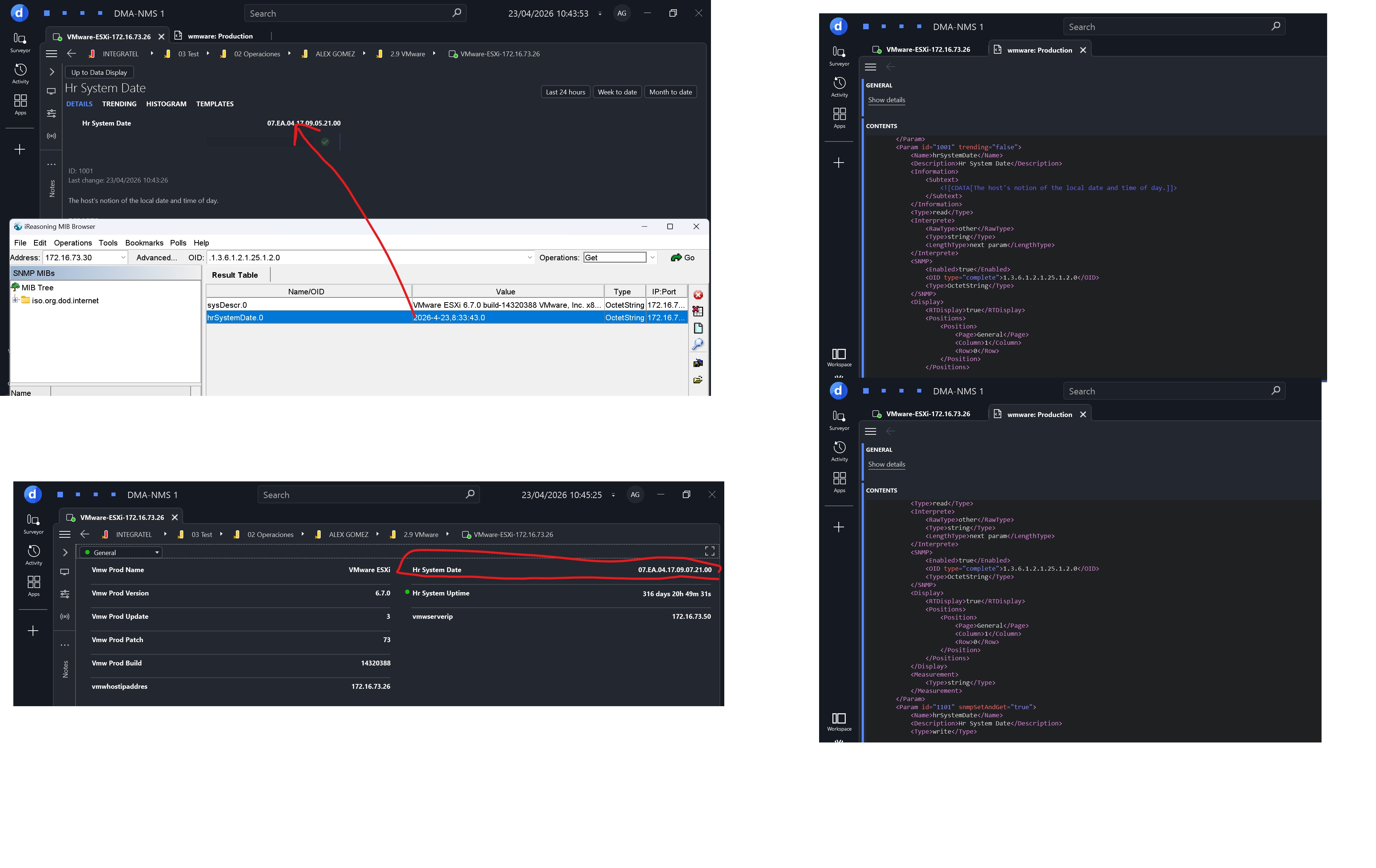

Hello,
You might have to leave the type as an octetstring and parse the hex value on a QAction to return a double value and then set that double value to another parameter of interprete type double with measurement type date number.
So for example: (a quick method made in copilot)
private static double ParseDateValue(SLProtocol protocol, string value)
{
if (string.IsNullOrWhiteSpace(value))
throw new ArgumentException("Invalid input");
value = value.Replace(".", "");
// Required: YYYYMMDD (hex)
if (value.Length < 8)
throw new FormatException("Invalid date format");
int year = Convert.ToInt32(value.Substring(0, 4), 16);
int month = Convert.ToInt32(value.Substring(4, 2), 16);
int day = Convert.ToInt32(value.Substring(6, 2), 16);
int hour = 0, min = 0, sec = 0, ms = 0;
if (value.Length >= 12)
{
hour = Convert.ToInt32(value.Substring(8, 2), 16);
min = Convert.ToInt32(value.Substring(10, 2), 16);
}
if (value.Length >= 16)
{
sec = Convert.ToInt32(value.Substring(12, 2), 16);
ms = Convert.ToInt32(value.Substring(14, 2), 16);
}
// Ignore timezone (same as original)
var dt = new DateTime(year, month, day, hour, min, sec, ms);
return dt.ToOADate();
}
And you want to set the return value to a parameter like this:
<Param id="1" trending="false">
		<Name>ParsedDatetime</Name>
		<Description>Parsed DateTime</Description>
		<Information>
			<Subtext></Subtext>
		</Information>
		<Type>read</Type>
		<Interprete>
			<RawType>numeric text</RawType>
			<LengthType>next param</LengthType>
			<Type>double</Type>
			<Decimals>8</Decimals>
		</Interprete>
		<Display>
			<RTDisplay>true</RTDisplay>
		</Display>
		<Measurement>
			<Type options="date">number</Type>
		</Measurement>
</Param>

The Interprete.Decimals and Display.Decimals tags of the parameter need to be set to 8 to avoid rounding errors. More info is available on https://docs.dataminer.services/develop/schemadoc/Protocol/Protocol.Params.Param.Measurement.Type-options.html#date