

Hello Team,
I have created an automation script, which does some background process and creates a reference id and the concatenate it at the end of the URL. I would need it to be auto opened on the users machine who has triggered this automation script via Dataminer cube.
Lets take an example I want to redirect the user to https://docs.dataminer.services/index.html on their browser after completion of the automation script.
As of now I am using a pop up to show this URL to the users. And they manually copy paste it on browser. Also not sure if the URL can be made clickable on popup.
Could you please help me to find how to achieve redirection and if it's not possible what is other alternative to make it user friendly

Hi Ramesh, make sure that the 'NoConfirmation' option is set in the Hyperlink.xml for that hyperlink, otherwise the pop-up will be shown as you mentioned.
When I trigger such an interactive script from a hyperlink in the alarm console with that option set, it should open the link immediately. This is how my hyperlink value is structured 'MyAutomationScript||AlarmId=[ALARMID]||Tooltip|NoConfirmation,CloseWhenFinished'.
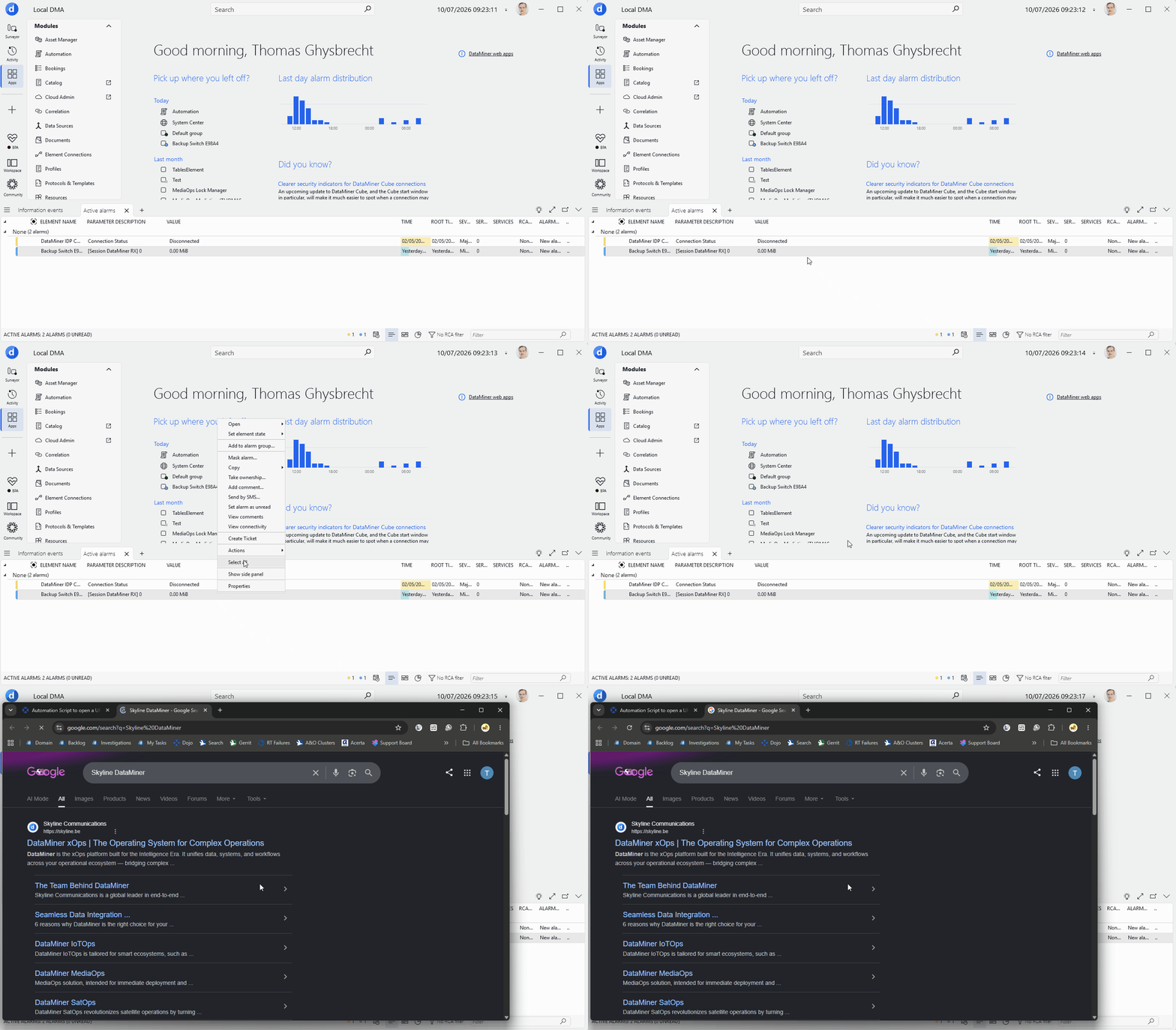

Thanks for sharing the hyperlink and code. I redid my testing with exactly what you provided, and this seems to be working on my end. Could you confirm the DataMiner version you are using? (My testing was done on the latest version)
The only way I can reproduce the pop-up, is to remove the 'NoConfirmation' option. But that pop-up is then shown before the script actually runs. If I understood your experience correctly, it only shows after the script was executed. Could you scroll down the list of parameters in that pop-up and check what is says at the bottom? I would assume that it says 'Completed: SUCCEEDED' with an 'Execute now' button next to it.
This behavior you are seeing does not seem correct. My current assumption is that this may be behaving faulty on an older version that you may be running. (to be confirmed)
Hello Thomas,
On hyperlink file we have already configured the below code
<HyperLink id="71" version="2" name="Test" menu="root" type="script" alarmColumn="false" alarmAction="true">
CreateRecord||View=[VID];ElementName=[ENAME];AlarmSeverity=[SEVERITY];AlarmParameter=[PNAME];AlarmValue=[VALUE];AlarmRootTime=[ROOTTIME];||Tooltip|NoConfirmation,CloseWhenFinished
</HyperLink>
On automation script, I have added the below code
UIBuilder uib = new UIBuilder();
UIBlockDefinition uibd = new UIBlockDefinition();
uibd.Type = UIBlockType.Executable;
uibd.Extra = apiResponse;
uib.AppendBlock(uibd);
engine.ShowUI(uib);
If I don't call engine.ShowUI(uib);, the background popup shown in the screenshot does not appear. However, once engine.ShowUI(uib); is executed, Redirection is working but DataMiner displays the Automation execution popup after the code completes successfully. Is there a supported way to suppress or disable this popup while still using UIBuilder?