

Is there a way of via a script re-apply settings to a service generated by a service template.
My service template doesn't have a defined view. That is set as an input parameter when loading the csv to create in bulk.
I have several services created on a view but now I want to move to another view. I can do it by following these steps to re-apply the service template and modify the settings: Managing service templates | DataMiner Docs.
It's easy for 5 or 10 but when they are much more would be nice to do it via a script. Is there a method to do it? I can create them with a csv but not modify them the same way.
thanks

Hi Daniel,
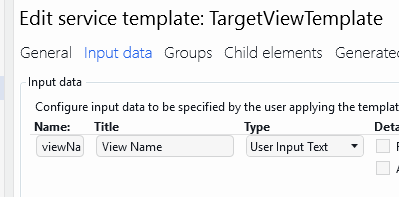
I'm guessing your setup looks a bit like this:
Input data configured to enter the view name
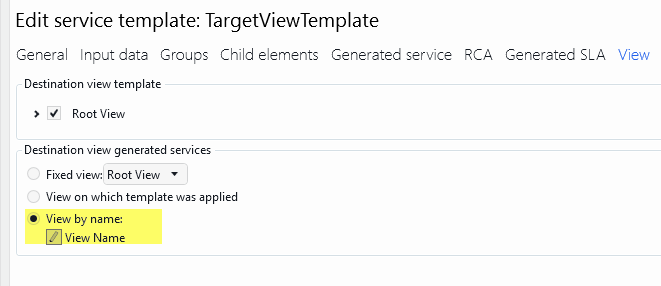
Generated services ending up in the view specified by this input data
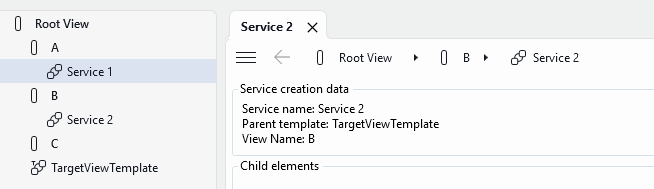
Then if you have services generated in some views
You can then right-click the service template and use "export configuration..." to create a CSV file with all generated services and their configuration.
There's a column "data:viewName" in there with the configured view name.
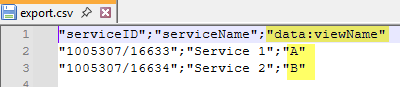
If you update the values in these columns (e.g. all to "C") and then right-click service template -> apply -> import from CSV. This should re-apply the service template for all services in the CSV file, moving them to the new view
Hope this helps