

Hello,
I'm not very familiar with using regular expressions, but I think it's the best way to display what I want in my case.
In a Visio, I have a shape like the one below to display the result of a parameter.
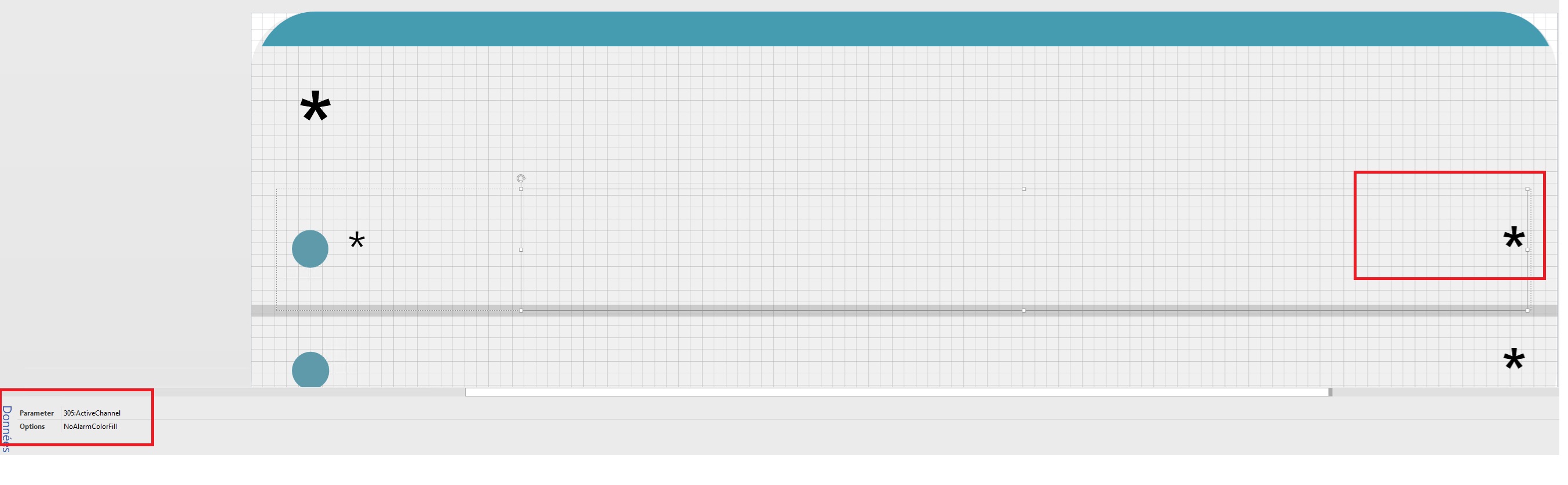
the result is :
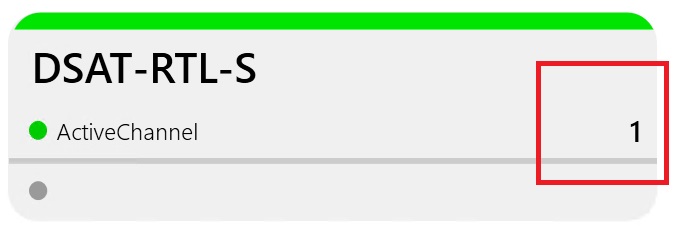
But I'd like it to display the label of another parameter instead.
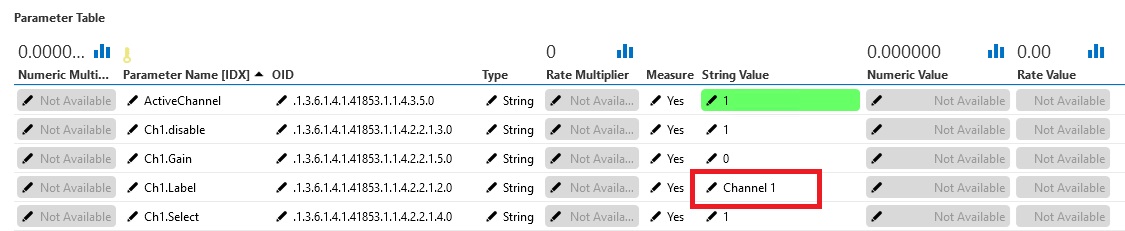
This parameter is an SNMP element, and the label corresponds to an ID value, while the parameter value is an integer. I'd simply like to be able to switch between this integer and its label in the graphical interface.
For exemple, if my value is "1" i would like to show the "Ch1.Label" StringValue and if the value is "2" i would like to show another parameter, in that case the "Ch2.label"
How can i do this ?
Best regards


Hello,
yes my element is a generic SNMP pool.
the Table is created with parameter i created. Each line is for an unique oid
For the first one on my screen, the "ActiveChannel" snmp return the "StringValue" = 1 because my element is using actually the first Channel of an audio device.
The other parameterName, for exemple "Ch1.Label" and "Ch1.disable" give me the actual setting of the first audio Channel of my element.
This means that :
– my first Channel is called "Channel 1 " (because snmp give me this info, when i pool this dedicated oib)
– my channel is enable because snmp give me the status equal = 1 (that's means, it's enable)
And on my shape i would like to have the label of my channel instead of only the Number (sometime the label is nothing related to the channel number, like "Main Audio"
I will try replacing with the "*" wildcard
The wildcard is working but not correctly. it replace the "Ch*.Label" into "Ch1.Label" on the shape…. But i would prefer to have the actual StringValue of this "Ch1.Label"

Hi Olivier, could you please try the following:
305:Ch[param:*,305,ActiveChannel].Label
Hello Tom, thanks for your answer.
It's showing nothing with your syntaxe
if i'm correct, what you propose should be resolve to = 305:Ch1.Label (or 305:Ch2.Label )
That means : [param:*,305,ActiveChannel] should be = 1 or 2
but nope
I think your idea if i can make it work should be amazing 🙂

Hi Olivier,
I get the impression that this question has already been answered in the comments. If this is indeed the case, could you select this answer to indicate that the question can be closed and no further follow-up is needed?
Hi Oliver,
Can you further elaborate a bit further your question?
– You mention 'This parameter is an SNMP element', do you mean a SNMP parameter? which column in your screenshot are your referring to?
– What is the purpose of the column parameter 'String Value'?
If you know that the label will always have the same structure 'ChX.Label'
Is it not an option to include the text in the shape?
For example, if you use Ch*.Label in your text shape, the wildcard '*' will be replaced with the value of the active channel.