

Hello Dojo,
Is it possible to create custom properties through automation without having an alarm beforehand?
If so, how can this be done?
Also, is it possible to expose those properties on the Alarm Console through automation?
Thank you!

Not sure about the 1st/2nd question.
but for the third question we are using:
hyperlinks.xml or by correlation special paraments Special parameters available in automation scripts | DataMiner Docs

Hi Ana,
There is currently no documented wrapper method available to programmatically create new properties. However, it is possible to achieve this using direct SLNet calls. If you’d like, we can go through the approach together offline.
Regarding the second part of your question:
As with property creation, there are no built‑in DMA methods for this. Using SLNet as an alternative could again be a workable solution.
A few important notes:
- The visibility of (custom) properties in the Alarm Console is a user‑based setting.
- This means that even if you apply changes through code, these will not result in a global configuration update for all users.
I validated this through the following manual test steps:
- Enabled visibility of the Ticket ID property in the Alarm Console.
- Created a ticket → property updated correctly. ✅
- Signed out of Cube and back in with the same admin user → property was still visible. ✅
- Created a new local user “Thijs”.
- Signed in as Thijs → property was not shown by default. ❌
Admin user view: (property visible)
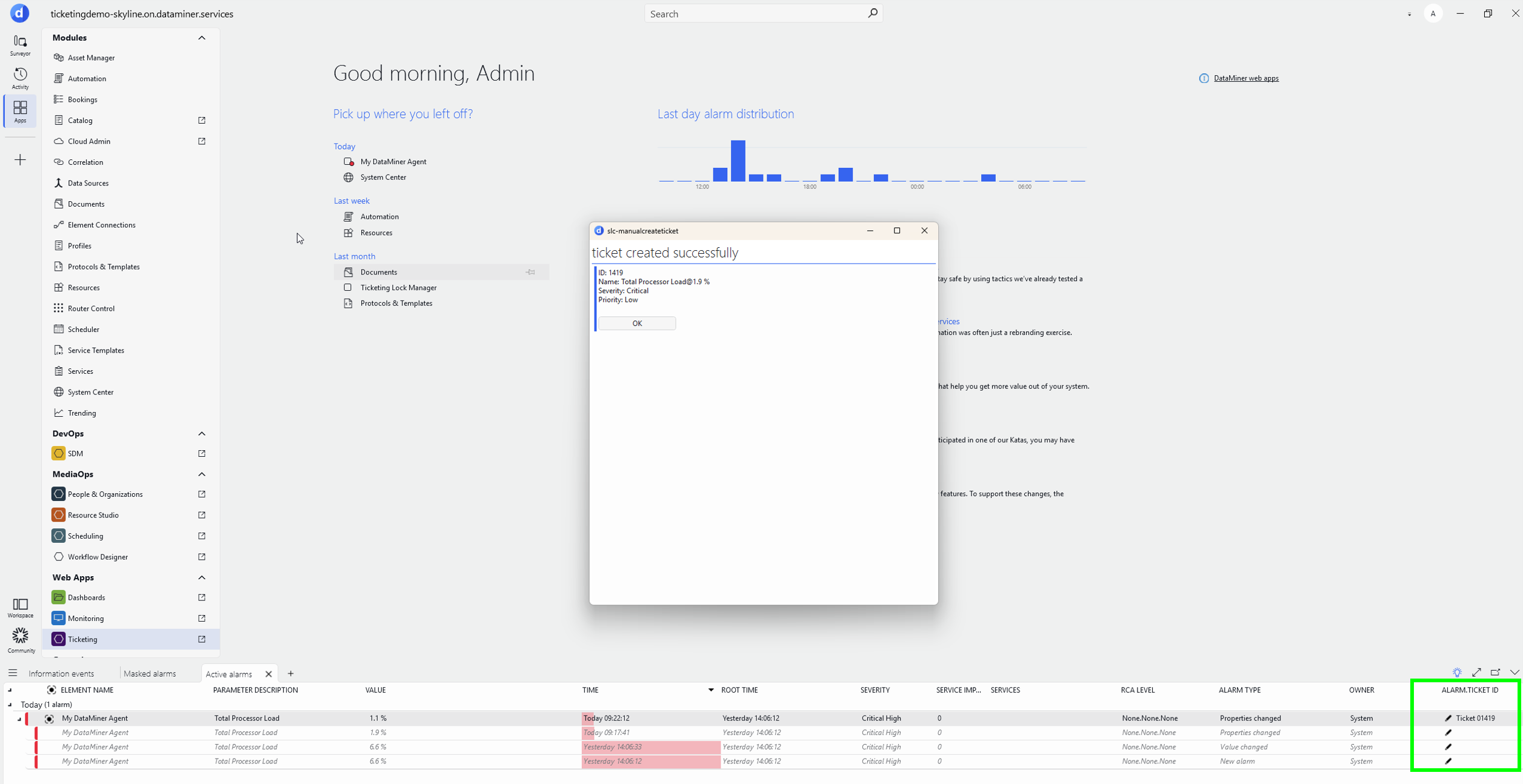
Thijs user view: (property not visible)
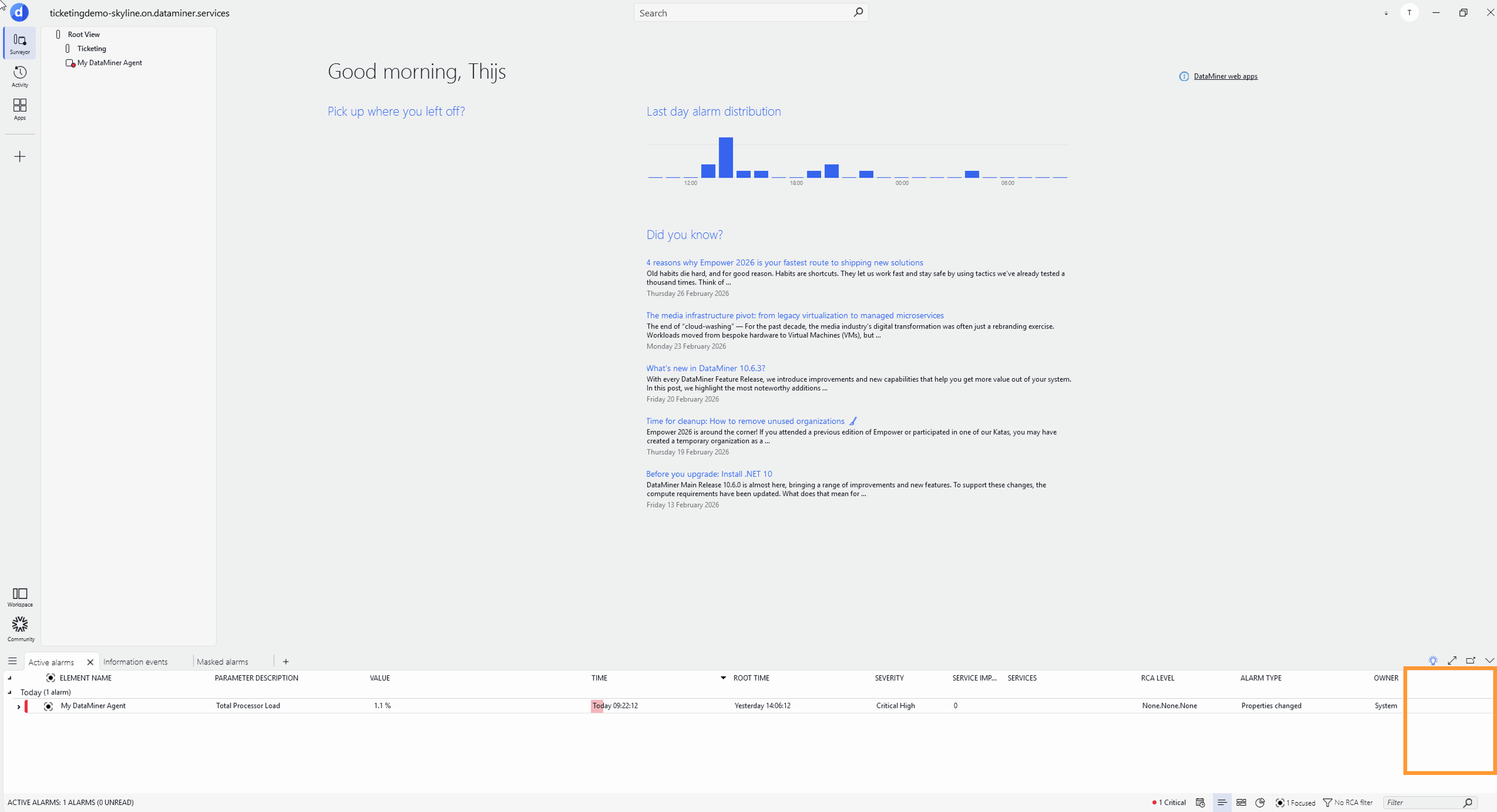
If helpful, I can walk you through the SLNet approach or discuss alternative workflows.

Hi ana,
Can you try this:
var propertyConfig = new PropertyConfig
{
Name = property.Name,
Type = "Alarm",
};PropertyManager.RegisterPropertyConfig(propertyConfig);
public class PropertyManager
{
private static ConcurrentDictionary<string, PropertyConfig> registredProperties = new ConcurrentDictionary<string, PropertyConfig>();/// <summary>
/// Registers a property in DataMiner system.
/// </summary>
/// <param name="property">Property to be registered.</param>
/// <returns>True if the property was registered;otherwise false.</returns>
/// <exception cref="ArgumentNullException">If <paramref name="property"/> is null.</exception>
public static bool RegisterPropertyConfig(PropertyConfig property)
{
if (property == null)
{
throw new ArgumentNullException(nameof(property));
}if (registredProperties.ContainsKey($"{property.Name}.{property.Type}"))
{
return true;
}var properties = GetRegisteredProperties().ToArray();
if (properties.Any(p => p.Name == property.Name && string.Equals(p.Type, property.Type, StringComparison.InvariantCultureIgnoreCase)))
{
return true;
}var nextId = properties.Select(x => x.ID).Max() + 1;
property.ID = nextId;
try
{
var response = Engine.SLNet.SendSingleResponseMessage(new AddPropertyConfigMessage(property)) as UpdatePropertyConfigResponse;return response?.ID == nextId;
}
catch (Exception)
{
return false;
}
}/// <summary>
/// Gets an <see cref="IEnumerable{T}"/> of <see cref="PropertyConfig"/> with all registered properties.
/// </summary>
/// <returns>An <see cref="IEnumerable{T}"/> of <see cref="PropertyConfig"/> with all registered properties.</returns>
public static IEnumerable<PropertyConfig> GetRegisteredProperties()
{
try
{
var response = Engine.SLNet.SendSingleResponseMessage(new GetInfoMessage(InfoType.PropertyConfiguration)) as GetPropertyConfigurationResponse;var properties = response?.Properties ?? Enumerable.Empty<PropertyConfig>();
foreach (var prop in properties)
{
registredProperties.TryAdd($"{prop.Name}.{prop.Type.ToUpperInvariant()}", prop);
}return properties;
}
catch (Exception)
{
return Enumerable.Empty<PropertyConfig>();
}
}
}
Kind regards,
By the way, if the goal is to have the property visible in the Alarm Console, you will need to enable the IsFilterEnabled option when creating it:
var propertyConfig = new PropertyConfig
{
Name = property.Name,
Type = "Alarm",
IsFilterEnabled = true
};
Kind regards,
Answer by José gives you the insights for the SLNET call on how to create the property via code. Note that SLNET calls are not always backwards compatible in the core software. Use them carefully!