

Hello,
i have a simple question about filtering alarm into a table row.
actually i have i shape with this parameters
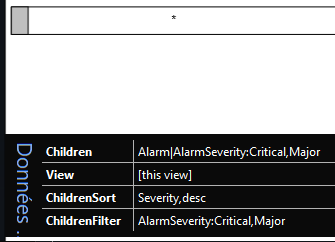
it create a good table with all the alarms into this view (like below)
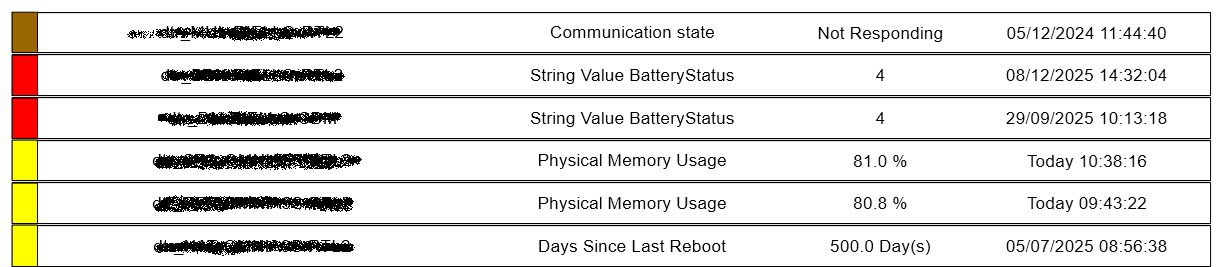
But in my case i want only to show the critical and Major Alarms. The ChildrenFilter didn't work, because i always have the Major and Minor alarms too
can you help me to adapt my settings ?
Thanks

Hi Olivier,
As the Generating shapes that represent alarms | DataMiner Docs explains, there is no such concept as AlarmSeverity when using the ChildrenFilter. Instead you need to make an alarm filter in the alarm console and reference that one in the Visio.
Group shape:
Children : Alarm
ChildrenFilter : SharedFilterCriticalMajorAlarms
View : [this view]
Child shape:
Alarm : *
ChildType : Alarm
Info : Element Name
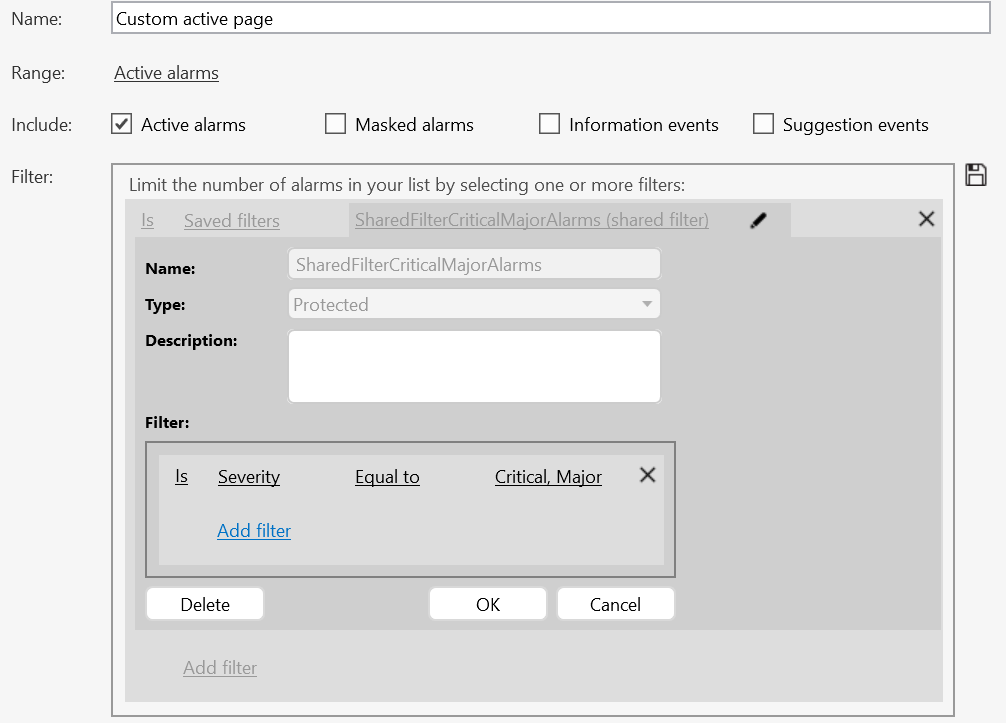
By the way, you could also consider opening the alarm console by using Linking a shape to an alarm filter | DataMiner Docs.
Kind Regards,
Jarno

Amazing, that's work perfectly.
Many thanks for your help, i didn't notice this info into the documentation
Thanks again