

Hi,
Is there any way to gather all alarms for a channel that I have created in Visio? I have added so that all equipment that has an alarm related to this channel should be red, but now I also get to many alarms in the alarm console.
For an example today so lost we input on Discovery+ Extra 1 to 8 and that triggered lots of alarms.
Br,
Thomaz
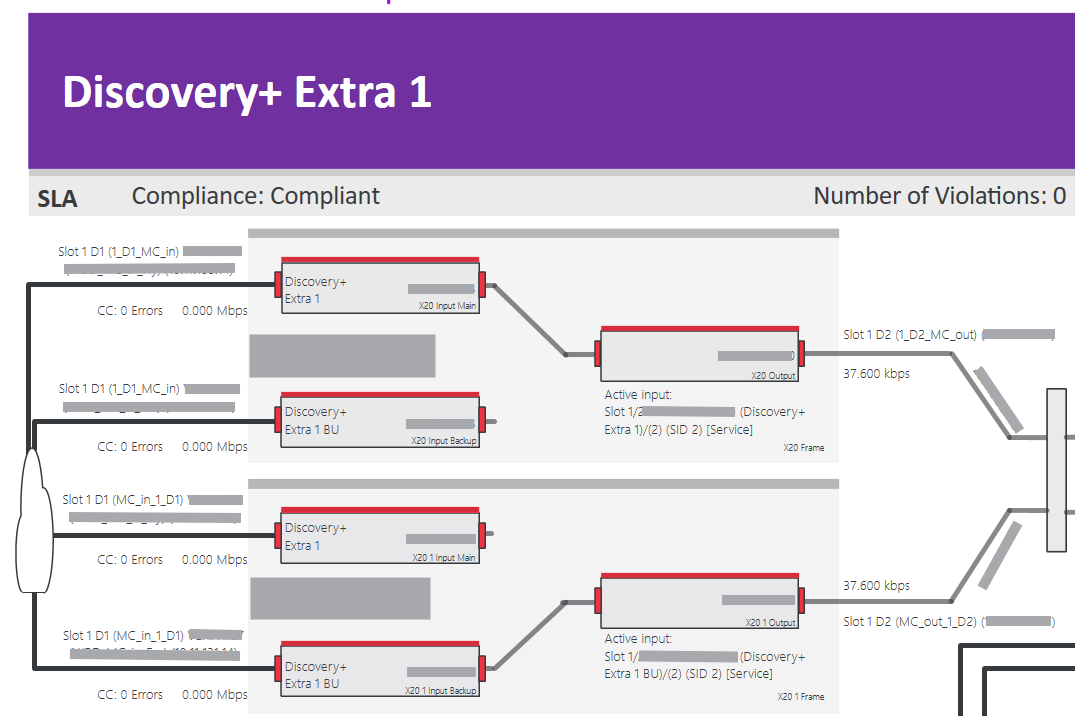

Hi Thomaz.
DataMiner will always keep track of all the alarms that are happening on the elements based on the alarm templates assigned to them.
You can however personalize the alarm console to your wishes and add filters so that you only see the alarm you are interested in.
I guess you created a DataMiner service and put a Visio on it?
You can configure to have the elements conditionally take effect on the alarm severity of the service.
https://docs.dataminer.services/dataminer/Operator_guide/Services/Adding_a_service/Conditionally_including_an_element_in_a_service.html
Optionally, you can set up RCA chains to be able to filter only on the root causes.
Especially if you would already have defined a service template, it's easy to define an additional RCA chain in the template.
https://docs.dataminer.services/dataminer/Operator_guide/Services/Service_templates/Creating_a_service_template/ST_Specifying_root_cause_info.html
https://docs.dataminer.services/dataminer/Operator_guide/Alarms/Working_with_alarms/Working_with_the_Alarm_Console/Using_the_RCA_slider.html
https://docs.dataminer.services/dataminer/Functions/Correlation/Working_with_the_Connectivity_Editor.html
You can then create an alarm tab that filters on alarms that are 'service impacting'.
Service impact > 0
If you applied an RCA chain you can also filter on RCA Level = 0.0.0
All this will reduce the amount of alarms you see.
https://docs.dataminer.services/dataminer/Operator_guide/Alarms/Working_with_alarms/Working_with_the_Alarm_Console/Applying_alarm_filters_in_the_Alarm_Console.html?q=alarm%20console%20tab#manually-applying-an-alarm-filter-in-an-alarm-console-tab
A special note I also want to give to our bulb feature which allows automatic alarm grouping, which might also help you.
https://docs.dataminer.services/dataminer/Operator_guide/Alarms/Working_with_alarms/Working_with_the_Alarm_Console/Light_Bulb_Feature.html