

I’d like to ask some help with this investigation.
A user needs to install Cube across several computers using the MSI file instead of the EXE because the users do not have permission to run executables in those computers.
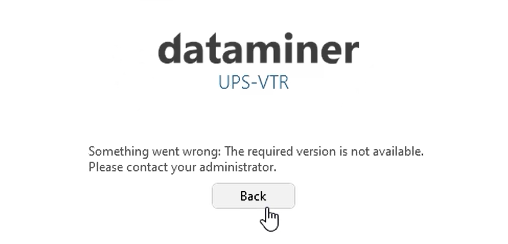
After installing the package located on the local DMA at `C:\Skyline DataMiner\Webpages\Tools\Installs\DataMiner Cube.msi`, he gets the following error:
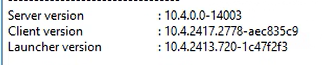
This screenshot shows the file we used:

We installed DataMiner Cube - MSI CefSharp v96 - DataMiner Dojo but still getting the same error.
Here is the documentation consulted so far. It does not explain the error we are seeing:
- Question regarding Cube App Launcher - DataMiner Dojo
- Installing the DataMiner Cube desktop application | DataMiner Docs
- DataMiner Cube deployment methods | DataMiner Docs
- New Cube - install one instance for all users - DataMiner Dojo
Moreover, since technicians will need to use Cube to connect to different versions of DataMiner, I’d like to confirm that this method we are using referred to as ‘MSI Launcher (shared)’ does support having more than one version installed in the same machine as indicated in Shared MSI installation method.
How do we proceed from here ?

I added a feature request for the error to be more meaningful, actually stating what version was required and giving the system administrator the option to show a custom message other than "Please contact your administrator"
Please upvote the suggestion here: