

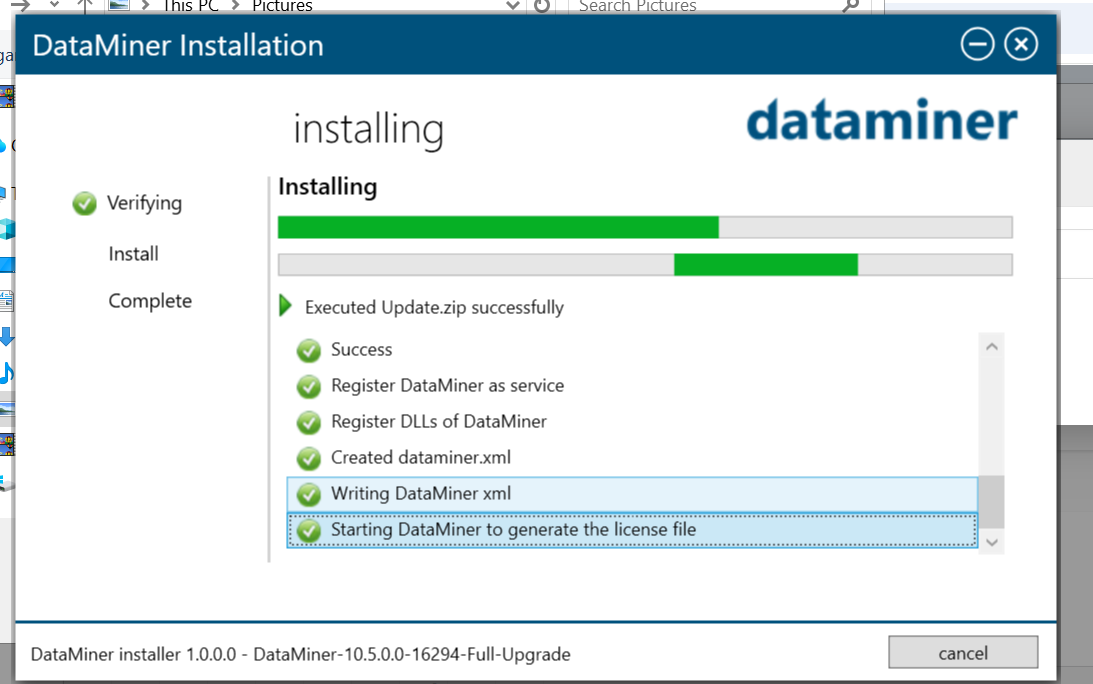
I am trying to install dataminer 10.5.0 and it is getting stuck at Starting Dataminer to generate the license file.
I do not know what's wrong what should i check.
<?xml version="1.0" encoding="utf-8"?>
<DataMiner id="-1" elementid="" xmlns="http://www.skyline.be/config/dataminer">
<IP>
<VirtualIPFrom/>
<VirtualIPTo/>
<VirtualIPMask/>
</IP>
<DMA>
<DMAName/>
<Location1/>
<Location2/>
<Location3/>
</DMA>
<Logging>
<Debug/>
<Error/>
<Info/>
</Logging>
<MobileGateway>
<IP/>
<UserName/>
</MobileGateway>
<Colors>
<Color type="normal" value=""/>
<Color type="warning" value=""/>
<Color type="minor" value=""/>
<Color type="major" value=""/>
<Color type="critical" value=""/>
<Color type="notMonitored" value=""/>
<Color type="initial" value=""/>
<Color type="timeout" value=""/>
<Color type="masked" value=""/>
</Colors>
<ID>
<Views current="" currentOwn=""/>
</ID>
<DataMinerGuid>{4A6C5519-E9AE-456B-8A4A-D311AE188FC4}</DataMinerGuid></DataMiner>
This is my generated dataminer.xml file

Hi,
You’re absolutely right — when using the DataMiner 10.5 installer with an active internet connection, there’s no need to manually request or install a license.
Could you please contact our DataMiner Support team regarding the issue you’re experiencing? To help us investigate more efficiently, it would be very helpful if you could include:
- A LogCollector package
- A copy of the file
C:\ProgramData\Skyline Communications\DataMinerInstallerLog.txt
(if this file is present)
You can find step-by-step guidance on how to contact support and collect the required data here:
- https://docs.dataminer.services/dataminer/Troubleshooting/Contacting_tech_support.html
- https://docs.dataminer.services/dataminer/Troubleshooting/Procedures/Collecting_data_to_report_an_issue_to_TechSupport.html
Regards,