

Hello
I'm having trouble using the DMAs JSON API module.
I'm trying to use this method:
https://docs.dataminer.services/develop/webservices/WS_v1/WS_Methods_v1/GetHistoryAlarmsForParameter.html
But I never get any results.
In parallel, I am able to use this module successfully : GetHistoryAlarmsForElement
Here is an example of a query
----
<GetHistoryAlarmsForElement xmlns="http://www.skyline.be/api/v1">
<connection>4b78620e-97a5-4d4f-ab80-edf3134bbffb</connection>
<dmaID>myID</dmaID>
<elementID>1947</elementID>
<utcStartTime>1768826220000</utcStartTime>
<utcEndTime>1768826760000</utcEndTime>
<filter>
<IncludeInformationEvents>1</IncludeInformationEvents>
<IncludeEntireAlarmTree>1</IncludeEntireAlarmTree>
<AlarmTypes>
<string>New Alarm</string>
</AlarmTypes>
<Severities>
<string>Warning</string>
<string>Critical</string>
</Severities>
</filter>
</GetHistoryAlarmsForElement>
----
The Result is :
----
<GetHistoryAlarmsForElementResult>
<DMAAlarm>
<DataMinerID>myID</DataMinerID>
<HostingAgentID>myID</HostingAgentID>
<ID>62984948</ID>
<RootAlarmID>62984948</RootAlarmID>
<ElementID>1947</ElementID>
<ElementName>NameEmberPlus_Element</ElementName>
<IsElementMasked>false</IsElementMasked>
<ParameterID>1004</ParameterID>
<ParameterName>PGM/FQ04</ParameterName>
<TableIndex>PGM/FQ04</TableIndex>
<DisplayValue>False</DisplayValue>
<AlarmState>Warning</AlarmState>
<Type>New Alarm</Type>
<IsAggregation>false</IsAggregation>
<IsMasked>false</IsMasked>
<Services />
<TimeOfArrival>2026-01-19 13:45:09</TimeOfArrival>
<TimeOfArrivalUTC>1768826709000</TimeOfArrivalUTC>
<RootTime>2026-01-19 13:45:09</RootTime>
<RootTimeUTC>1768826709000</RootTimeUTC>
<IsTrending>false</IsTrending>
<IsOwner>false</IsOwner>
<OwnerName>System</OwnerName>
<LastChangeUTC>1768828690989</LastChangeUTC>
<IsCleared>false</IsCleared>
</DMAAlarm>
----
This means that I can successfully read an alarm for this element using the ParameterID = 1004
But when i tried the method : GetHistoryAlarmsForParameter
with this Request :
----
<soap:Body>
<GetHistoryAlarmsForParameter xmlns="http://www.skyline.be/api/v1">
<connection>4b78620e-97a5-4d4f-ab80-edf3134bbffb</connection>
<dmaID>myID</dmaID>
<elementID>1947</elementID>
<parameterID>1004</parameterID>
<tableIndex>PGM/FQ04</tableIndex>
<utcStartTime>1768826220000</utcStartTime>
<utcEndTime>1768826760000</utcEndTime>
<filter>
<IncludeInformationEvents>1</IncludeInformationEvents>
<IncludeEntireAlarmTree>1</IncludeEntireAlarmTree>
</filter>
</GetHistoryAlarmsForParameter>
</soap:Body>
----
The Result is empty 🙁 :
----
<soap:Body>
<GetHistoryAlarmsForParameterResponse xmlns="http://www.skyline.be/api/v1">
<GetHistoryAlarmsForParameterResult />
</GetHistoryAlarmsForParameterResponse>
</soap:Body>
----
Is there someone who can explain to why only this method didn't work for me, or maybe i just used it badly
Thanks in advance for your help
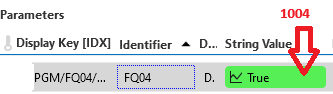
ps : this i a restricted view of the element table with this ID i tried to filter

Hi Olivier,
From your initial screenshot, it appears that this parameter belongs to a table parameter. As mentioned in GetHistoryAlarmsForParameter | DataMiner Docs, when that’s the case, you need to fill in the tableIndex field using the index (primary key) instead of using the Display key.
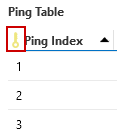
Normally, tables have an extra column that serves as the index (primary key). The value of the index in the corresponding row is what needs to be entered in the tableIndex field. Example:
Kind regards,

Many thanks for your time and your answer.
I was able to get some decent result with some other element.
I think my main issue is related to a specific element using a new driver
Thanks again
Best regards
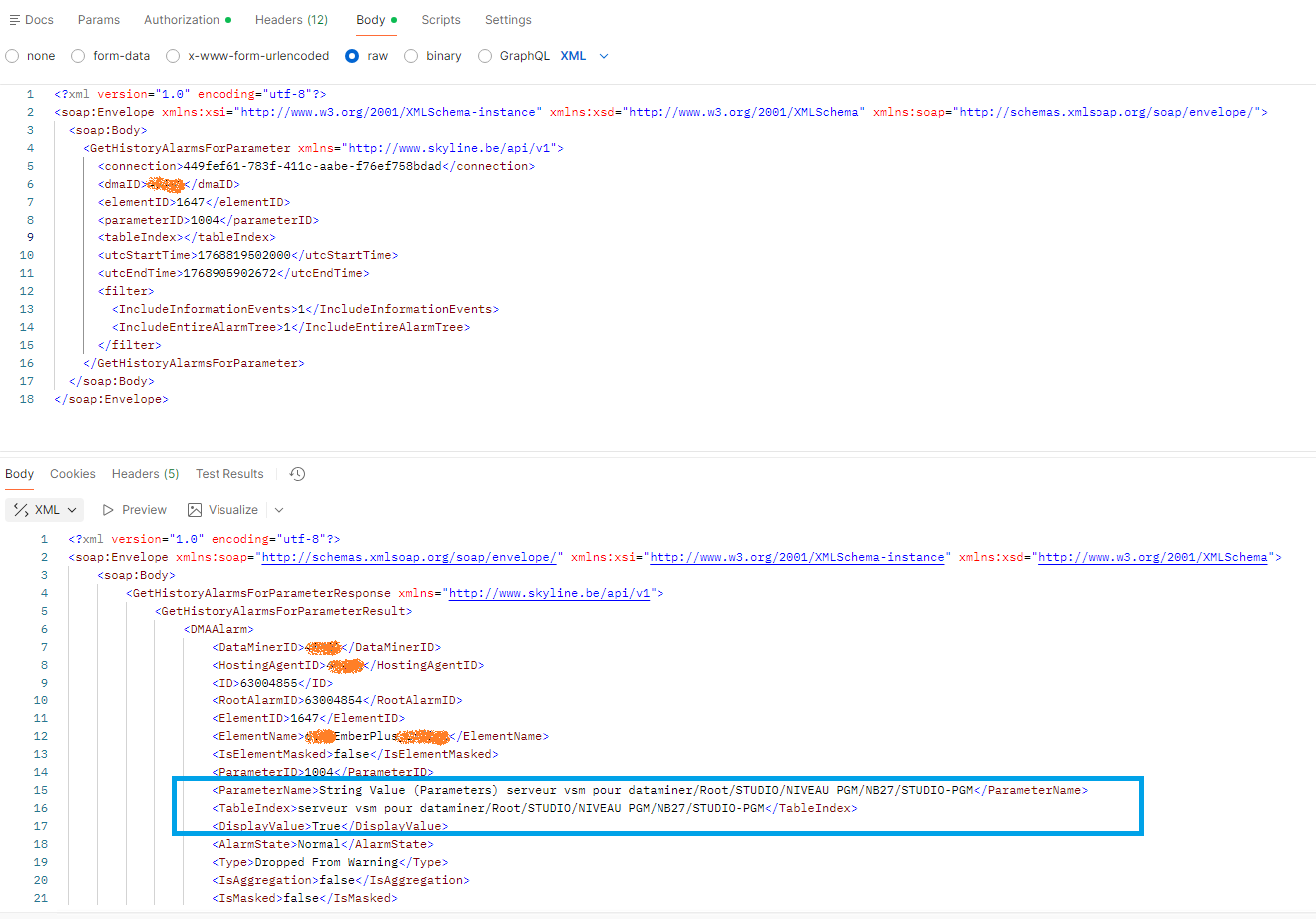
Hi again Catarina, more strange. Like the docs said it can be left empty and when i tried without tableindex data i've got some result.
After that, the tableIndex i've got into the result isn't reusable into a new query !!
From your initial screenshot, it appears that this parameter belongs to a table parameter. When that’s the case, you need to fill in the tableIndex field.
Normally, tables have an extra column that serves as the index (primary key). The value of the index in the corresponding row is what needs to be entered in the tableIndex field.
Hello, thank you for your reply.
Unfortunately, I'm not sure I've correctly identified the index of the row in question. Where do you think I can find it?
I can screen you my data if it helps