

Hello,
I am currently unable to sign in to DataMiner Integration Studio (DIS) using my account.
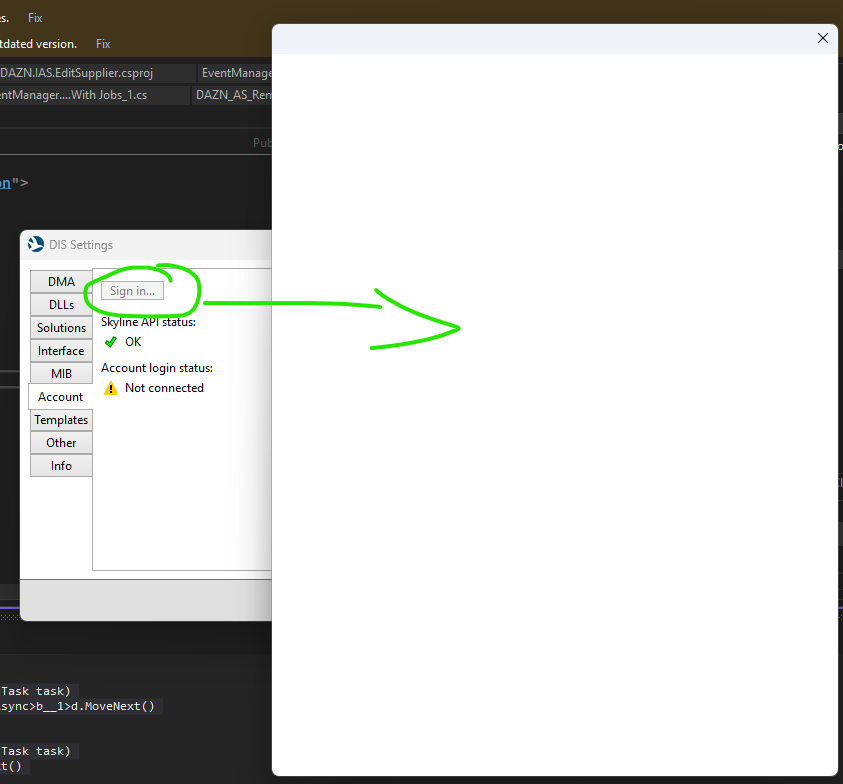
When I click on the "Sign in..." button in DIS Settings (DIS 3.1.18 + Visual Studio 2022):
A blank popup window appears and stays for about 1 minute.
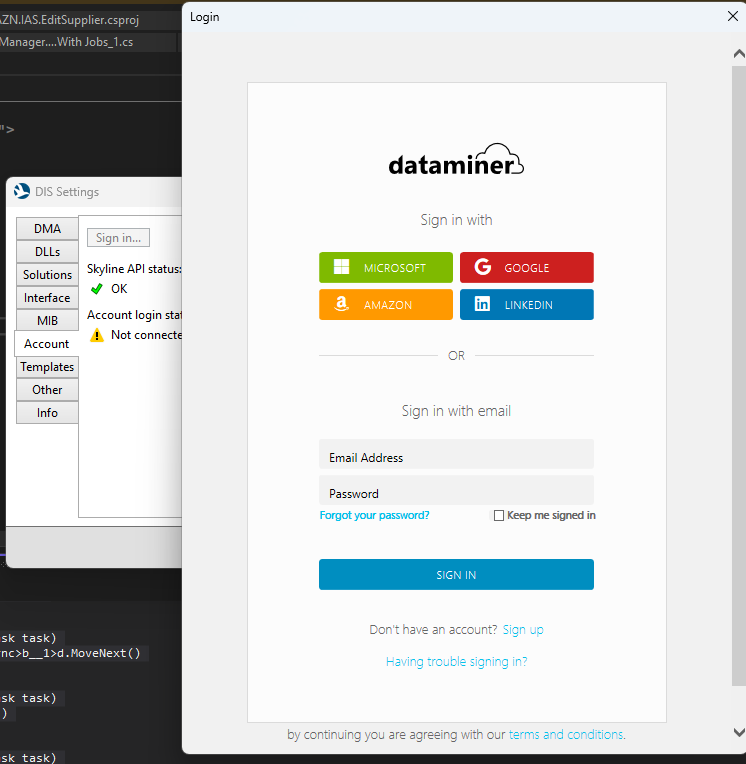
After that, the authentication options are displayed.
I click on the "MICROSOFT" button.
After approximately 2 minutes, it fails with an error. I do not even get the possibility to enter my credentials. The login process never reaches the stage where I can input my username/password
Below are the logs captured from the DIS output:
2026/03/27 16:54:21.490|SkylineAPI|Signing in...
2026/03/27 16:54:21.490|AzureB2C|Always|False MSAL 4.82.1.0 MSAL.Desktop 4.8 or later Windows 10 Enterprise [2026-03-27 15:54:21Z] [Internal cache] Total number of cache partitions found while getting refresh tokens: 0. PartitionKey False
2026/03/27 16:54:21.490|AzureB2C|Always|False MSAL 4.82.1.0 MSAL.Desktop 4.8 or later Windows 10 Enterprise [2026-03-27 15:54:21Z] [Internal cache] Total number of cache partitions found while getting accounts: 0. PartitionKey False
2026/03/27 16:57:17.796|AzureB2C|Error|False MSAL 4.82.1.0 MSAL.Desktop 4.8 or later Windows 10 Enterprise [2026-03-27 15:57:17Z - 850a0d11-11d1-4a14-8e72-2bbf4239ed55] Exception type: Microsoft.Identity.Client.MsalClientException
, ErrorCode: authentication_ui_failed
To see full exception details, enable PII Logging. See https://aka.ms/msal-net-logging
at Microsoft.Identity.Client.Platforms.Features.WinFormsLegacyWebUi.WindowsFormsWebAuthenticationDialog.ShowBrowser(CancellationToken cancellationToken)
at Microsoft.Identity.Client.Platforms.Features.WinFormsLegacyWebUi.WindowsFormsWebAuthenticationDialog.OnAuthenticate(CancellationToken cancellationToken)
at Microsoft.Identity.Client.Platforms.Features.WinFormsLegacyWebUi.WindowsFormsWebAuthenticationDialogBase.AuthenticateAAD(Uri requestUri, Uri callbackUri, CancellationToken cancellationToken)
at Microsoft.Identity.Client.Platforms.Features.WinFormsLegacyWebUi.InteractiveWebUI.OnAuthenticate(CancellationToken cancellationToken)
at Microsoft.Identity.Client.Platforms.Features.WinFormsLegacyWebUi.WebUI.<>c__DisplayClass20_0.<AcquireAuthorizationAsync>b__0()
at Microsoft.Identity.Client.Platforms.Features.WinFormsLegacyWebUi.WebUI.<AcquireAuthorizationAsync>d__20.MoveNext()
--- End of stack trace from previous location where exception was thrown ---
at System.Runtime.ExceptionServices.ExceptionDispatchInfo.Throw()
at System.Runtime.CompilerServices.TaskAwaiter.HandleNonSuccessAndDebuggerNotification(Task task)
at Microsoft.Identity.Client.Internal.AuthCodeRequestComponent.<FetchAuthCodeAndPkceInternalAsync>d__7.MoveNext()
--- End of stack trace from previous location where exception was thrown ---
at System.Runtime.ExceptionServices.ExceptionDispatchInfo.Throw()
at System.Runtime.CompilerServices.TaskAwaiter.HandleNonSuccessAndDebuggerNotification(Task task)
at Microsoft.Identity.Client.Internal.AuthCodeRequestComponent.<FetchAuthCodeAndPkceVerifierAsync>d__4.MoveNext()
--- End of stack trace from previous location where exception was thrown ---
at System.Runtime.ExceptionServices.ExceptionDispatchInfo.Throw()
at System.Runtime.CompilerServices.TaskAwaiter.HandleNonSuccessAndDebuggerNotification(Task task)
at Microsoft.Identity.Client.Internal.Requests.InteractiveRequest.<GetTokenResponseAsync>d__11.MoveNext()
--- End of stack trace from previous location where exception was thrown ---
at System.Runtime.ExceptionServices.ExceptionDispatchInfo.Throw()
at System.Runtime.CompilerServices.TaskAwaiter.HandleNonSuccessAndDebuggerNotification(Task task)
at Microsoft.Identity.Client.Internal.Requests.InteractiveRequest.<ExecuteAsync>d__9.MoveNext()
--- End of stack trace from previous location where exception was thrown ---
at System.Runtime.ExceptionServices.ExceptionDispatchInfo.Throw()
at System.Runtime.CompilerServices.TaskAwaiter.HandleNonSuccessAndDebuggerNotification(Task task)
at Microsoft.Identity.Client.Internal.Requests.RequestBase.<>c__DisplayClass11_1.<<RunAsync>b__1>d.MoveNext()
--- End of stack trace from previous location where exception was thrown ---
at System.Runtime.ExceptionServices.ExceptionDispatchInfo.Throw()
at System.Runtime.CompilerServices.TaskAwaiter.HandleNonSuccessAndDebuggerNotification(Task task)
at Microsoft.Identity.Client.Utils.StopwatchService.<MeasureCodeBlockAsync>d__4.MoveNext()
--- End of stack trace from previous location where exception was thrown ---
at System.Runtime.ExceptionServices.ExceptionDispatchInfo.Throw()
at System.Runtime.CompilerServices.TaskAwaiter.HandleNonSuccessAndDebuggerNotification(Task task)
at Microsoft.Identity.Client.Internal.Requests.RequestBase.<RunAsync>d__11.MoveNext()

Hi Kévin,
In DIS 3.1.20 (RN 44805), a change was done to fix an issue regarding a blank login window. However, your stack trace seems different than the one the fix was about.
My advice would be to update DIS to the latest version (from your other question, I see you already did this). If the issue re-occurs, please contact support support.data-acquisition@skyline.be. If possible, then also enable PII logging as mentioned in the stack trace.