

Hi Dojo,
We're investigating which users are allowed to edit or add new dashboards in the Dashboards root view.
All user groups configured in DataMiner appear to have the appropriate permissions for editing and creating dashboards. However, that's not the case when we login to the dashboards, we're unable to add new to the root folder. Then we reviewed the Dashboard Security json file and noticed that the Edit permission is only assigned to the group with ID = 3.
Our challenge is determining which DataMiner user group this ID corresponds to (group name and its members).
Question: Is there an easy way to map a group ID from the Dashboard Security configuration to the corresponding DataMiner user group and its users?

Hi Nejra,
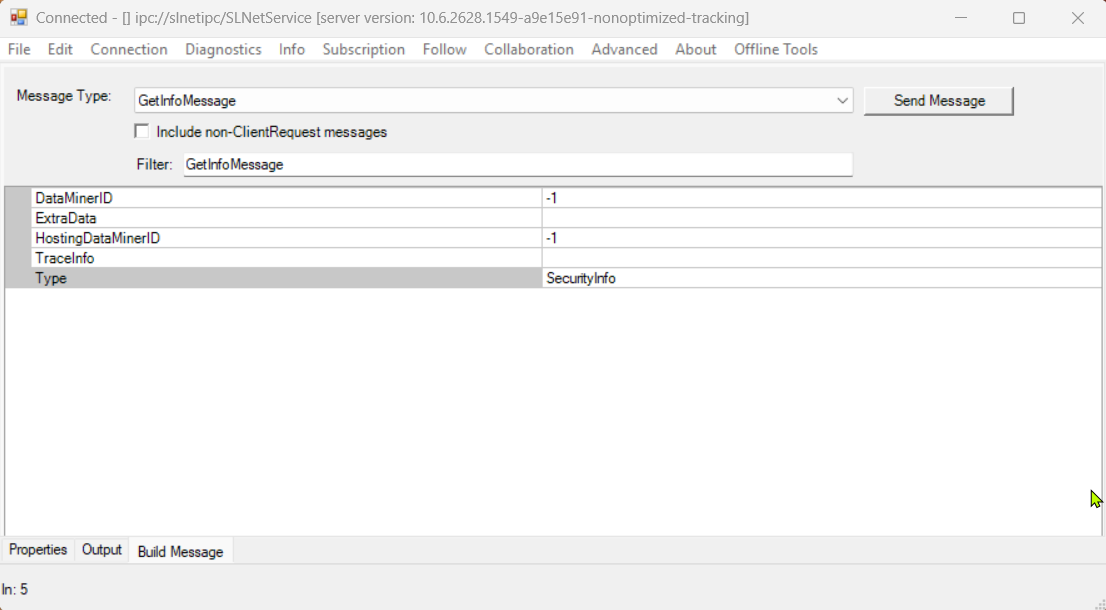
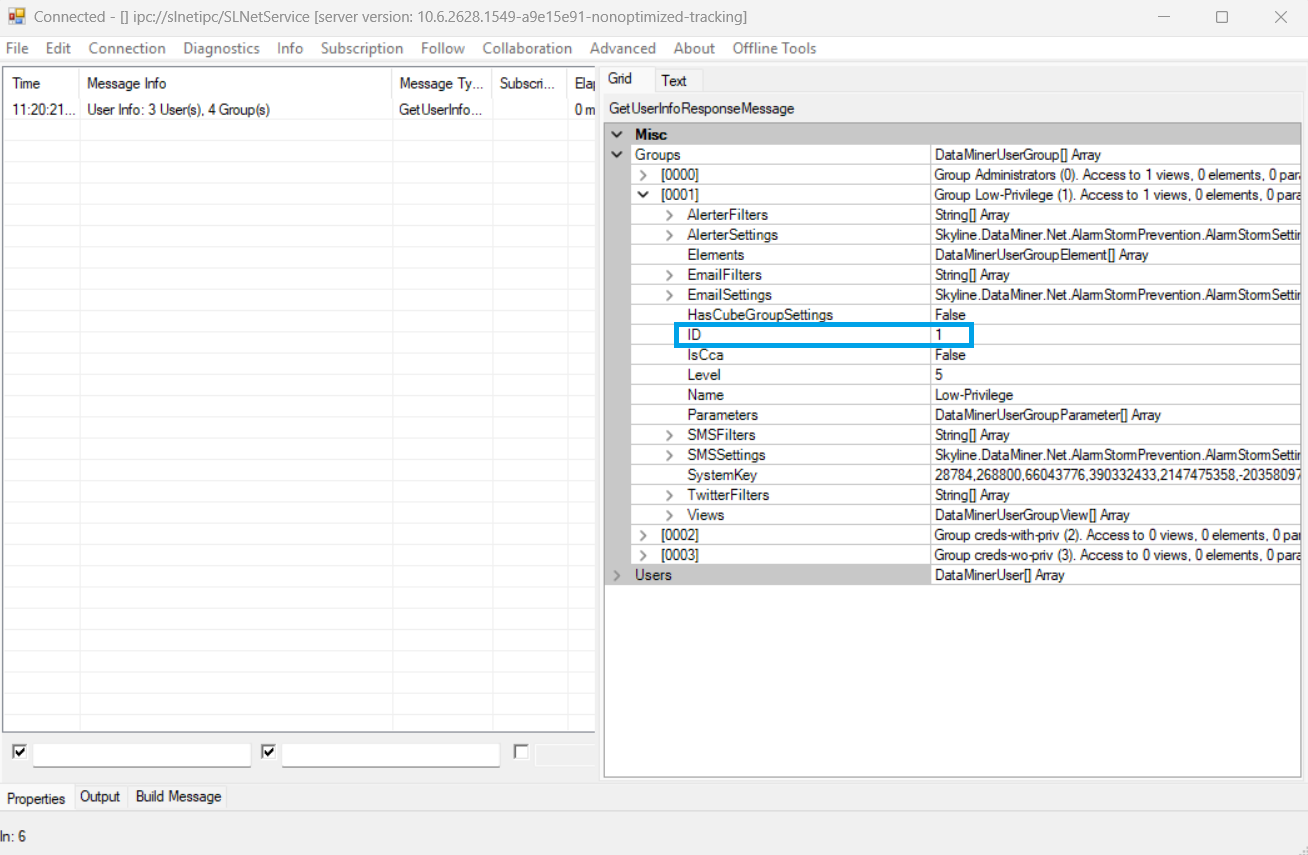
The most straightforward way to map the group ID from the Dashboard Security configuration to the corresponding DataMiner user group and its users is by sending a GetInfoMessage with the Type set to SecurityInfo. Please see the screenshots below for reference.
Sending the request through the SLNetClientTest tool:
In the response, you'll be able to identify the group ID. Additionally, you can easily verify which groups each user belongs to by inspecting the Users array.
I hope this clarifies your question.
Kind Regards,
Flávio Jacinto
Thank you, Flavio. This solves the issue I had.