

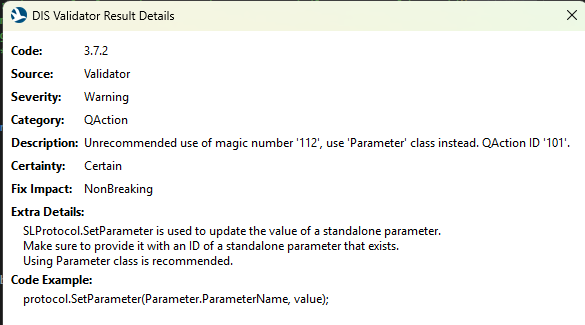
In a colleagues Visual Studio/DIS he has Info Icons in the DIS Validator and can right click on a validation error > Show Details.... to get the "DIS Validator Result Details" popup.
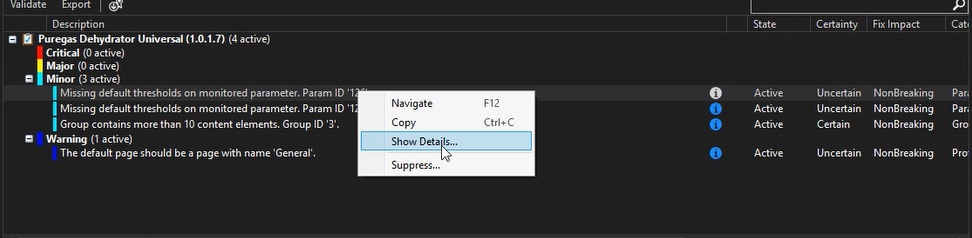
I however do not have the info icon and no right click options for Show Details...
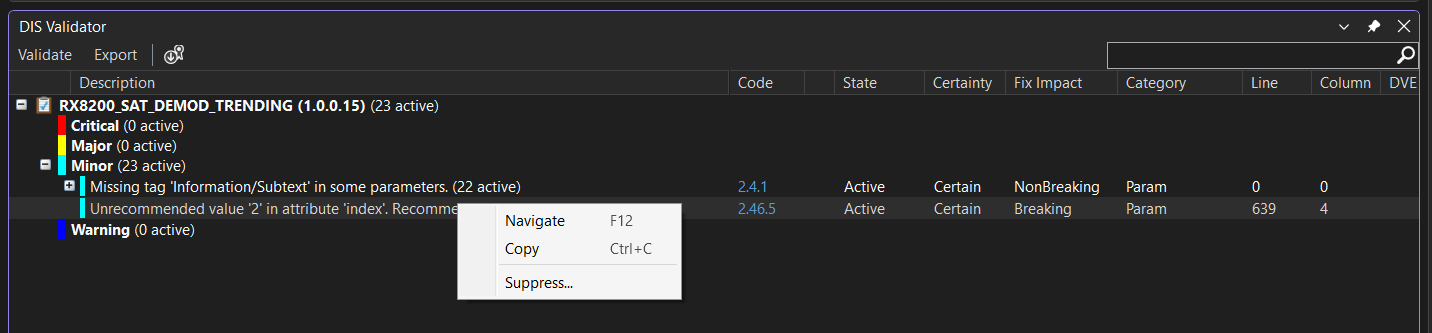
How do I get that enabled? Our settings all looks the same. Running Visual Studio 2026 (June 2026) and DIS 3.1.24 but it's been an issue for sometime, i just discovered I was missing this feature recently when they were doing screen share on a protocol development they were working on.

Hi Sam,
The Show Details... link has been replaced with a hyperlink to online documentation regarding the validator checks (See Release Notes 3.1.6, item DIS Validator tool window now links to documentation). To navigate to this documentation, now the error code is a hyperlink (in the second screenshot, the hyperlink is in the Code column), e.g. error code 2.4.1 brings you to this page which contains the same info as in the details popup window.
This was done because of several reasons:
- it is more in line with other validation tools (e.g. C# compiler, SonarLint)
- it allows to also have this information in the standalone validator tool
- it allows to customize the documentation (e.g. add images if needed, cross-link to the docs, etc.) whereas we previously were limited to what could be shown in that window because of how it was implemented