

i looked for "compile protocol" here without a hit so i hope this topic is new.
On my current project i run into an issue by adding new QActions.
It says: "Could not compile protocol: Could not find project with name 'QAction_XXX'
When i comment the new QAction my protocol is compile and uploaded.
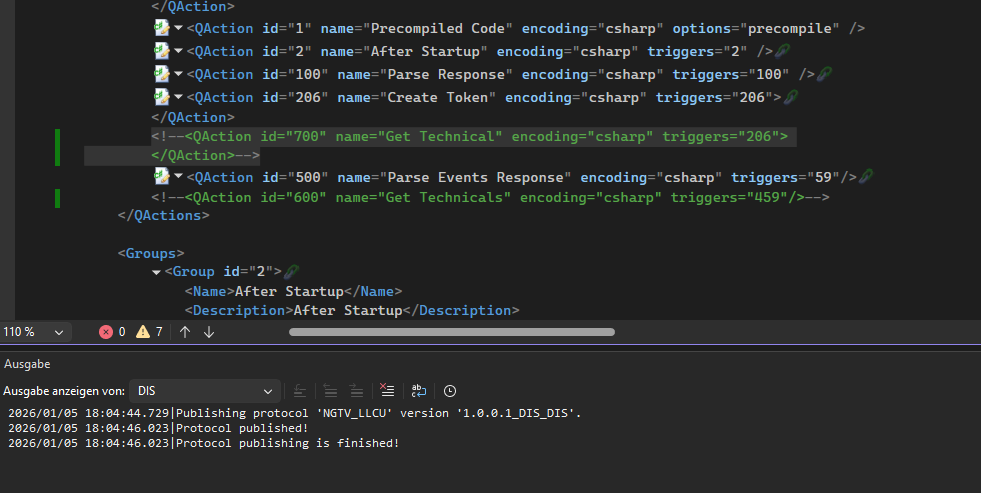
For QAction 700 I simply added an new Qaction via Snipped but now i get this message. 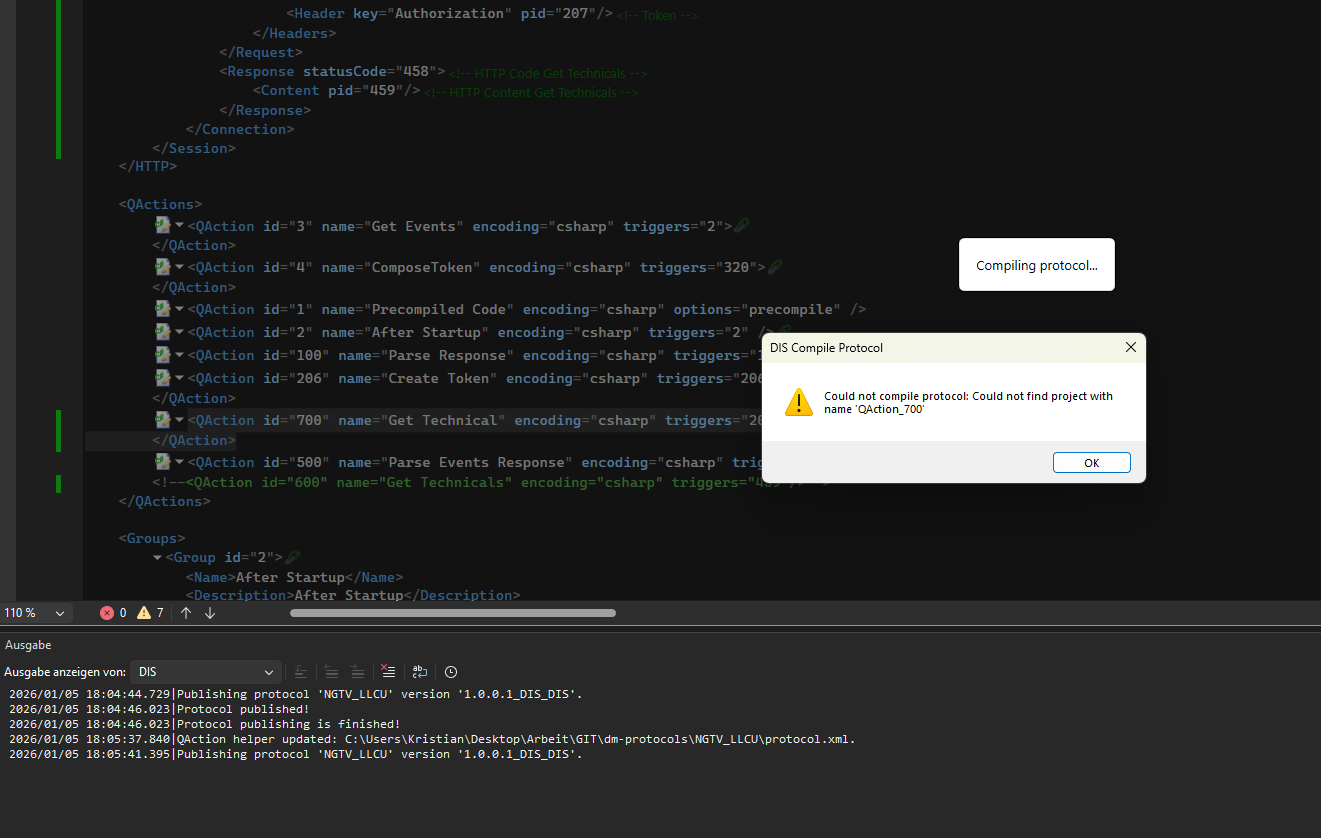
it is even correctly added in the solution explorer
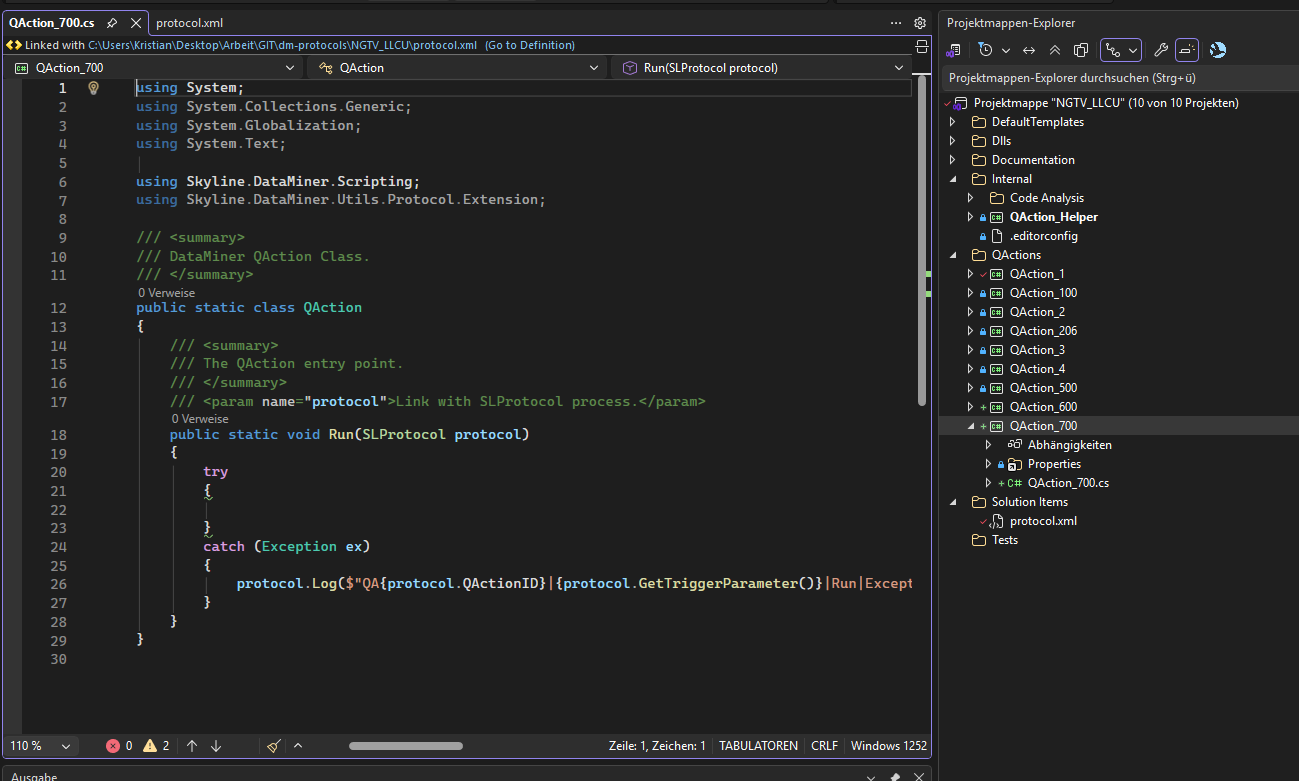
Also in Explorer i see the folder C:\Users\Kristian\Desktop\Arbeit\GIT\dm-protocols\NGTV_LLCU\QAction_700 and the project file QAction_700.csproj
thanks for help
Kristian
PS. Happy new year 🙂

Hi Kristian,
Best wishes to you as well for the new year!
During publishing, for each QAction XML element defined in the protocol XML, DIS will process the corresponding project from the solution. To find the project, DIS parses the solution file (.sln).
You could verify the content of the .sln file to check whether the project is mentioned there as well. If it is not there, you could try saving the solution. However, as it is being shown in solution explorer, I expect it to be there.
Can you provide the solution by sending a mail to support.data-acquisition@skyline.be so we can have a closer look? Can you also let us know what version of Visual Studio and DIS you are using?
Thanks a lot Pedro,
you hint helped me. I updated to the latest community edition 2026
Microsoft Visual Studio Community
Dezember 2025 Featureupdate
Kanal: Stable
Version: 18.1.1
And starting with this i run into the slnx issue which i solved thanks to the skyline guides.
But somehow i might have opened the slnx again and then the issue started.
With using the sln everything is fine agian.
BR Kristian