

Hi Dojo,
I'm looking for the best way to show the average value of a trended value like in the statistics:
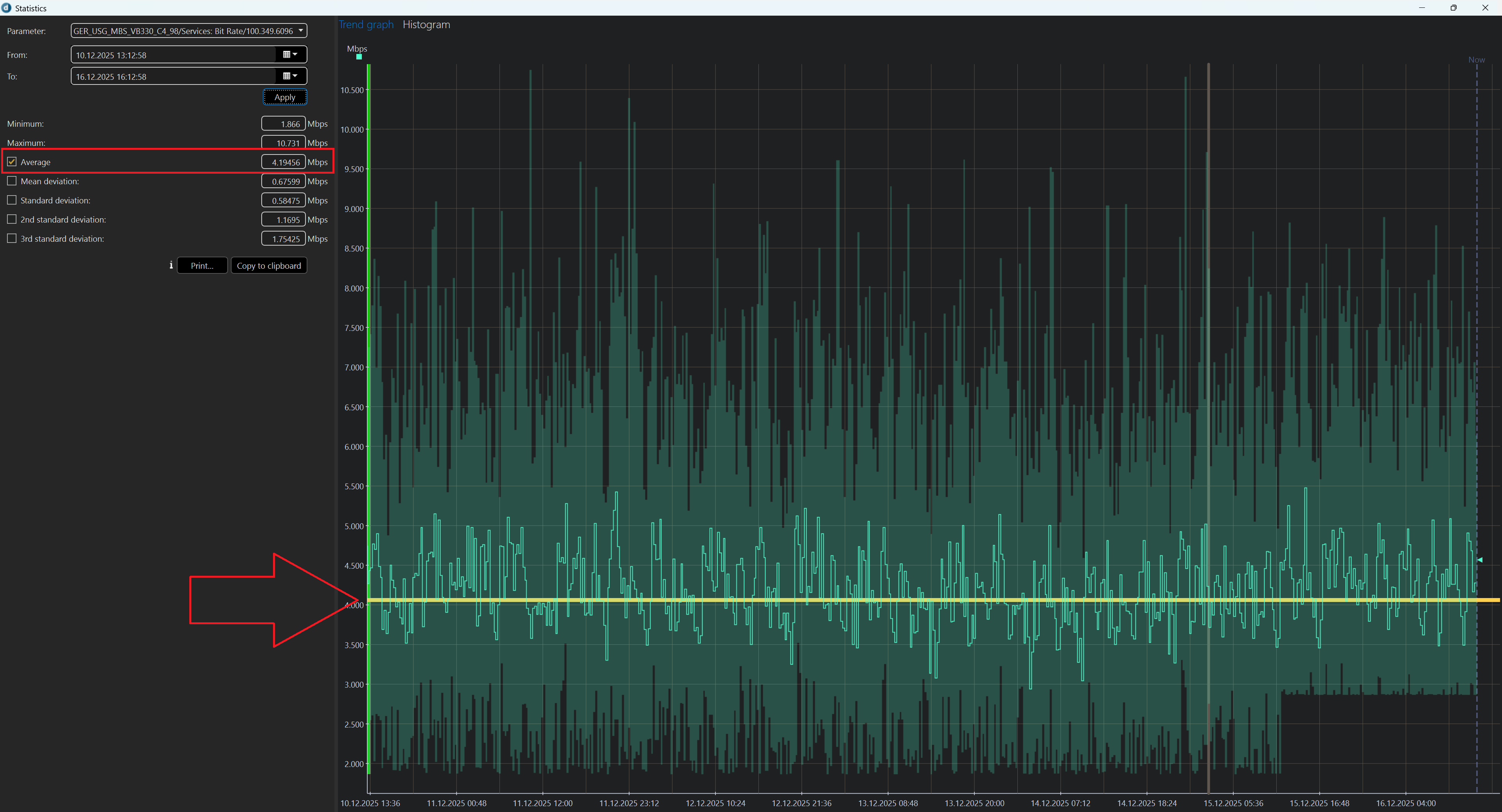
Is this possible in a Visio drawing or in a dashboard? Right now I haven't found a solution.
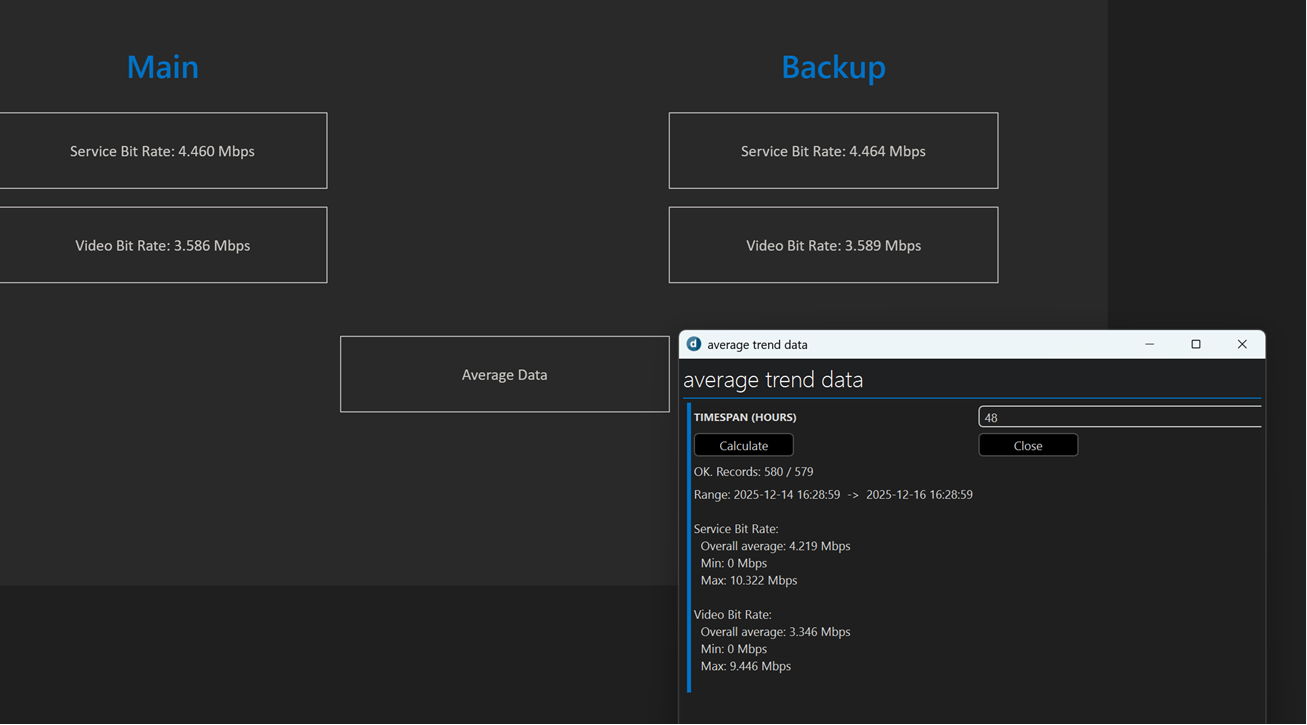
In Visio I could create a trend component and the user has to go to statistics manually. From the time would be a week, month for example.
Example Visio with automation script:
RDashboard like from Ben:
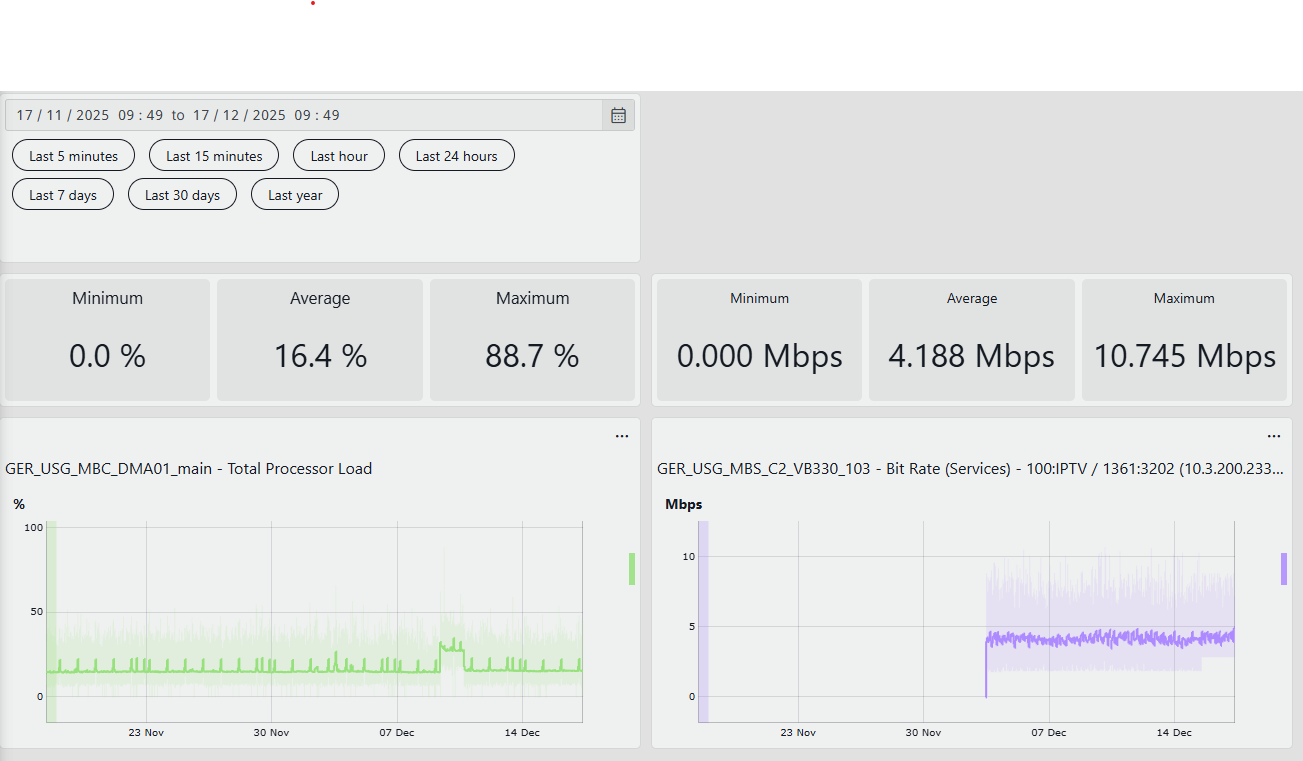
At this solution I have not used QUERIES because somehow it's not recognizing the trend ability. If you use Parameters directly it's working like a charme.

Good day Stefan!
I assume you are working with DataMiner 10.5 or later. Please see below dashboard with options when you edit the line graph component. There you will find the option to select average and/or show/hide other values as required.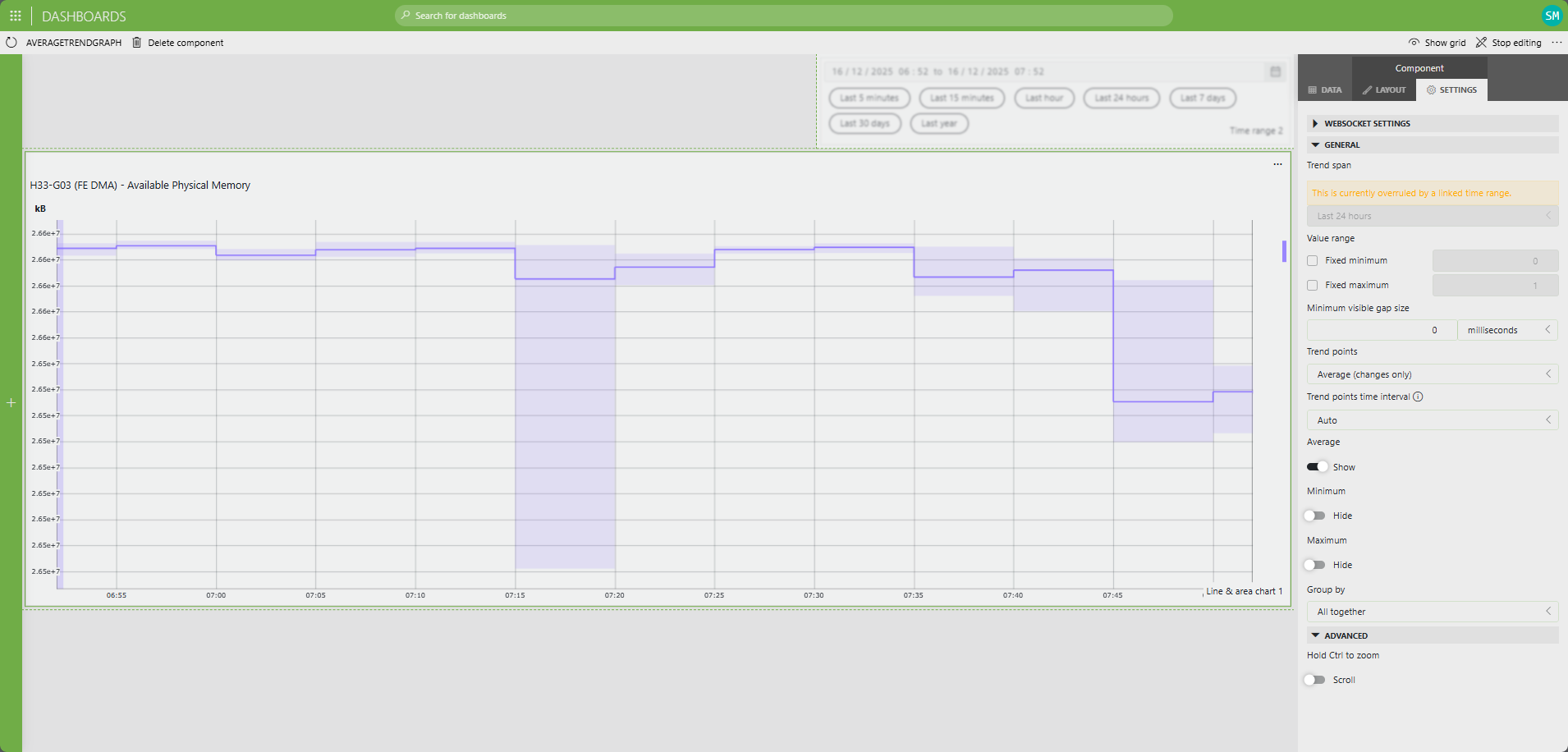
When you say "value over time" what value are you interested in if its not average, are you looking for Realtime, Max, Min, etc?

Stefan wants to see the average of all the values in the current time window he's looking at. That is not supported in the dashboard component. In the LAYOUT tab though (next to the SETTINGS tab shown in the capture above) you will find at the bottom ADDITIONAL LINES, and there you can choose to display a PERCENTILE LINE – not exactly the same as an average, but you can set it to 50% to get the Median value. Also, with the QUERIES (GQI) you do have the option to query the trend data and to calculate the average (get the trend data and do an aggregate and choose average). Now this is going to give you a separate metric on your dashboard of course, next to your trend graph (but could link both in terms of adapting to the same time span). Hope this might help a bit.
I have now a solution with an automation script for my Visio drawing. User can click on it and via UI he can click calculate and define the time in hours.
I tried my luck with QUERIES but I was not able to geht the trend data and show an average value. Only for tables average over a column, but not for trend data.
Is there any example for it?
Hi Stefan – I actually overlooked an option which is exactly also doing this. There's also a "Trend Statistics" component in the dashboards (you can find it in the section "Other" of the widgets). You can link this to a trended metric, and instead of the graph it will show min, max and average of the data for the selected time span. With a time range component you can easily add a user-definable time selection (which can link to both a trend graph showing the trended data, and with a trend statistic component – so whatever time frame the user selects, the graph will show the data and the trend statistics will show immediately the min, average and max). So maybe this can be useful as well? (I'll add a quick screen cap in a separate response)
Hi Shawn,
thanks for the picture. But is it only showing the average line and not the value over time?