

Hi Dojo,
I have a shape which should be a button with these two data fields set:
SetVar => LOCKED:0
Variable => LOCKED|Show;=1
LOCKED is set to 1 by default via InitVar. So the shape is displayed. But: I can not click it. I guess it is because it s shape should not influence or in this case even remove itself?
But "it works" when I use the Show instead of the Variable data field:
SetVar => LOCKED:0
Show => <A>-A|Value|[var:LOCKED]|=0
But: Now the shape is not design anymore like in Visio but like "a button that looks and behaves like a default DataMiner Cube button" as if I would set the Options to Control=Button.
For me it is not important how I can archive this, but I want that my design stays like it is and it can change the variable even it uses it for shape manipulation.
and it looks like that the toggle button mechanism is not possible because it only works with a parameter of an element?
Thanks,
David
Sorry Miguel, your answer did not completely fixed my problem, but by accident I found out how:
Only when using SetVar and Execute on a shape, the button has the style which was defined in Visio and it works also when adding it to a visual overview component in a low code app.
SetVar => LOCKED:0
Show => <A>-A|Value|[var:LOCKED]|=0
Script => MyLockScript|Parameters:LOCKED=1|Options:NoConfirmation
Visio is always fun! 😀

Hi David,
A possible option is to use an automation script to update a session variable:
See below code snippet:
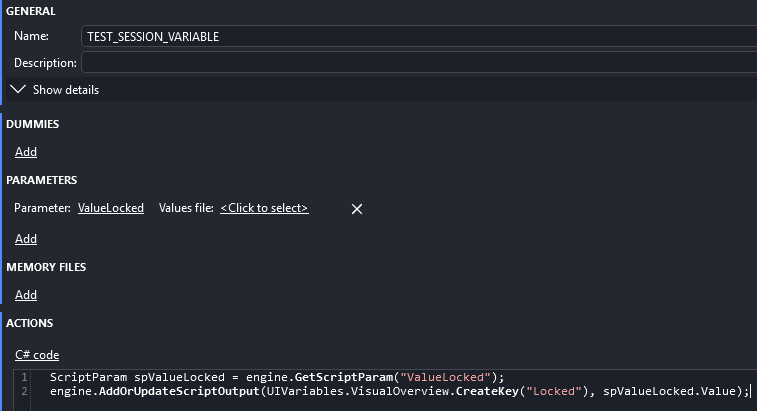
ScriptParam spValueLocked = engine.GetScriptParam("ValueLocked");
engine.AddOrUpdateScriptOutput(UIVariables.VisualOverview.CreateKey("Locked"), spValueLocked.Value);
Script Definition:
Shape definition:
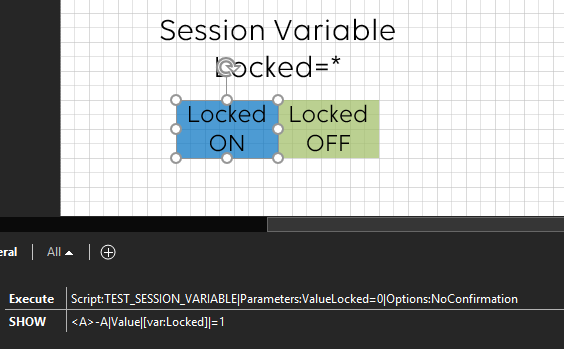
Execute: Script:TEST_SESSION_VARIABLE|Parameters:ValueLocked=0|Options:NoConfirmation
Show: <A>-A|Value|[var:Locked]|=1
Small Animation:
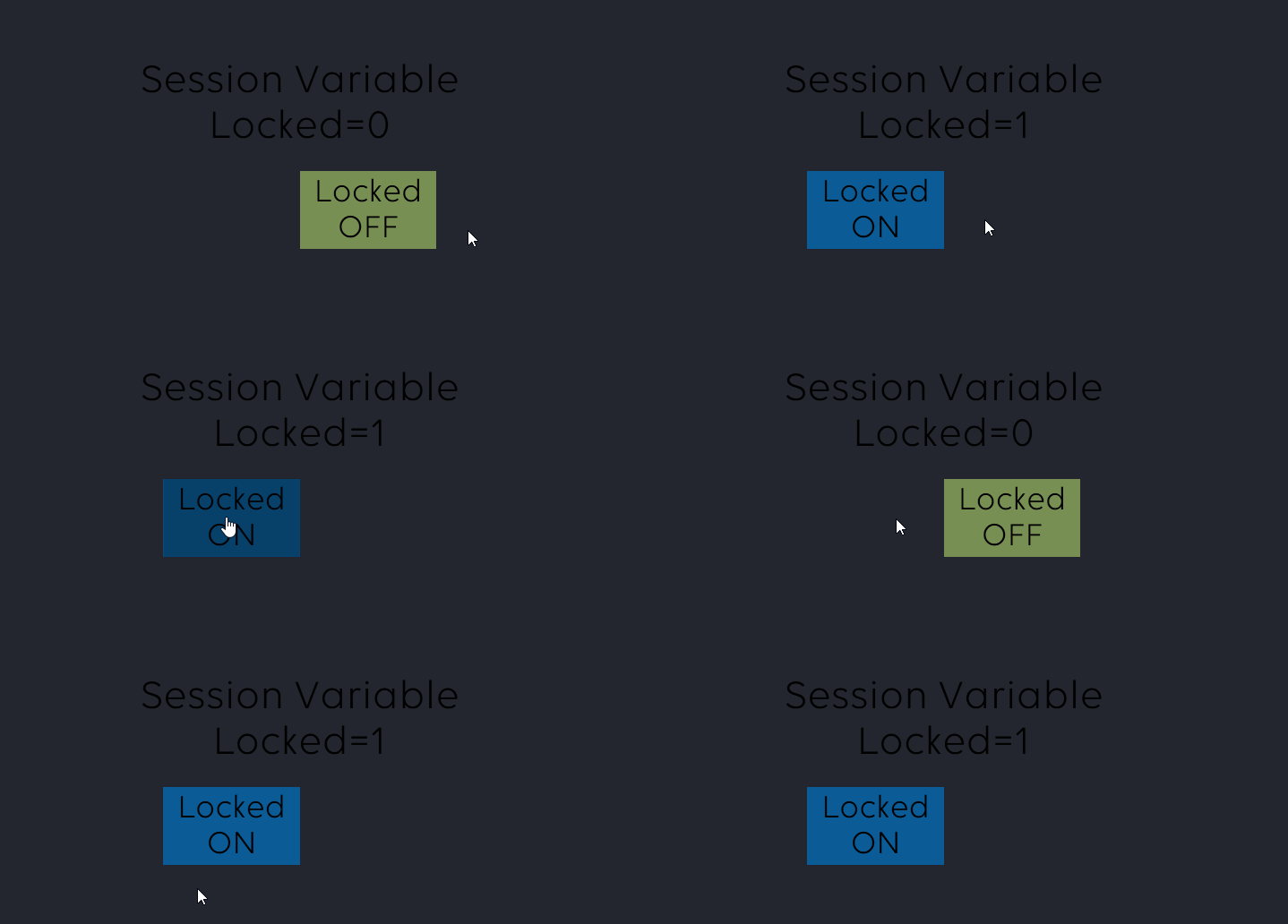
Hope it helps.
hm, but it only works in Cube, not when I use it with a Visual Overview in a low-code app. any idea why it works different there?
Hi Miguel,
works perfectly, many thanks!
And I didn't even know that an automation script works with just 2 lines without the class construct and run method. Learned that today! 🙂
Greetz,
David