

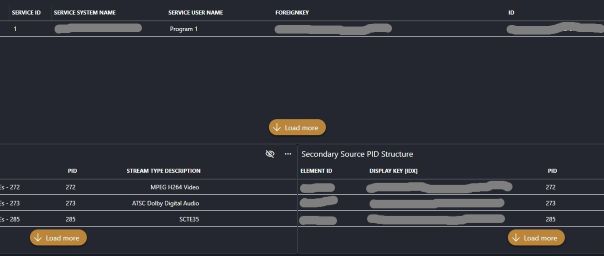
I have a table in an LCA that contains data from multiple elements - current returned row count is 10395. When I search for information in the table via either a bound Search box or the integrated Table search box, the table partially populates and requires multiple manual clicks on the Load More button to get the entirety of the information to populate. Is there any way to force the table to execute the Load More operation automatically so a user doesn't have to click 8, 10, sometimes 15 times to get all the data we're looking for?
In the example above, there is one additional result that needs to be returned in the top table and the bottom two tables are fully populated.


Hi Matt,
There is no way to force the table to load all rows using this type of filtering. We chose to only load some data (based on some rules) and show a 'load more' button because this type of filtering can be an expensive operation. When using the built-in search input or a linked input as a filter, the table filters on all columns at once using post-filtering in the client. This means that the component needs to fetch all rows (page by page) via the query but only shows the once that match the filter.
A way to revolve this issue and optimize the fetching is by linking the external search input directly to a filter node in the query. This will allow the filtering to be forwarded to the data source, where it can be optimized. The downside here is that the filter can only apply to 1 column.
I see that this question has been inactive for some time. Do you still need help with this? If not, could you select the answer (using the ✓ icon) to indicate that no further follow-up is needed?