

Dear Community,
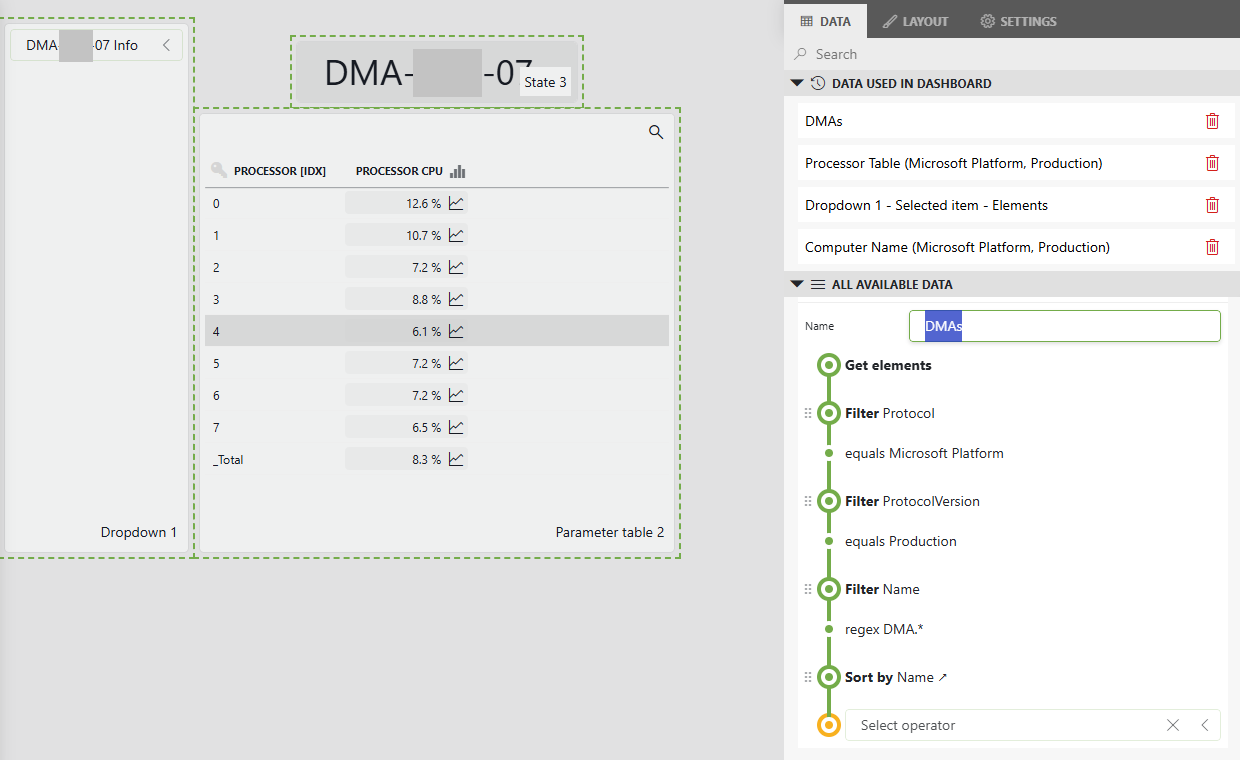
We have a dashboard that has a list of Elements as a GQI Query with source "Get Elements" in a Dropdown component that is fed as a filter to a "Parameter Table" component, example below with a Microsoft Platform Connector.
The goal is to send a scheduled PDF report that will include the Parameter Table for all options of the Dropdown, that is for all Elements in the query, preferably grouped by Element.
I haven't been able to find an option to feed all dropdown options to the "Parameter Table" component as it does not allow more than one element as filter.
What would be the best approach to achieve this?
Thank you.

Hi Martin,
An option could be creating a GQI query that contains all the CPU values from all the elements using the Microsoft Platform connector. To achieve this, you could use the data source 'Get Parameters for elements where':
Protocol: Microsoft Platform
Version: (Probably production in your use case)
Selected Parameters: Processor Table
Select: Element ID, Processor [IDX], Processor CPU
In this case the result can be displayed in a 'Table' component (not a 'Parameter Table' component)
If you would like to include the element name in the result, you will need to perform an inner join operation with the data source 'Get Elements'
Hope it helps.
Hi Miguel, I changed the dropdown to a list component to be able to select one or more elements and added a regex filter linked to the list component in the "Get parameters for elements where" query and now this works, thanks.