

Hello everyone,
Does anyone know how to change the background color of a Spectrum Analyzer to dark mode?
For example, in this case, the client theme is Dark, but Spectrum traces are shown with a white background:
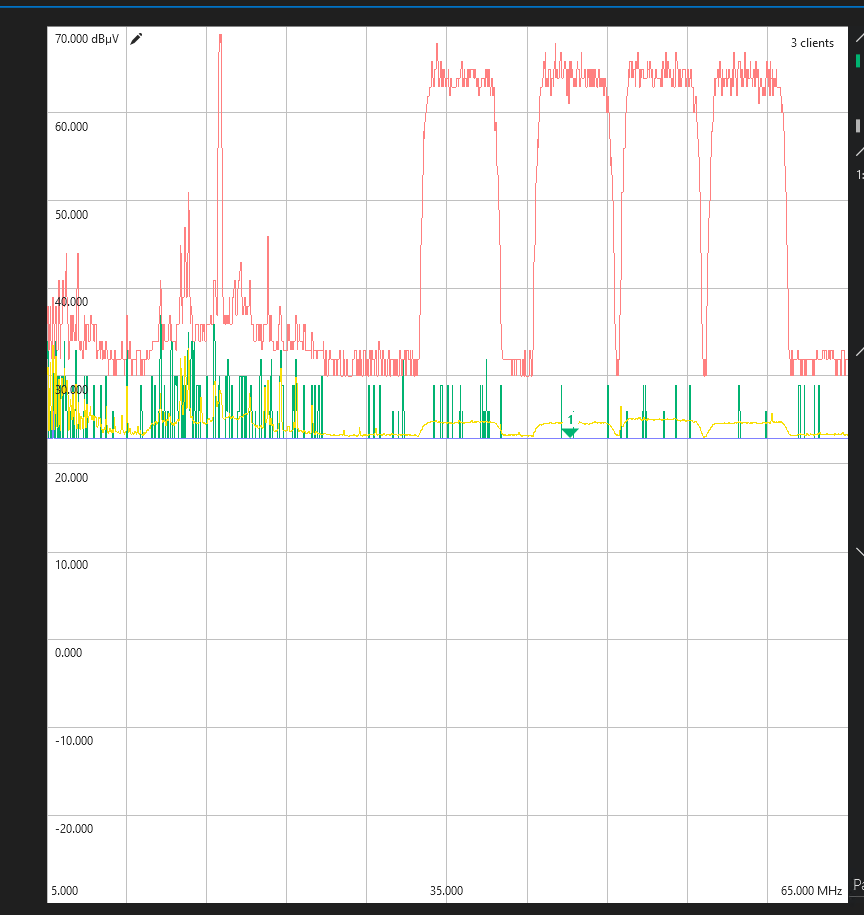
I am interested in changing that in a LCA as well, do you know if when changing it on cube, it will change automatically on the Spectrum Component too?
Thanks in advance for your help!

Hi Carolina, to change this in the LCA, you will need to create a preset for the desired colors and settings. This can be done from Cube where Ben pointed out.
You will then need to click the “Presets” tab on the right where you can manage, edit and save your presets.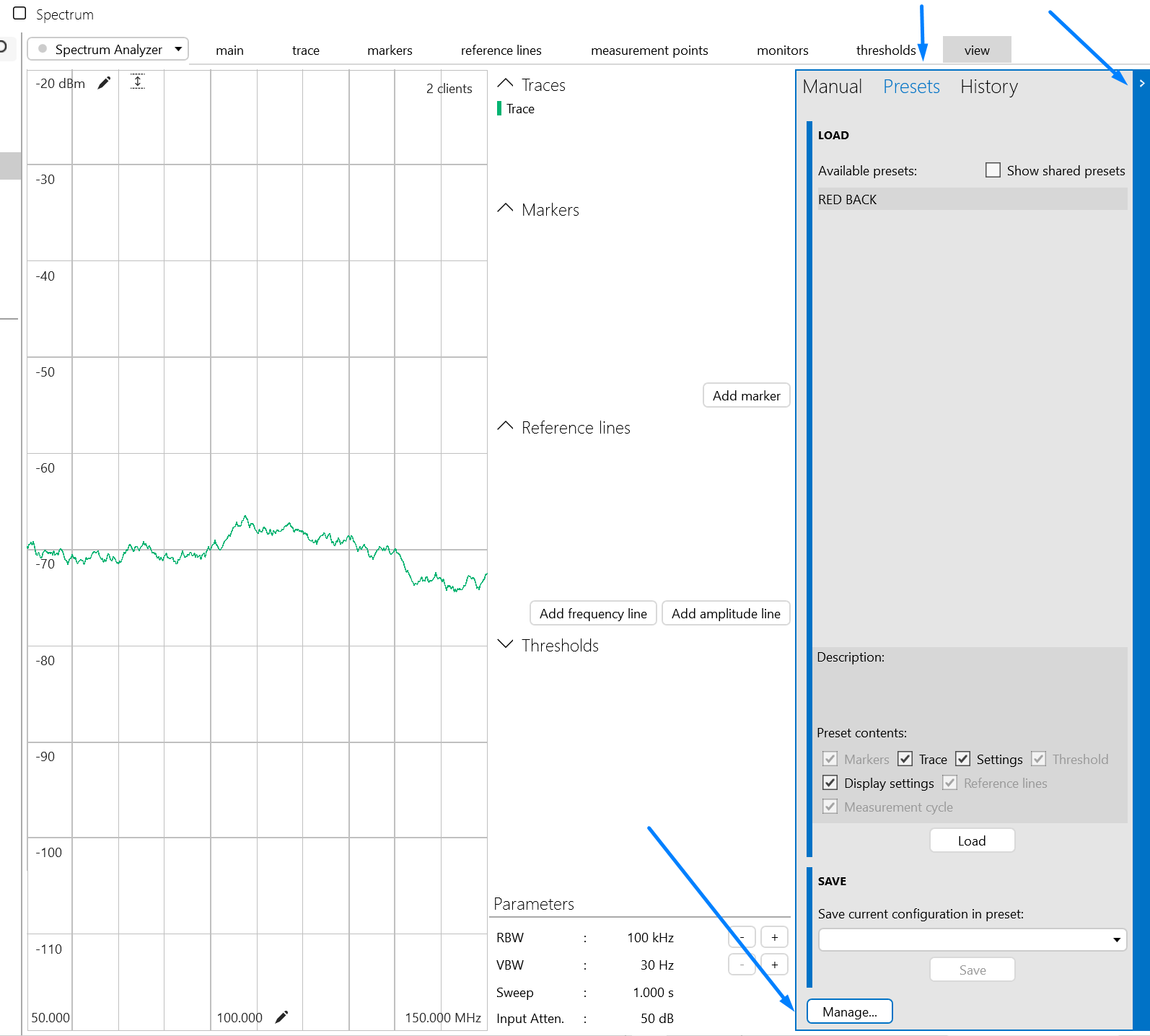
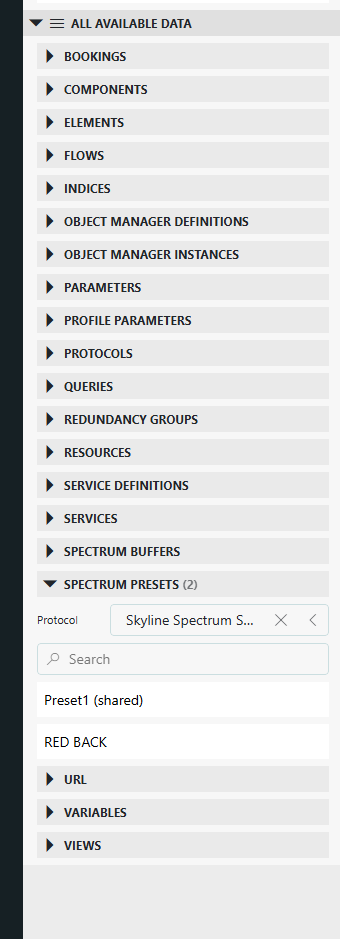
After configuring your new preset, you will then need to head to your LCA. You will be able to find your presets in the “Spectrum Presets” tab by filtering the protocol where you saved your desired configuration (you may need to refresh your page). Then you can drag and drop your present onto your Spectrum Analyzer, applying your configurations.
Hope this helps!

In the top-level menu, you will find a VIEW tab, with an option in there to change the GRID BACKGROUND. This will not affect the LCA component though, not sure if that one can be changed.
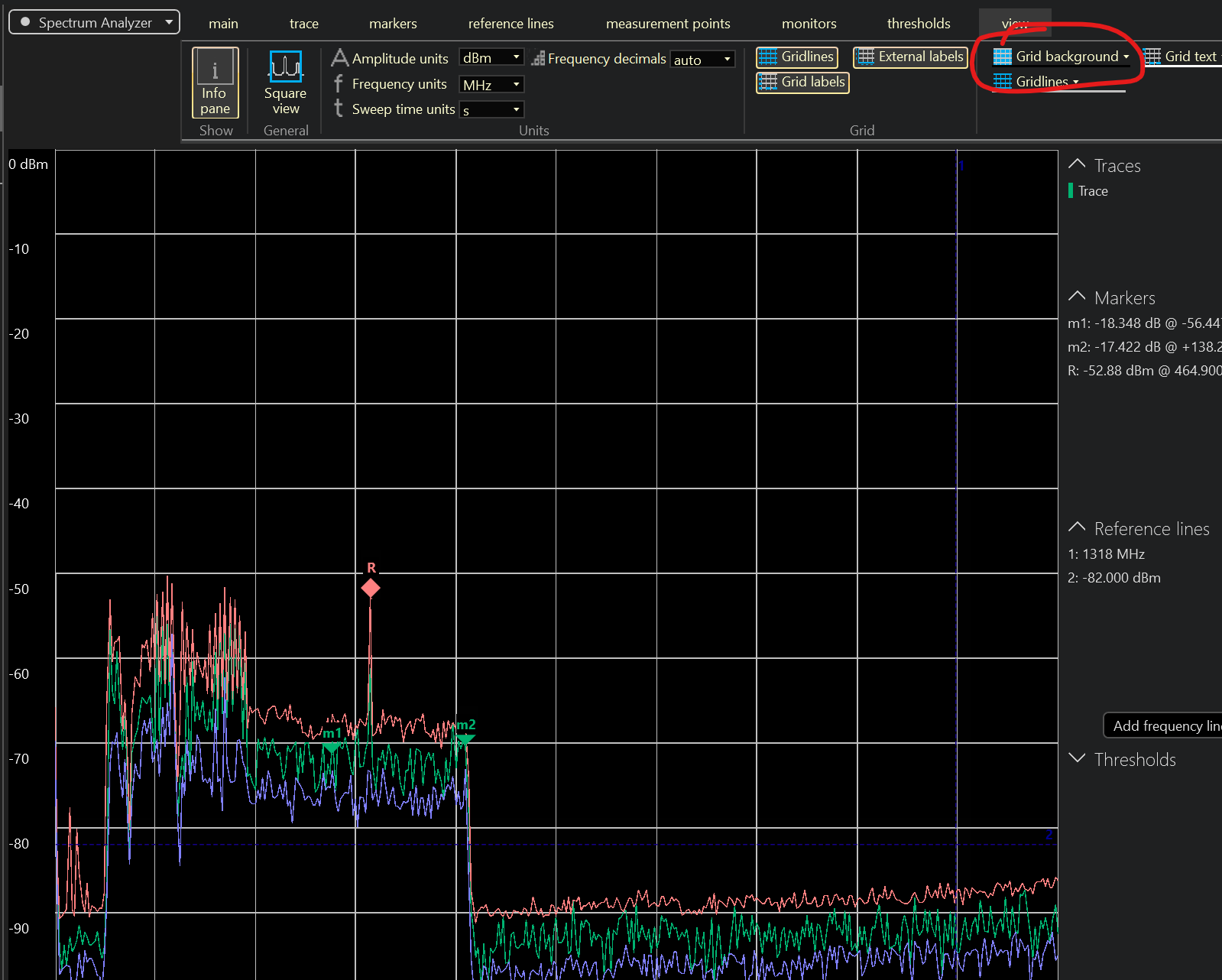
Thanks Ben!
I confirm that it works on cube level. It would be good to understand if that configuration is also possible on VISIO or LCA.