

Hi,
If I have the state component in either a LCA or dashboard, and add several views to that so I can see the overall state of the view, is there a way to click any of the views and open the alarms for that view in a panel?
Thanks!

Hi Carl,
It is possible to do this in a LCA (or a dashboard but without opening a panel). The easiest way to do this would be using a query in a table/grid and not the state component. Each row/item of this component can be styled using templates to resemble a state component.
- Create a GQI query that fetches views via \'Get views\'. It is important that this data source is used because it contains \'Views\' data per row. When using a custom ad hoc source, you will have to add this data yourself.
- Add the query to a table and enable \'Update date\' in the settings of the table. Note that the type of updates you will receive depends on the different operators in your query. The docs contains more info about this.
- Add an action to either the entire table row or to a shape in the template to open a panel on (double) click.
- On the panel that is opened, add an alarm table.
- Add the \'Views\' data from the selected row on the page to the filter of the alarm table.
- (Optional) style the table or grid to your liking.
Here is what the end result could look like
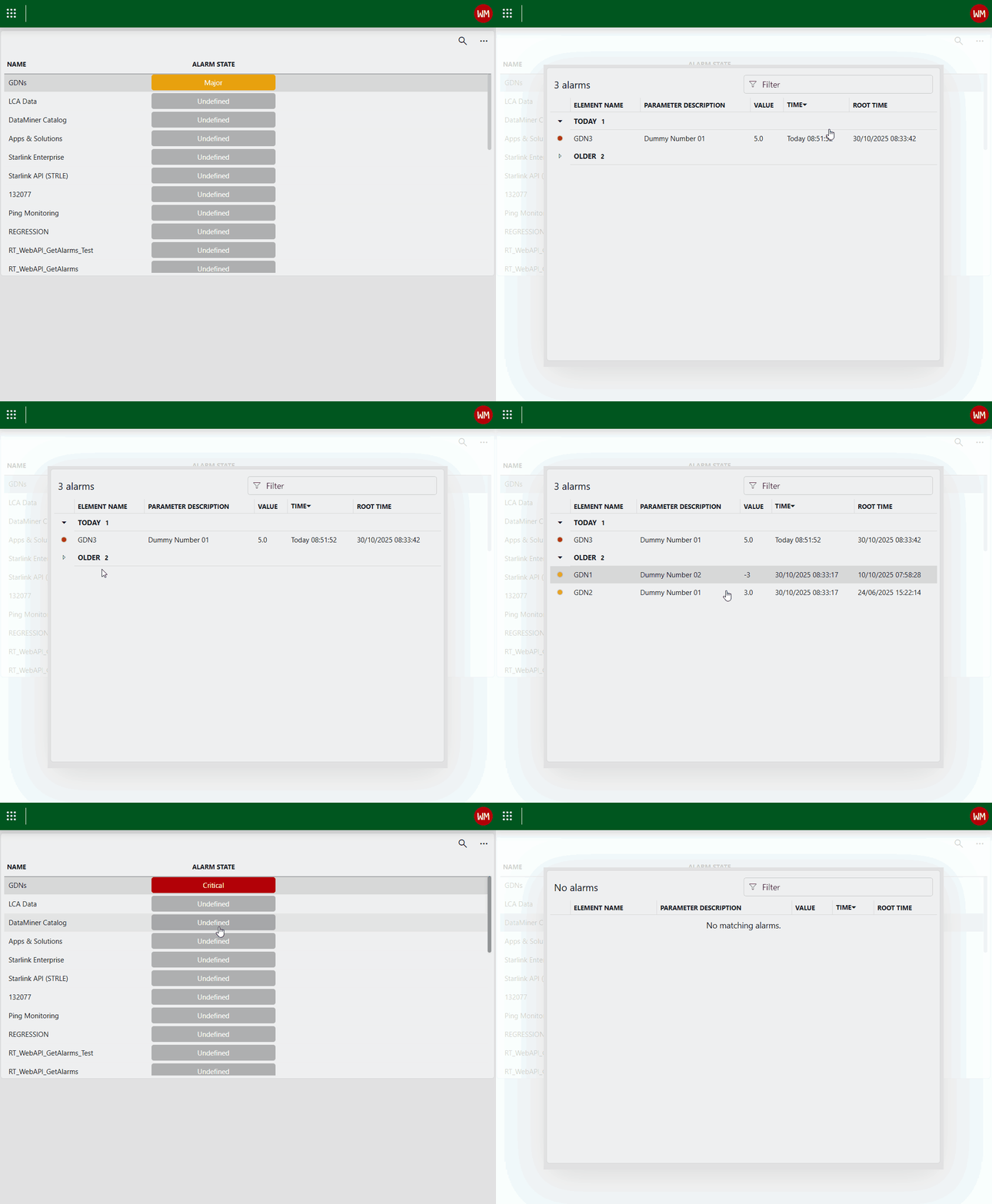
Feel free to reach out when something is still unclear.

Sorry I'd deleted this comment but it looks like it still stayed for a while. I resolved it now, it was a problem with the link to the panel. Thanks so much for the answer, this is exactly what I was looking for 🙂
Hi Carl, It is hard to pinpoint what exactly is going wrong in your setup. I suggest you get into contact with techsupport (support@dataminer.services) so we can take a closer look.