

Hi Dojo,
I have already installed a 3 nodes Cassandra cluster and a 3 nodes OpenSearch cluster.
After installing a DataMiner Agent I trying to follow the steps in the DataMiner Configurator but I'm suck filling OpenSearch configuration form.
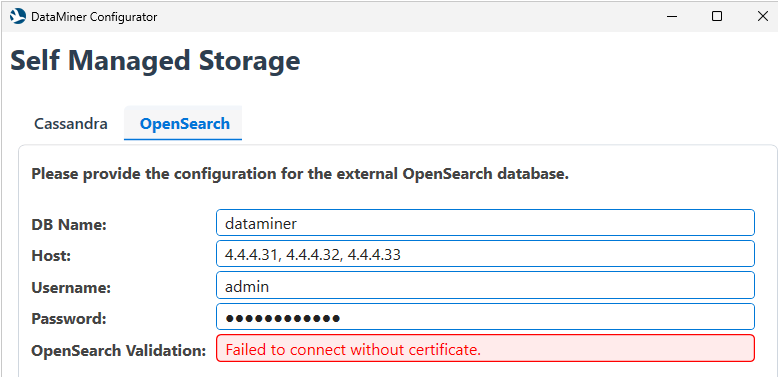
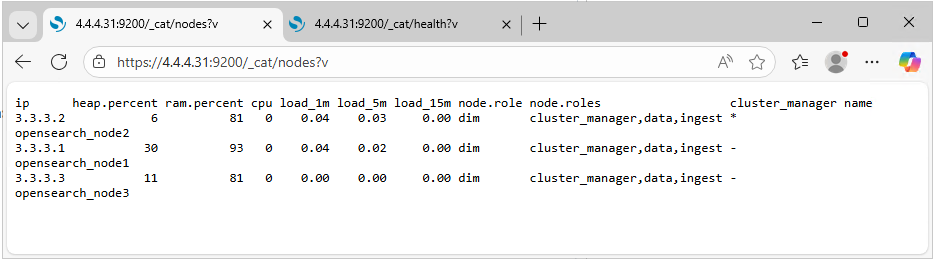
I don't know what this error means. I have the CA root certificates properly installed in Local Machine -> Trusted Root Certification Authorities. I tested the connection with the web browser and the URL https://4.4.4.31:9200/_cat/nodes?v without any issues with the certificate.
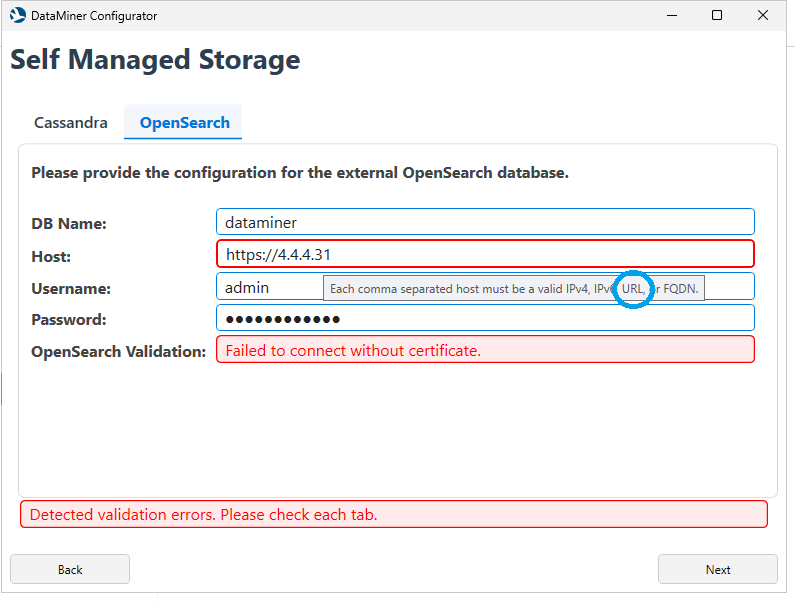
Thinking that the error might be that the configurator is trying to connect without a certificate (http) I have tried also fill the host field with:
https://4.4.4.31
https://4.4.4.31:9200
https://mov-wdminopn-01.<mydomaine>
https://mov-wdminopn-01.<mydomaine>:9200
But the field validator doesn't allows URLs, despite the message says "Each comma separated host must e a valid IPv4, IPv6, URL or FQDN." So I stuck here.
What is happening and what can i do?

Hi Carollina,
Using the web browser (MS Edge), I don't have to accept the certificate, therefore, the certificate is installed correctly. I have updated my post with a screenshot.
About the second question, what am I supposed to configure on Internet Information Server?
I haven't found any information about this in the documentation.
Also, according to my understanding, the DMA is connecting to OpenSearch through a REST/HTTP API on port 9200 as a client so, IIS is not involved in this connection.

Hello Fernando,
Great work validating the certificate and checking the connection in the browser.
This configurator has a checkbox on the initial Cassandra tab for TLS enabled. This then assumes all databases are using the same method. Was this Box checked in Cassandra tab?
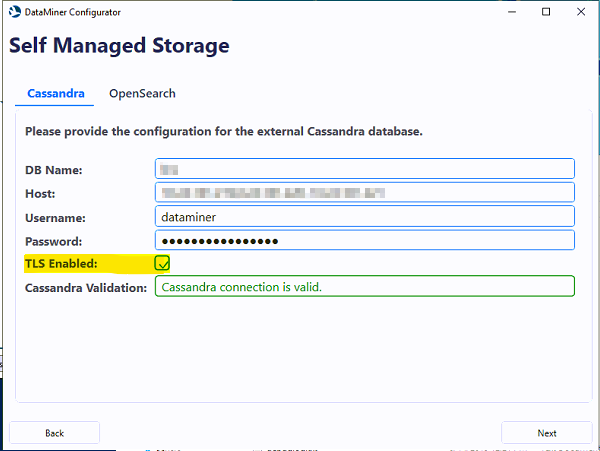
The configurator will input the https:// and :9200 for you when TLS is checked there, so all that is needed in the tool is the IP, IP2, IP3 as you have in the top picture.
Also, just for sanity would you be able to verify the password entered if this is incorrect it could also fail here.
Hi Ryan,
Thank for the clarification.
The problem is that I have a mixed connection configuration. For Cassandra, as is suggested in the documentation, I'm not using certificates and the connection isn't secured but in OpenSearch, because inter-node communication must be secured I applied it in all connections.
If it's not possible to configure the connection encryption separately, I understand the possible solutions would be:
Either disable encrypted connections in OpenSearch (opensearch.yml)
plugins.security.ssl.http.enabled: false
Or configure the Cassandra cluster to use encrypted connections.
However, the configuration tool is a bit confusing in this subject, and it would be great to be able to select the encryption individually for each connections in the future.
Hello Fernando,
Can you please let me know if when you tried to connect to the nodes using your browser, you had to accept the certificates? Or they were already installed and accepted?
Have you done the configurations also on IIS?