

Hi,
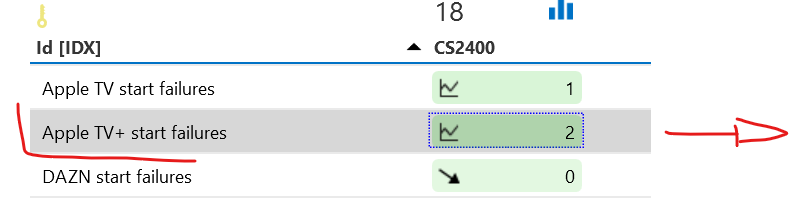
For a use case where we collect information on OTT apps (startup failures, etc.), some of them have changed names in the meantime or are no longer available. The table still shows these apps with the last received data.
Is there a way to clean up those obsolete entries?
For example, Apple TV used to be Apple TV+, and should now be removed.
So far, the only solution is to delete the element, but then the trending data and other references are also lost.

Hi Mario,
There is no way to do this through the Data API.
You can do it through an automation script though in a couple of ways (replace the element name and the Table PID):
- With the DMS library (you will need to reference the Skyline.DataMiner.Core.DataMinerSystem.Common and Skyline.DataMiner.Core.DataMinerSystem.Automation dlls):
engine.GetDms().GetElement("My Element Name").GetTable(123).DeleteRow("Apple TV+ start failures");
- With a raw SLNet call (always be carefull):
using System;
using Skyline.DataMiner.Automation;
using Skyline.DataMiner.Net.Messages.Advanced;public class Script
{
public void Run(Engine engine)
{
Element Element = engine.FindElement("My Element Name");
string[] keys = new string[] { "Apple TV+ start failures" };
DeleteRow(engine, Element, 123, keys);
}public static void DeleteRow(Engine engine, Element element, uint tableID, object key)
{
uint[] iaIds = new uint[3];
iaIds[0] = Convert.ToUInt32(element.DmaId);
iaIds[1] = Convert.ToUInt32(element.ElementId);
iaIds[2] = tableID;Skyline.DataMiner.Net.Messages.Advanced.SetDataMinerInfoMessage request = new SetDataMinerInfoMessage()
{
What = 156,
Var1 = iaIds,
Var2 = key
};
Skyline.DataMiner.Net.Messages.DMSMessage[] message = engine.SendSLNetMessage(request);
}
}