

Hi,
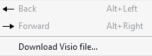
I have a Visio file associated with a view that I am trying to edit but when I right click I don't get the option to enter edit mode or edit in Visio. I have checked and I have the required permissions. I have also had a colleague try and they were not able to edit it either.
Has anyone seen this before? Any ideas how I can go about editing my Visio?
Thanks!
Lisa Reed [DevOps Advocate] Selected answer as best

Hello Lisa,
Besides the Permission rights, did you also check if your view permissions allow you and your colleagues to make config changes to the views you are trying to change? You need a checkmark in the corresponding column next to the view you're trying to change.
Lisa Reed [DevOps Advocate] Selected answer as best

Thanks Pieter, this helped me find the answer!
The view in question is the top-level view and contains everything else in the system, including all the other elements and views. Some permissions were restricted for all users on one of its sub-views. As a result, the parent view wasn’t ticked, so we couldn’t edit its Visio, even though that wasn’t the intention of the restriction.
I’ve temporarily granted the permissions needed to update the Visio. Once it’s updated, I’ll revoke them again to prevent the restricted sub-view from being edited by mistake.