
With every DataMiner Feature Release, we introduce improvements and new capabilities that help you get more value out of your system. In this post, we highlight the most noteworthy additions to DataMiner 10.6.6.
Below, you’ll find a list of the new or improved features that are worth highlighting in this release. Each item links to relevant documentation where you can find more details.
- Dashboards and Low-Code Apps continue to evolve with several improvements:
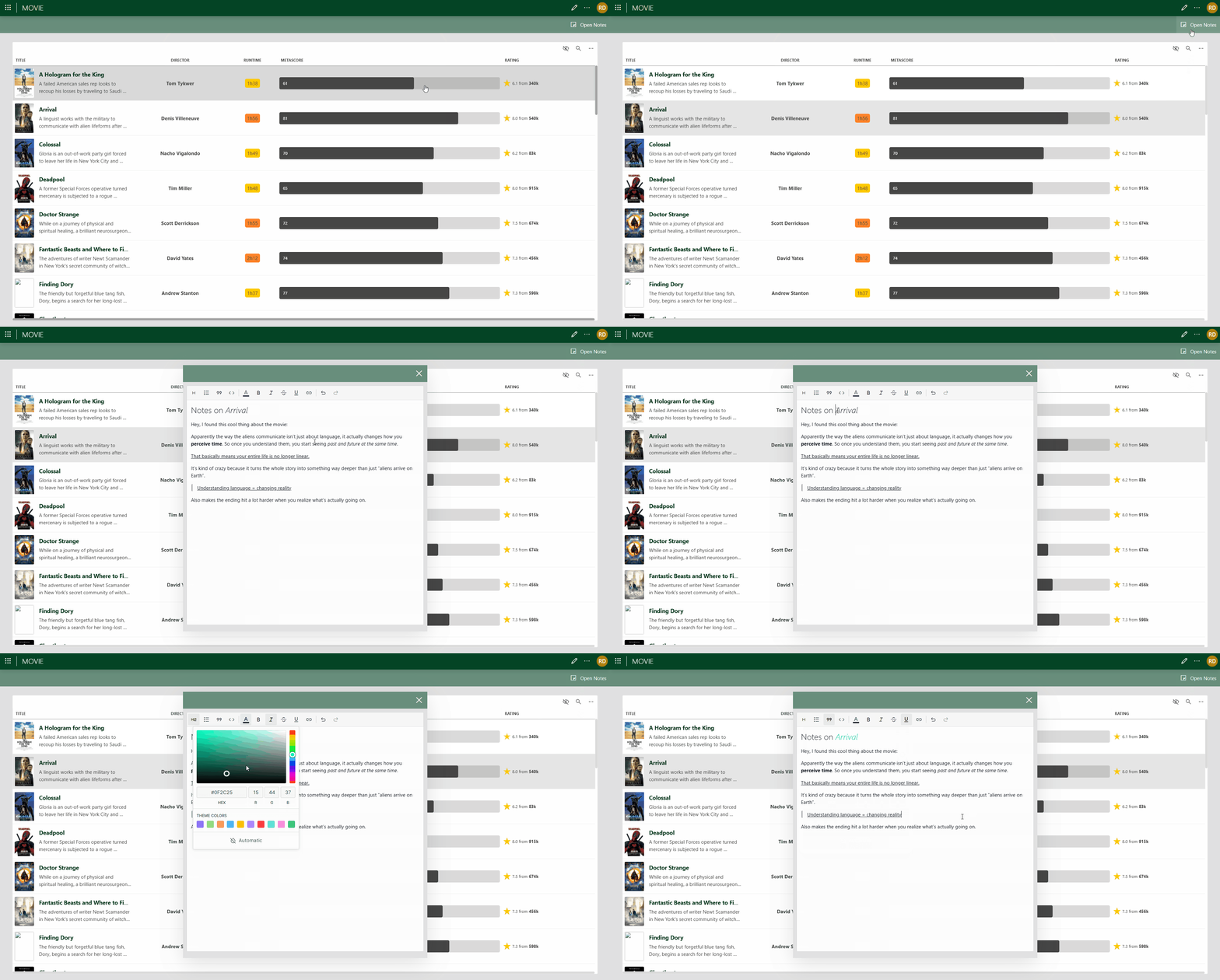
- A new rich text input component is now available, allowing you to enter and edit formatted text with ease. This makes it possible to add structured notes, comments, or instructions, and highlight important information using a wide range of formatting options.
- You can now specify a custom time zone for the DataMiner web apps in the user settings, accessible via the user menu in the upper-right corner of a dashboard or low-code app.
- The Transparent component style is now applied by default to the button component and all components in the Basic controls category, for the best possible visual result out of the box.
- Smart-serial elements in server mode can now be swarmed, provided this is enabled in the Protocol.xml file.
- In addition to defining which user groups can access specific DOM instances, you can now mark that access as read-only, giving you more precise control over who can view versus modify information.
- The Skyline.DataMiner.Core.GQI.Extensions NuGet package is now the recommended API for creating GQI extensions and will be the only one supporting new GQI features going forward. While the legacy API has reached end of life and will no longer receive updates, both APIs can still be combined temporarily to ease the transition.
- Two new filter methods are now available in the GQI Filter query operator: “Is one of” and “Is none of”. These allow you to return rows where a column value matches — or does not match — one of multiple specified values.
Curious about the new rich text input component?
The rich text input component introduces a flexible way to add structured notes, instructions, and contextual information in Dashboards and Low-Code Apps. It helps you format content directly in the interface using familiar editing tools.

Content expert: Sebastiaan Dumoulein
For a complete list of changes added in DataMiner 10.6.6, including technical details and fixes, refer to the official release notes.
Previous DataMiner releases
BLOG
What’s new in DataMiner 10.6.5?
Find out which new and improved features have been added in DataMiner version 10.6.5.
BLOG
What’s new in DataMiner 10.6.4?
Find out which new and improved features have been added in DataMiner version 10.6.4