

Hi community!
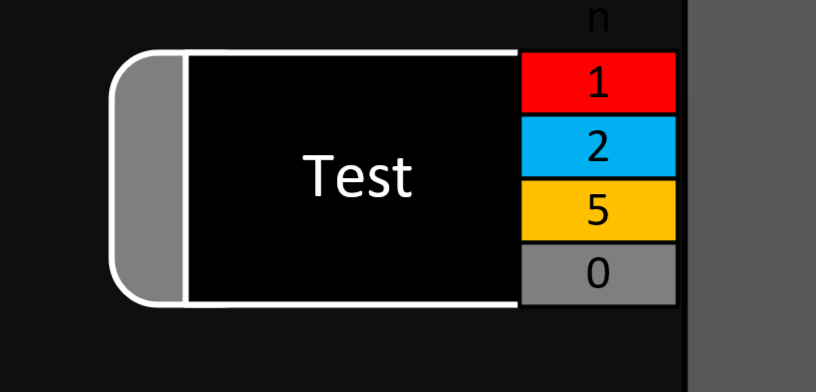
For the four colored squares, I have created an AlarmSummary shape data in the following style, as well es the respective Alarm Filters "Test_xxx":
active|Test_Critical|false|Alarm
active|Test_Major|false|Alarm
active|Test_Warning|false|Alarm
active|Test_Info|false|Alarm
This works for us as intended. Our next approach would be to only show the boxes if there is at least one alarm of each severity present on respective element. I have tried the following approach:
SHOW
<A>-A|Element:123456/2|ALARMLEVEL|=CRITICAL
<A>-A|Element:123456/2|ALARMLEVEL|=MAJOR
And so on..
..which does work as well but not if there are alarms of each severity present on an element, because only the highest severity would be respected and thus be considered as Condition = true.
Meaning: If the Element's Alarm Level is Critical, the boxes for lesser severities would not be shown.
Is there a suitable approach to do this or any workaround?

did not test this but if the alarm summary produce an count, maybe you can do an if the alarm summary of an alarm is higher than 0 show instead of triggering on the alarm state itself?
it seems that it might be possible:
https://docs.dataminer.services/develop/devguide/Visio/miscellaneous/Extended_conditional_shape_manipulation_actions.html#using-statistics-in-the-condition
<A>-A|Element:123456/2|#CriticalAlarms|>0

Hi Gregor,
Severity Notice is not the same as Information.
Information Events just appear at a point of time, without having a different/clear state like „Normal“, so they are not countable this way.
https://docs.dataminer.services/dataminer/Troubleshooting/Troubleshooting_Flowcharts/Troubleshooting_Identify_Per_Module/Alarm_Console/Troubleshooting_Alarm_Console.html
Hi Gerwin,
this indeed did the trick, thank you! Using #CriticalAlarms, #MajorAlarms and #WarningAlarms worked so far. I'm still trying to make use of #NoticeAlarms which I presume to be relevant for Information Events. Do you have an idea if this is the intended way to use it? Not sure, because this one does not seem to work.